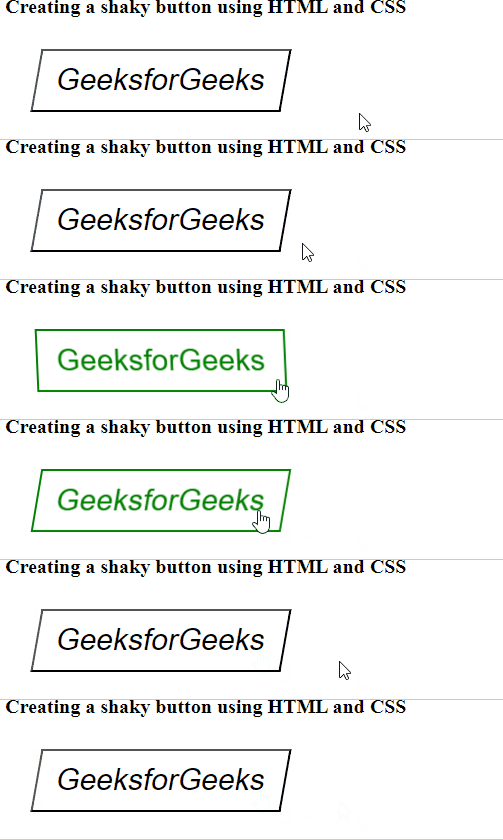
To create a shaky button using HTML and CSS involves adding an animation effect to a button element, making it appear to shake when interacted with. This effect can be used to draw attention to buttons, such as a snooze button or a button requiring immediate action.
Approach
HTML page structure is defined and a new button is created that would be later styled with CSS.
In the CSS, the ".shaky-btn" class styles the button with specific dimensions, background color, font size, and an initial skew transformation for a slanted appearance.
The ".shaky-btn: hover" class defines the hover effect, triggering the shake animation, adding a green border, and changing the text color to green.
The @keyframes shake rule defines the shake animation by alternating the button's skew transformation between -10 and 10 degrees.
When the button is hovered over, the animation smoothly transitions through the defined keyframes, creating a shaking effect.
Example: The example shows how to create a Shaky button using HTML and CSS