|
VOOZH | about |
|
VOOZH | about |
We are currently living in the age of AI. Images to automate processes including image generation for logos, advertisements, stock images, etc. So here we will use OpenAI to generate Images with Python [ChatGPT API]. There are numerous uses of the DALL - E model and today we will be discussing how one can use its Python ChatGPT API [OpenAI API] to generate new images and edit existing images. But, before moving ahead let's know a little about what DALL E is.
DALL - E is developed by OpenAI. It is based on a modified version of the GPT-3 model that allows the AI model to generate images from textual or image input. DALL - E is trained on 3.5 billion parameters which allows it to perform a wide range of tasks on images seamlessly. DALL - E has many use cases like social media content creation, logo creation, editing images, advertisement generation, and many others, thus making it a valuable tool in today's time.
Here we are going to see the steps to use DALL - E API in Python. Using DALL - E API we are able to generate and edit images using Python code.
Step 1: Log in to your OpenAI account after creating one.
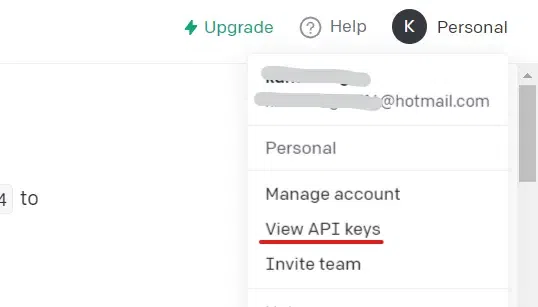
Step 2: As shown in the figure below, after logging in, select Personal from the top-right menu, and then select "View API keys".
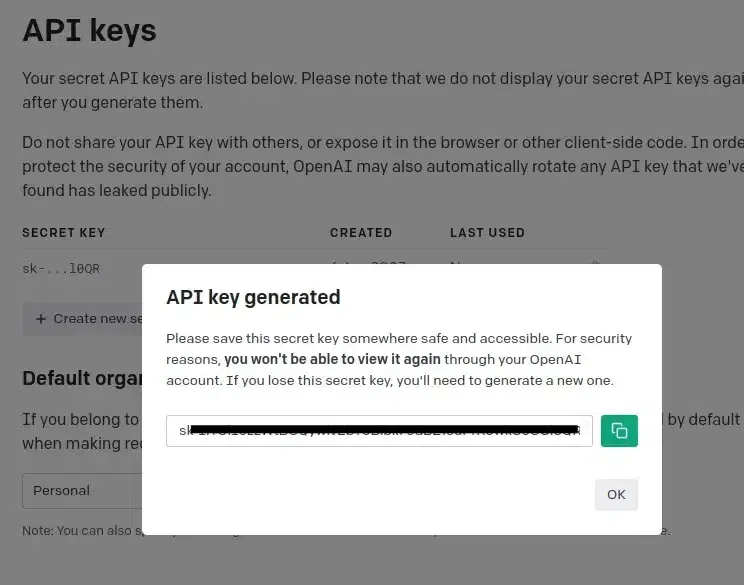
Step 3: After completing step 2, a page containing API keys is displayed, and the button "Create new secret key" is visible. A secret key is generated when you click on that, copy it and save it somewhere else because it will be needed in further steps.
Step 4: Now launch any text editor or online notebook such as Google Colab or Jupyter Notebook. Here, we're using a Google Colab notebook to install the Open AI library in Python with the command listed below.
pip install -q openaiStep 5: Import the openai library, and then do as follows. Store the created key in the below-mentioned variable.
Step 6: Import the requests library and Image module from PIL library.
Step 7: Now we define a function to generate an Image using the "create" endpoint of DALL E API.
The above function takes a string as an argument and passes it to the API endpoint. The other are parameters used are n = "number of images generated using that prompt" and size = "size of the image generated". The API can give generate the image in either Base64 format or URL. We return the URL of the generated image as the output.
Note: The size of the generated images must be one of 256x256, 512x512, or 1024x1024.
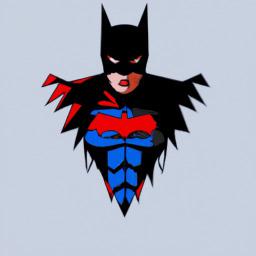
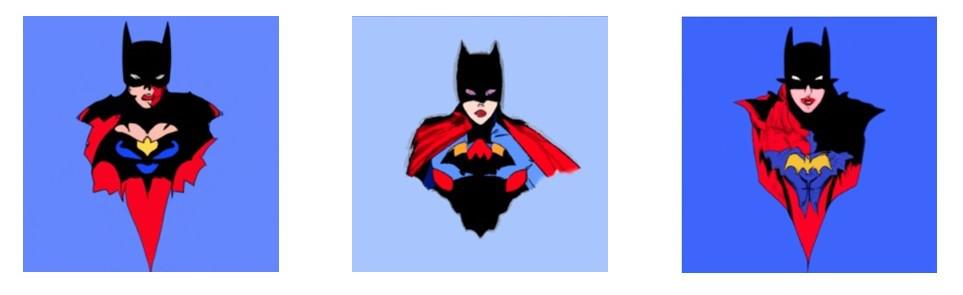
Step 8: Now we generate an Image using the Text Prompt.
Output:
Here we are going to use the same image generated above by DALL E and generate its variations.
Since DALL E only accepts square PNG images with sizes less than 4 MB and in RGBA format, we save our image with extension png and in RGBA format using the following code.
To generate variations of an existing Image we use the "create_edit" endpoint of the DALL-E API.
Output:
In this section, a mask will be uploaded and a text prompt will be supplied in order to change an image. Where the image should be altered is indicated by the transparent portions of the mask, and the prompt should describe the entire new image rather than just the area that was erased.
Make sure your image and mask are of the same size (square PNG) and less than 4MB in size before passing them as arguments to API. We will be using the following images.
Also, write a prompt such that it describes the full new image not just the transparent area that needs to be replaced.Use the following lines of code to edit the image.
Output:
It is not necessary for the non-transparent portions of the mask to match the original image, as in the example above, because they are not used when creating the output.
We covered several ways in the whole article for generating new images and editing existing images using DALL - E API using Python which would help you in achieving your desired outputs. There are numerous use cases of DALL - E like social media content generation, logo creation, or generating stock photos, etc.
To learn more about Chat GPT, you can refer to: