|
VOOZH | about |
|
VOOZH | about |
Ansible Conditional Statements allow the user to manage the execution of tasks based on specific conditions. The primary mechanism by which conditional logic is added to tasks in Ansible is by using the when keyword.
These allow tasks to run only when specific criteria are met such as variable values, file presence, or system facts. This ensures selective task execution, improves playbook flexibility, and supports robust automation.
IF expressions are introduced by the keyword when followed by an expression whose value is either true or false; if the value is true, then an action is performed, and otherwise, it isn't done.
Example:
The condition in a when statement can be a simple variable, a comparison, or a more complex expression involving logical operators such as and, or, and not.
Example:
Example:
Tasks can register variables that store the results of their execution. The registered variables can then be used within conditional statements, in which decisions are taken based on the output of previous tasks.
Example:
Now install ansible in our local machine by using following command.
sudo amazon-linux-extras install ansible2- name: Example Playbook with Variables
hosts: localhost
vars:
example_var: true
tasks:
- name: Print variable value
debug:
var: example_var
- name: Example Playbook with Conditional Statements
hosts: localhost
vars:
is_debug: true
tasks:
- name: Print debug message
debug:
msg: "Debug mode is enabled"
when: is_debug
- name: Example Playbook with Complex Conditions
hosts: localhost
vars:
var1: true
var2: false
tasks:
- name: Print message if both conditions are true
debug:
msg: "Both conditions are true"
when: var1 and var2
- name: Print message if either condition is true
debug:
msg: "At least one condition is true"
when: var1 or var2
- name: Example Playbook with Registered Variables
hosts: localhost
tasks:
- name: Check if a file exists
stat:
path: /path/to/file
register: file_status
- name: Print message if file exists
debug:
msg: "The file exists"
when: file_status.stat.exists
Example:
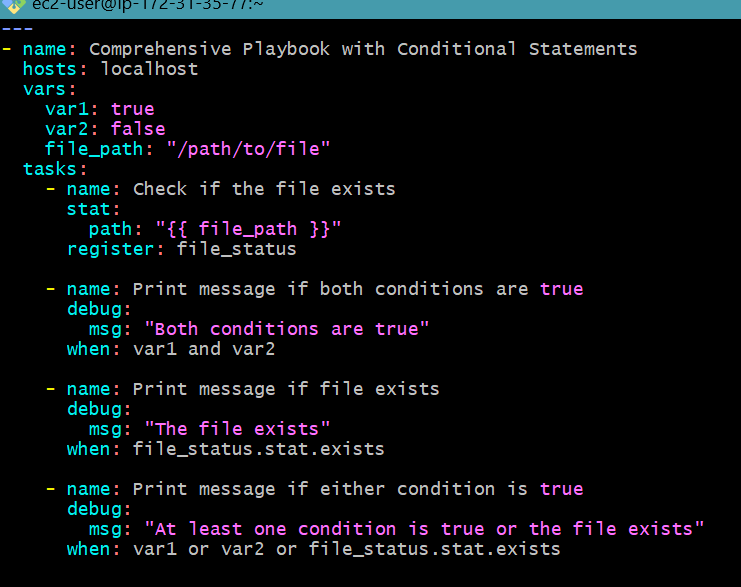
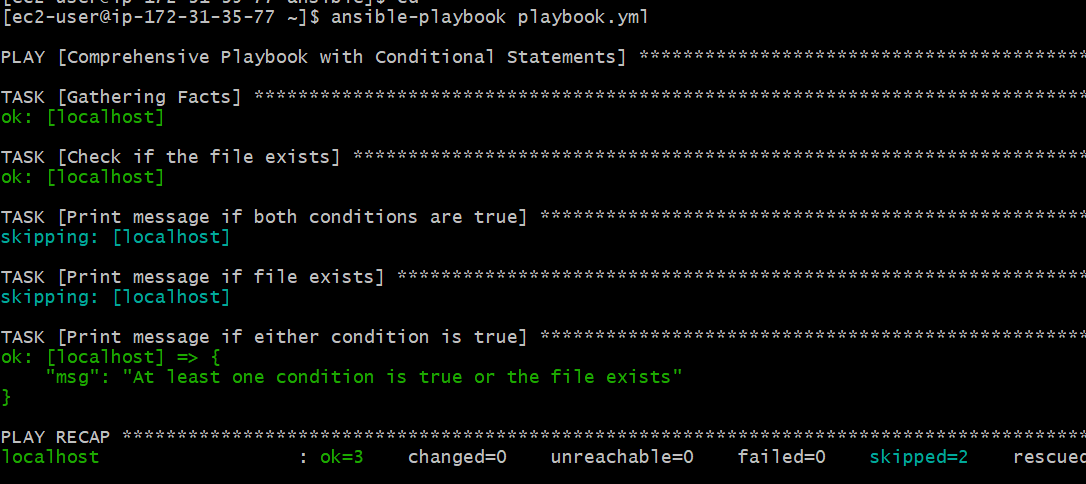
- name: Comprehensive Playbook with Conditional Statements
hosts: localhost
vars:
var1: true
var2: false
file_path: "/path/to/file"
tasks:
- name: Check if the file exists
stat:
path: "{{ file_path }}"
register: file_status
- name: Print message if both conditions are true
debug:
msg: "Both conditions are true"
when: var1 and var2
- name: Print message if file exists
debug:
msg: "The file exists"
when: file_status.stat.exists
- name: Print message if either condition is true
debug:
msg: "At least one condition is true or the file exists"
when: var1 or var2 or file_status.stat.exists
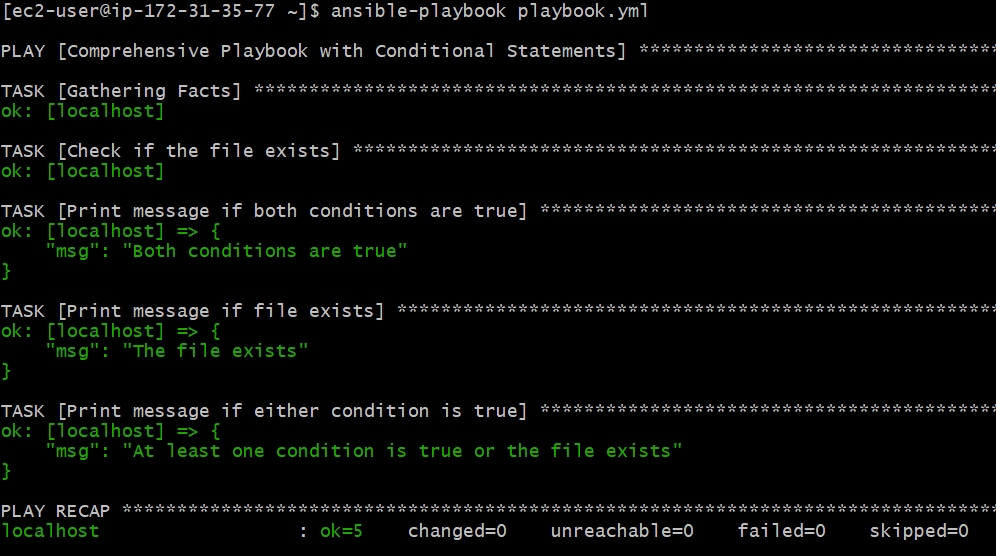
var1: true
var2: true
file_path: "/etc/hosts" # Assuming this file exists on your system
Here we see all tasks are executed.

.png)
-1024.png)
.png)