|
VOOZH | about |
|
VOOZH | about |
Docker Swarm is one of the container orchestration tools used to cluster and schedule Docker containers. Developers and IT managers can establish and manage a cluster of Docker nodes as a single virtual system using Swarm. Developers may create a cluster by joining many virtual or real computers together using Docker Swarm. Nodes or daemons are the names given to these lone computers.
Rolling updates can update the containers of a service incrementally, swapping out the old version with the new one without bringing down the service. That assures that the application will remain always available, even when updates are underway. Docker Swarm thus automates that process by smoothly removing old containers and replacing them with new ones based on changes made in the developer's configuration.
Rollbacks are a particular service to a prior version from the swarm. Use the docker service rollback command to return to a service's earlier version. This command returns the service to the settings that existed before the most recent docker service update command. Manual rollback includes halting the changed service and restarting the previous version with Docker commands.
Below is the step-by-step implementation of docker swarm deployments: Rolling Updates and Rollbacks:
First, if you haven't already initialized your Docker Swarm, you may do so by running the following command.
docker swarm initOutput:
Provide the swarm with a service that you will upgrade later.
docker service create --name my_service --replicas 3 nginx:1.19Output:
Then you can verify the current state of your service.
docker service lsOutput:
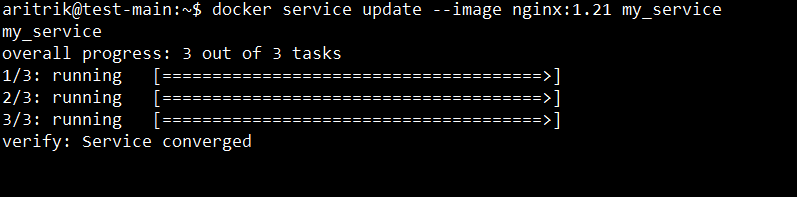
You may use the docker service update command to upgrade the service to a new version.
docker service update --image nginx:1.21 my_serviceOutput:
Then you can track the rolling update's development.
docker service ps my_serviceOutput:
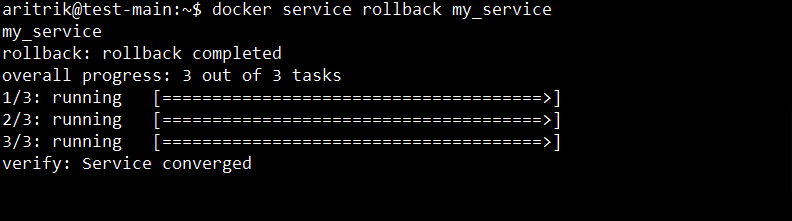
You can roll back to the earlier version if the upgrade doesn't work as intended.
docker service rollback my_serviceOutput:
Finally, Verify whether your service has been rolled back by checking its status.
docker service ps my_serviceOutput:
In this article we have learned about docker swarm deployments: Rolling Updates and Rollbacks. Rolling updates and rollbacks in Docker Swarm ensures high availability and fast recovery from unsuccessful deployments. Configuring your services with thoughtful update strategies will ensure smooth transitions between application versions.