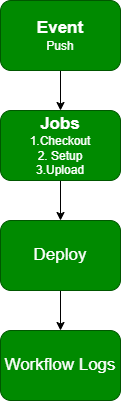
GitHub Actions is GitHub’s built-in CI/CD tool that automates building, testing, and deploying code whenever changes are pushed to a repository, reducing manual effort and repetitive tasks.
GitHub Actions automates build, test, and deployment workflows on every repo change.
Continuous Integration (CI) involves frequently merging code into the main branch.
Manual deployments for every change reduce productivity and repeat work.
CI/CD workflows automatically build and deploy code after changes.
Enables automatic deployment of updates (e.g., static HTML to GitHub Pages).
GitHub provides ready-made workflows for HTML, Node.js, Python, and more.
Github Actions
GitHub Actions is a platform built into GitHub that automates all the SDLC steps like development, testing, and deployment.
Event: Triggers the GitHub Actions pipeline (e.g., push, pull, merge).
Workflow: Runs tasks triggered by events, defined in a YAML file under .github/workflows.
Jobs: Groups related tasks into ordered steps within a workflow.
Actions: Individual steps in a job, using shell commands or reusable actions.
Continuous Integration
Continuous Integration (CI) is a development practice where developers frequently commit code changes to a shared repository to detect and fix issues early.
Code changes are committed multiple times a day to a shared repository.
Helps identify and resolve bugs early in the development cycle.
Supported by various CI tools chosen by teams.
Often includes features like test servers and automated test reports.
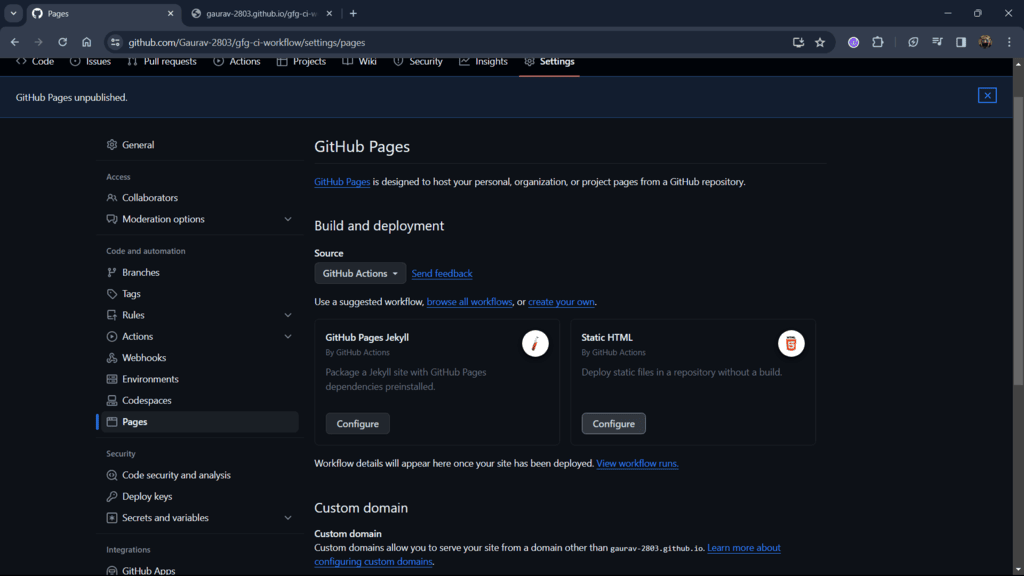
Step 5: Configure Static HTML to generate a pre-built workflow for your site. GitHub provides built-in workflows-select Static HTML (or any workflow that fits your project).
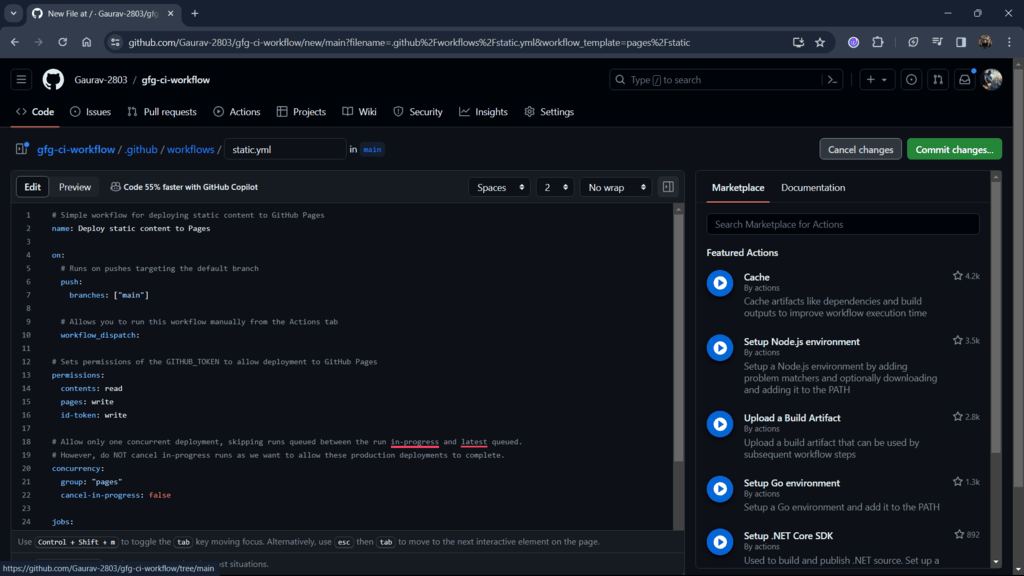
Step 6: The following image is the workflow YAML file that will automate your process of deployment. You change this according to your needs but for now let's just keep it as it is.
This files contains:
name: Name of your workflow
on: Action from which you to automate your task
permission: Here we provide permissions to read, write our workflow files.
jobs: This is where your mention all the task you want to automate.