|
VOOZH | about |
|
VOOZH | about |
Docker is a platform used by developers to automate the deployment of applications within containers. The containers include all the necessary components for the application to run, ensuring consistent behavior across various environments. In this guide, we'll walk through the process of installing Docker on Ubuntu 22.04, explore key Docker concepts, and how to use Docker.
Docker is a platform that supports container creation, deployment, and management. Containers are self-contained environments that package an application and all its dependencies together, making it easy to move applications between different environments without worrying about social issues.
In this section, we will discuss the step-by-step installation of docker using the 'apt' repository
First, update your system's package index to ensure that it is up-to-date. Open the terminal in your Linux system and run the bash commands shown below.
sudo apt update
sudo apt upgrade
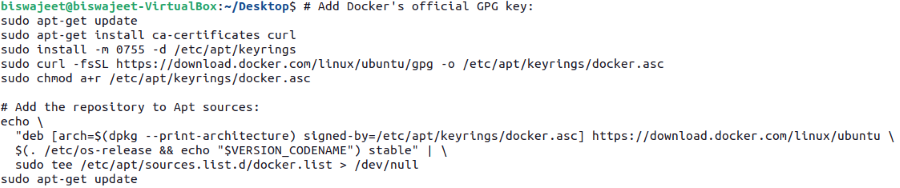
Run the bash commands shown below in your Linux terminal to set up Docker's 'apt' repository.
# Add Docker's official GPG key:
sudo apt-get update
sudo apt-get install ca-certificates curl
sudo install -m 0755 -d /etc/apt/keyrings
sudo curl -fsSL https://download.docker.com/linux/ubuntu//gpg -o /etc/apt/keyrings/docker.asc
sudo chmod a+r /etc/apt/keyrings/docker.asc

# Add the repository to Apt sources:
echo \
 "deb [arch=$(dpkg --print-architecture) signed-by=/etc/apt/keyrings/docker.asc] https://download.docker.com/linux/ubuntu/ \
 $(. /etc/os-release && echo "$VERSION_CODENAME") stable" | \
 sudo tee /etc/apt/sources.list.d/docker.list > /dev/null
sudo apt-get update
To install the Docker packages, run the bash command shown below in the terminal:
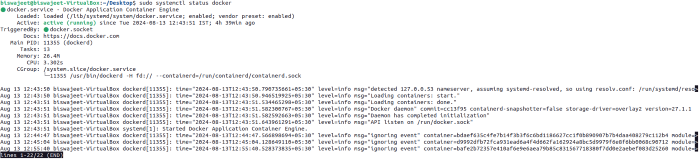
sudo apt-get install docker-ce docker-ce-cli containerd.io docker-buildx-plugin docker-compose-pluginTo verify that Docker is installed and running, run the bash command shown below in the terminal:
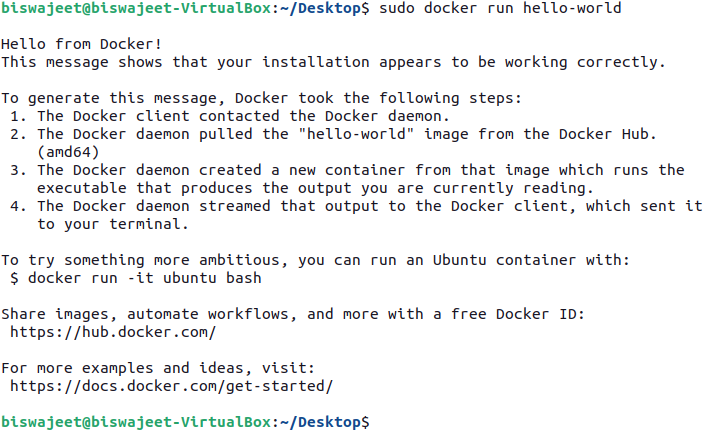
sudo systemctl status dockersudo docker pull hello-worldsudo docker run hello-worldThis command runs the 'hello-world' container, which prints a welcome message and exits.
docker psDocker is a powerful tool for building, deploying, and managing applications in a distributed environment. After completing this tutorial, you should have Docker installed on your Ubuntu 22.04 system and be familiar with basic Docker commands. Docker's ability to package applications and their dependencies into containers makes it an essential tool for developers and administrators.