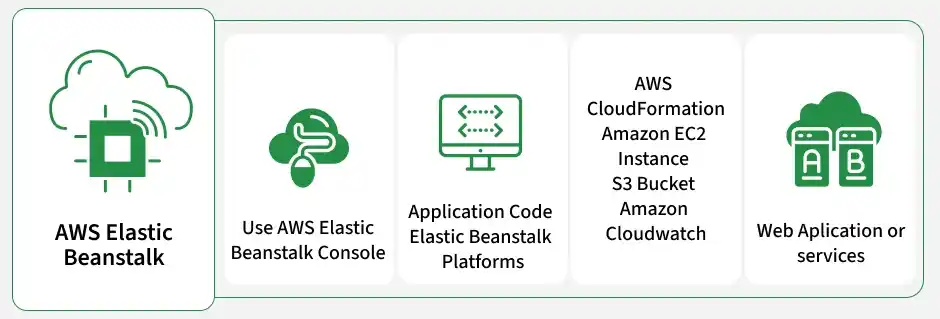
AWS Elastic Beanstalk is a fully managed Platform as a Service (PaaS) designed to simplify the deployment, provisioning, scaling, and monitoring of web applications. By automating infrastructure management, it allows developers to upload their raw code files and immediately run applications without having to configure underlying servers.
Supports advanced release policies including All at Once, Rolling, Immutable, and Blue/Green strategies.
Provides pre-configured runtime environments for major programming languages, web servers, and Docker containers.
Eliminates time spent on OS patches, hardware upgrades, database integrations, and load balancer setups.
Elastic Beanstalk allows developers to customize or take complete manual control of individual underlying resources (like tweaking EC2 sizes or adjusting security rules).
3. Configure Platform and Code Settings: Define your application name, choose your target programming platform (such as Java), and select the desired platform branch and version. To run a test, select Sample Application, or choose Upload your code to upload a local ZIP or WAR archive.
4. Automatic Resource Provisioning: Once you click Create, Elastic Beanstalk starts compiling and configuring the background architecture. The console will display a real-time event log tracking the creation of EC2 nodes, Auto Scaling structures, and networking bridges.
5. Verify Environment Health and Endpoint URL: When configuration completes, the status screen displays a Green OK health indicator and provides a public domain URL to access your live environment.
AWS provides three primary interfaces to control and manage your application deployments:
1. AWS Management Console: A browser-based graphical console, ideal for initial setup, deployments, and visual health monitoring.
2. EB CLI (Command Line Interface): A specialized developer tool to initialize projects, spin up environments, and push code modifications directly from the terminal. Common commands include:
eb init: Configures your local project directory and associates it with a platform runtime.
eb create: Provisions and starts a brand-new environment in the cloud.
eb deploy: Bundles, uploads, and deploys local code changes as a new application version.
3. AWS SDKs: Software development kits designed to programmatically modify environments from your custom backend application code.


.webp)
.webp)
.webp)
.webp)
.webp)
.webp)