|
VOOZH | about |
|
VOOZH | about |
Containerization has completely changed how we wrap, deploy, and handle applications. Podman, a container engine, without a daemon, presents an option, to Docker offering improved security and adaptability. This article explores setting up a Podman machine environment explaining the ideas and giving you a detailed walkthrough.
Let's first clarify a ky terms before we get into setting things up.
Now that we've discussed the terms. Let us go over how to set up and start a Podman Machine environment.
Before you start setting up Podman on your system (computer) it's usually necessary to include the Podman repository in your package sources list first.This helps guarantee that you're installing the up-to-date and reliable version of Podman that is available.
sudo apt install -y software-properties-common
sudo add-apt-repository -y ppa:projectatomic/ppa
Now that the repository has been included successfully you can move forward with the installation process.
sudo apt update
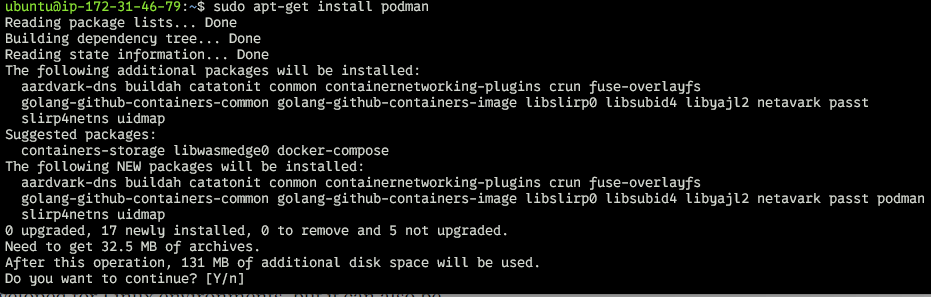
sudo apt-get install podman
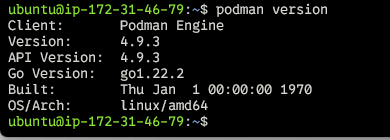
podman version
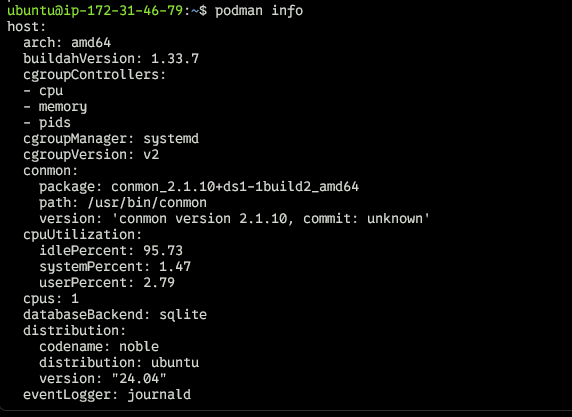
The podman info command provides detailed information about the current Podman installation, including configuration, system details, and runtime environment. It is particularly useful for troubleshooting, debugging, and understanding how Podman interacts with the underlying system.
podman infoAfter installing Podman on your system you have the option to set up a new Podman Machine by running the command below:
podman machine init
You might get an error something like after running the above command:
Run the below command to solve this error:
sudo apt-get install qemu-system-x86
Now Re-run the below command to initialize a new machine in podman:
Initialize a New Podman Machine: When you use the " machine init" command it sets up a virtual environment, for your Podman containers. You have the flexibility to choose your operating system and allocate resources by utilizing command line options.
podman machine init --cpus 2 --memory 4096
This command creates a new Podman machine with 2 CPUs and 4GB of memory.
Start the Podman Machine: Use the podman machine start command to power on the newly created virtual machine.
podman machine start