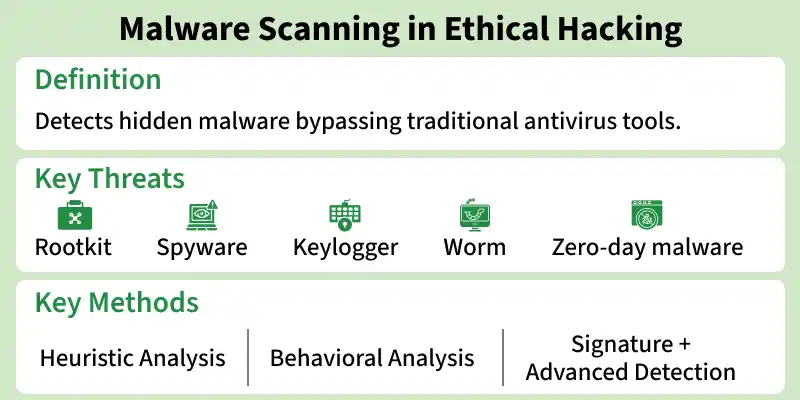
Malware scanning in ethical hacking is the process of detecting malicious software hidden within a system that may bypass traditional antivirus tools. It focuses on identifying advanced threats such as spyware, rootkits, keyloggers, worms and zero-day malware using deeper inspection techniques during security assessments.
Detects hidden and advanced malware beyond basic antivirus tools
Identifies threats like rootkits, spyware, keyloggers and worms
Uses behavioral and heuristic analysis instead of only signatures
Supports penetration testing and system hardening efforts
A malware scanner is a security tool used to detect, analyze and remove malicious software such as rootkits, trojans, spyware, keyloggers and worms. It helps identify threats that may bypass traditional antivirus programs, especially polymorphic malware that frequently changes its code to avoid detection.
1. Purpose
Detects and analyzes malicious software in a system
Identifies threats that steal data, passwords or damage systems
Helps prevent malware from spreading across devices and networks
2. Working Techniques
Uses heuristic analysis to detect unknown or suspicious files
Uses behavioral analysis to monitor unusual system activity
Detects malware even if it is not previously known
3. Importance
Essential for identifying advanced and hidden threats
More effective than basic antivirus in detecting evolving malware
Helps improve overall system and network security
4. Limitations of Free Tools
Some free scanners are outdated or not regularly updated
May lack advanced detection features
Not always reliable for professional or enterprise-level security
Types of Malware
1. Riskware
Riskware refers to legitimate software applications that are not inherently malicious but can be exploited by attackers for harmful activities such as unauthorized access, surveillance or data theft. The risk arises from misuse rather than malicious design.
Example: Remote administration tools such as TeamViewer when misused for unauthorized access.
2. Rootkit
A rootkit is a highly stealthy form of malware designed to gain privileged access to a system while concealing its presence. It typically modifies core operating system components to avoid detection by security tools. Once installed, a rootkit can allow attackers persistent control over a system, enabling them to steal sensitive information such as login credentials, personal data and financial details.
Example: NTRootkit
3. Spyware
Spyware is malicious software that secretly monitors user activity and collects sensitive information without consent. This may include browsing habits, login credentials, keystrokes and personal or financial data, which is then transmitted to a third party.
Example: Pegasus spyware
4. Keylogger
A keylogger is a specific type of spyware that records every keystroke entered on a keyboard. The captured data is then sent to an attacker, allowing them to obtain passwords, messages and other confidential information.
Example: HawkEye
5. Worm
A worm is a self-replicating type of malware that spreads automatically across networks without requiring user interaction or a host file. It can rapidly propagate between connected systems, often consuming bandwidth and causing widespread disruption.
6. Vulnerability Scanners
Vulnerability scanners are security tools used to identify weaknesses in operating systems, applications and network configurations that could be exploited by attackers. While they are not malware, they may be misused by malicious actors during reconnaissance to identify potential targets.
Key Points for Effective Malware Scanners
An effective malware scanning system should be capable of more than just identifying viruses, it must provide deep, reliable and intelligent security analysis across different types of threats and user environments.
Accurate Malware Detection: Quickly detects known and emerging malware, including advanced threats like spyware.
Threat Differentiation: Identifies different attack types (virus, worm, spyware) for proper response.
Zero-Day Threat Detection: Detects unknown exploits and vulnerabilities missed by traditional methods.
Impact Analysis: Assesses affected users, devices or files and shows infection spread and severity.
User-Friendly Interface: Simple interface with clear, easy-to-generate reports for all users.
Threat Source Identification and Prevention: Finds how malware spreads and blocks it to prevent further infections while maintaining fast scans.
Countermeasures Against Malware
1. Cloud Security Infrastructure
Provides centralized and scalable security for cloud-based systems
Helps in monitoring and managing threats efficiently
Requires proper configuration to avoid security risks
2. User Awareness Training
Educates users about phishing, fake emails and malicious downloads
Helps users identify and avoid suspicious activities
Reduces chances of human error-based attacks
3. Regular Software Updates
Fixes known security vulnerabilities through patches
Protects systems from exploitation of outdated software