VOOZH about

URL: https://www.geeksforgeeks.org/ethical-hacking/shared-folder-on-virtual-machine-host-and-windows-10-machine/

⇱ Shared Folder on Virtual machine - Host and Windows 10 Machine - GeeksforGeeks


  • Courses
  • Tutorials
  • Interview Prep

Shared Folder on Virtual machine - Host and Windows 10 Machine

Last Updated : 8 Sep, 2025

To create a shared folder in VirtualBox, you first need to create a new folder. If you already have one, place it in a location where you can easily access it.

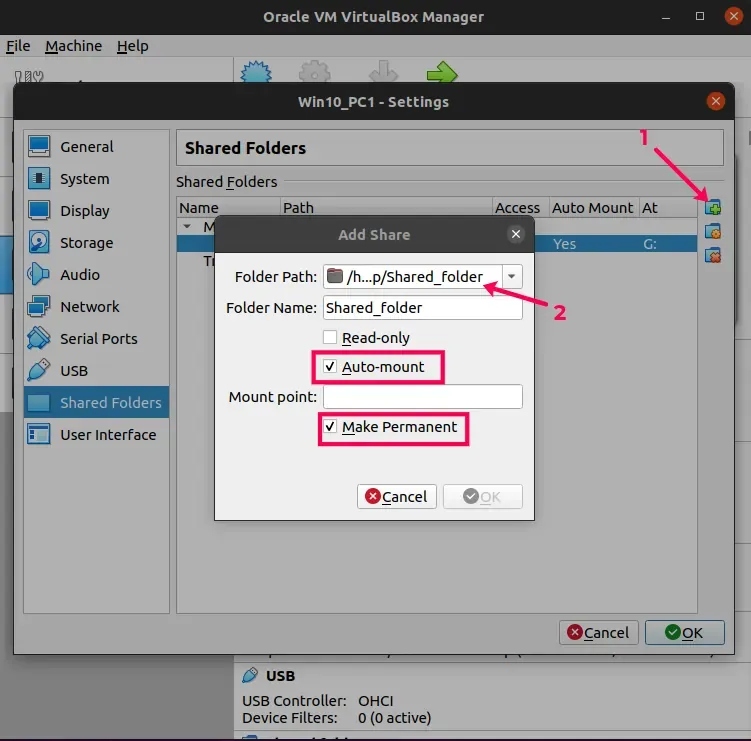
  • Open the virtual machine, then go to Settings > Shared Folders.
  • Click Add Shared Folder, and choose the folder you created or an existing one.
  • Enable the Mount option and select Make Permanent to ensure the folder remains available even after restarting the machine.
👁 image
  • Start the Windows 10 virtual machine. In the VirtualBox menu, go to Devices > Insert Guest Additions CD Image, then download and install it.
  • Once the Guest Additions CD Image is mounted, open File Explorer > This PC, then double-click CD Drive (D:) VirtualBox Guest Additions.
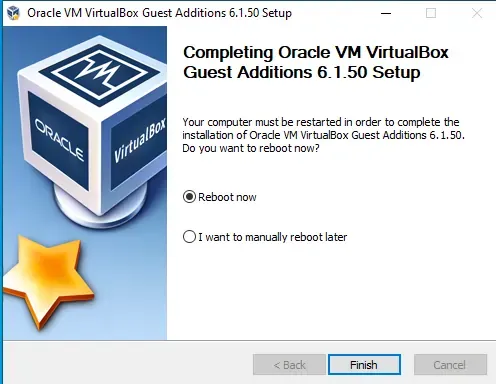
  • Click Yes, then select Next > Next > Install.
  • When prompted, reboot the machine.
👁 image
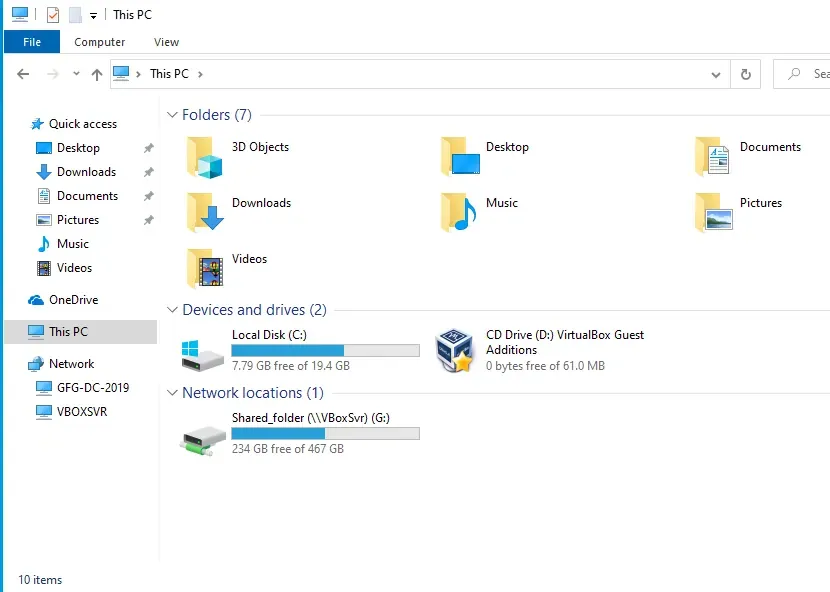
  • After reboot, Open file Explorer then go to This PC, you will notice Shared Folder under Network Locations.
👁 file


Comment
Article Tags: