VOOZH about

URL: https://www.geeksforgeeks.org/ethical-hacking/start-your-first-lab-in-cyber-security/

โ‡ฑ Start Your First Lab in Cyber Security - GeeksforGeeks


  • Courses
  • Tutorials
  • Interview Prep

Start Your First Lab in Cyber Security

Last Updated : 6 Feb, 2026

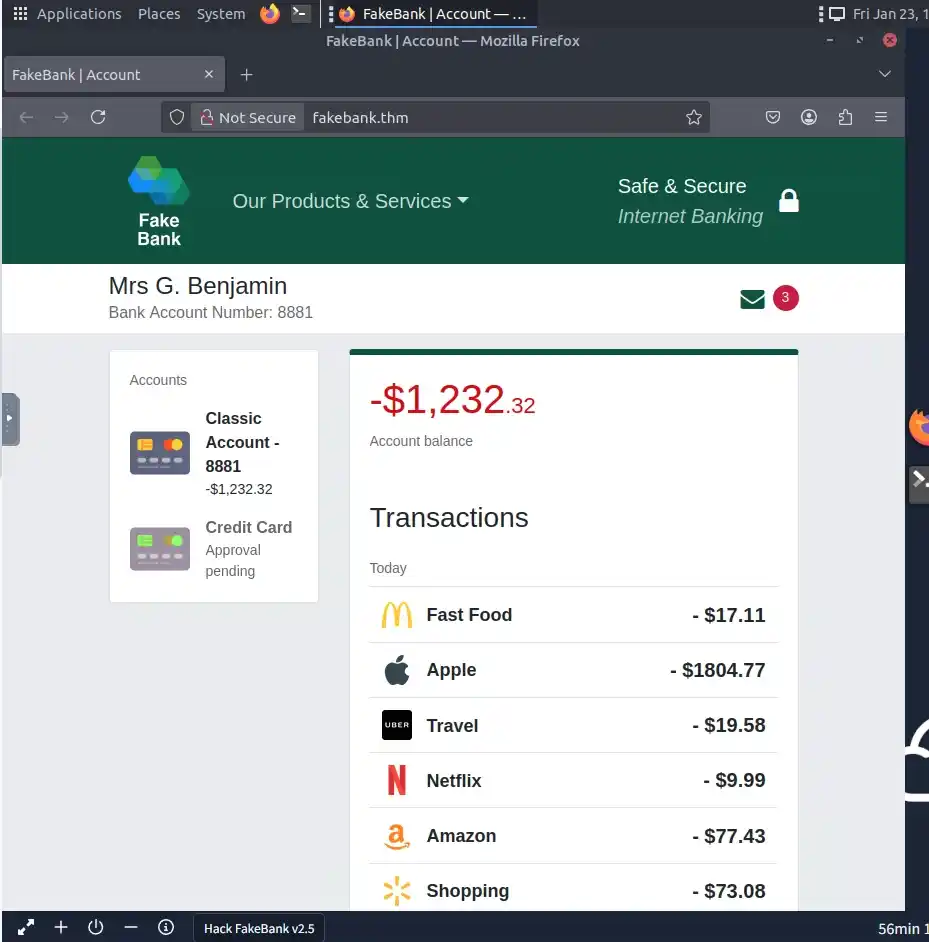
Weโ€™re using a free lab on TryHackMe, a hands-on cybersecurity training platform that offers virtual machines for safe ethical hacking practice. Below are the steps to solve the first lab:

Step 1: Start the Virtual Machine

  • Click the "Start Machine" button. Here is the Link
  • Go to the link and start the machine.
๐Ÿ‘ file
  • Wait for some time till the machine starts.
๐Ÿ‘ file

Step 2: Open the Terminal

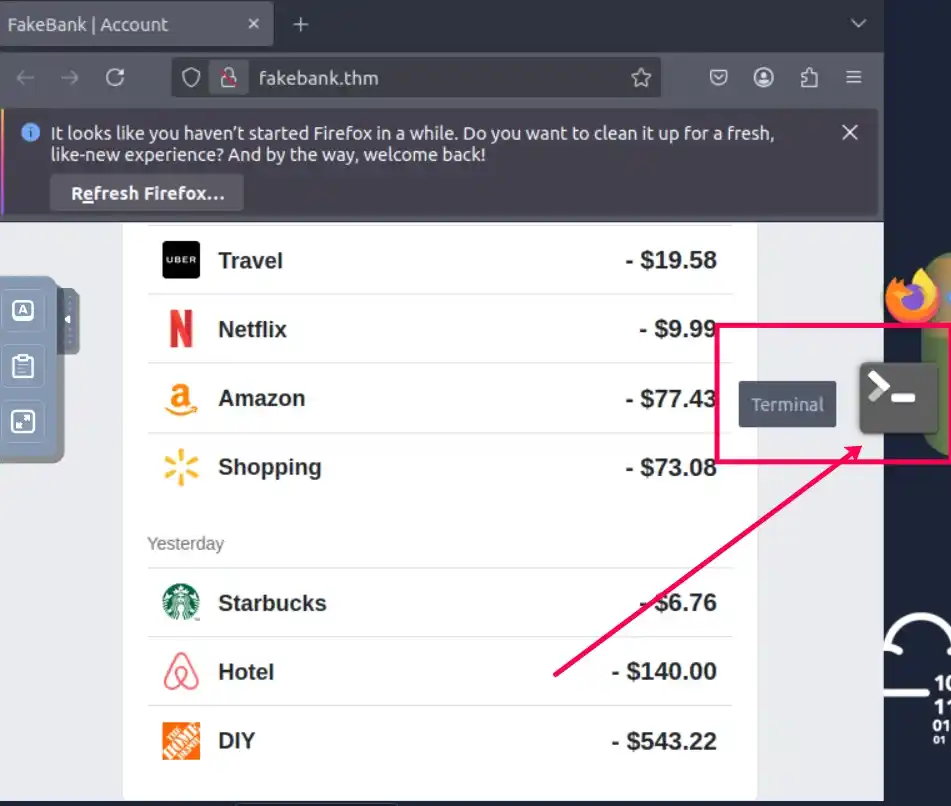
  • On the left (VM screen), click the Terminal icon to open the command-line interface
๐Ÿ‘ file

Step 3: Run dirb to Find Hidden Pages

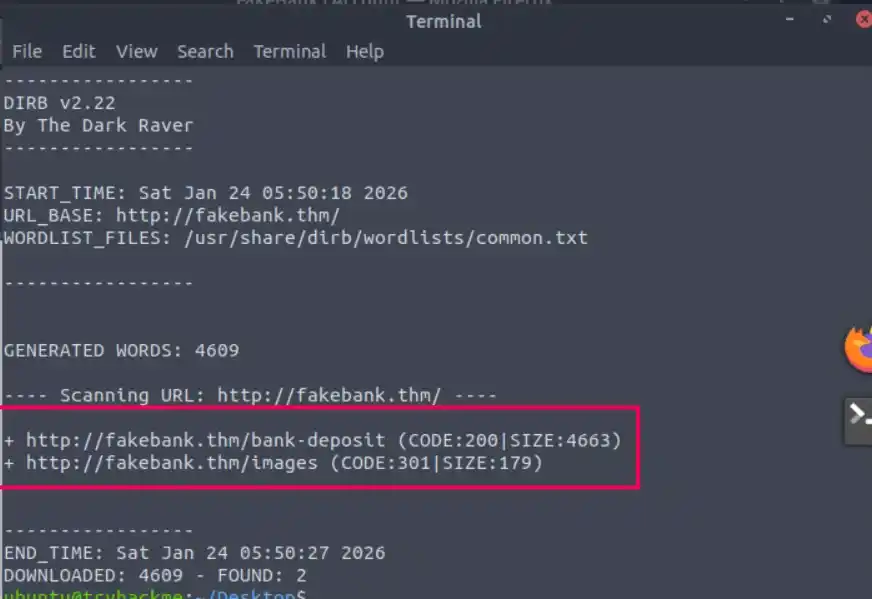
To find hidden URLs, we will use a tool called dirb. This tool uses a brute-force approach, by taking a list of potential page names and testing one by one if they exist in your website.

  • Type the command:
dirb http://fakebank.thm

This will scan the site and reveal hidden paths like:

Output:

๐Ÿ‘ file

Step 4: Visit the Hidden Pages in Browser

Use the browser in the VM to open the discovered pages:

  • http://fakebank.thm/images: No useful info.
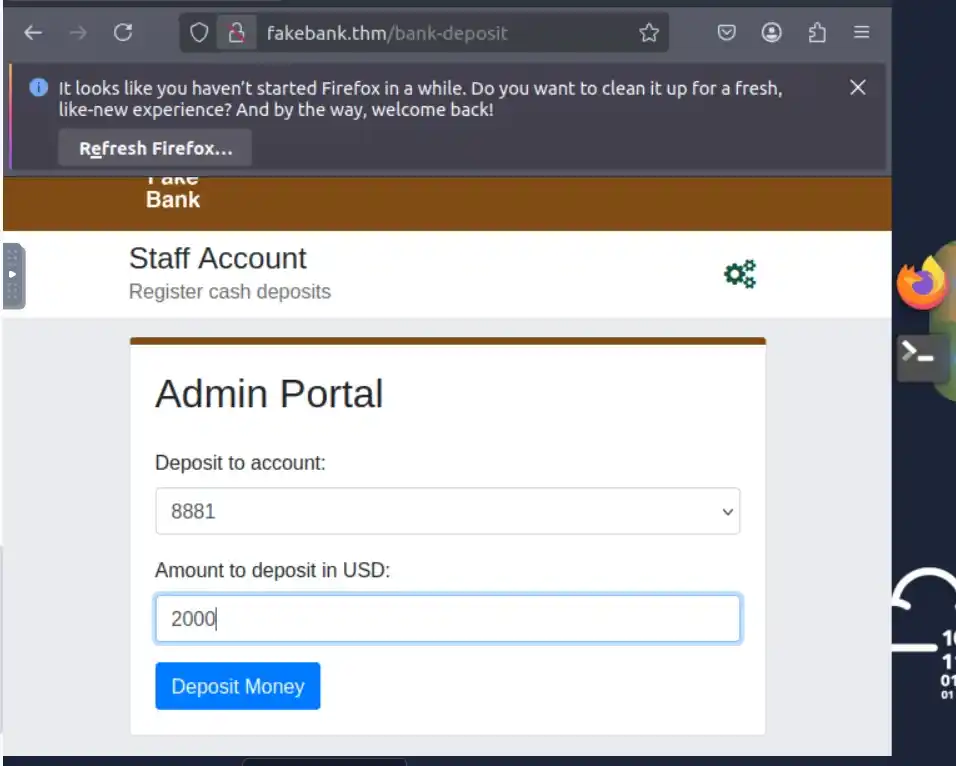
  • http://fakebank.thm/bank-deposit: Admin Portal Page for money transfer.

Step 5: Perform the Bank Transfer

On the /bank-transfer page:

  • Deposit to Account: 8881
  • Amount to Deposit: $2000
  • Click "Deposit Money"
๐Ÿ‘ file

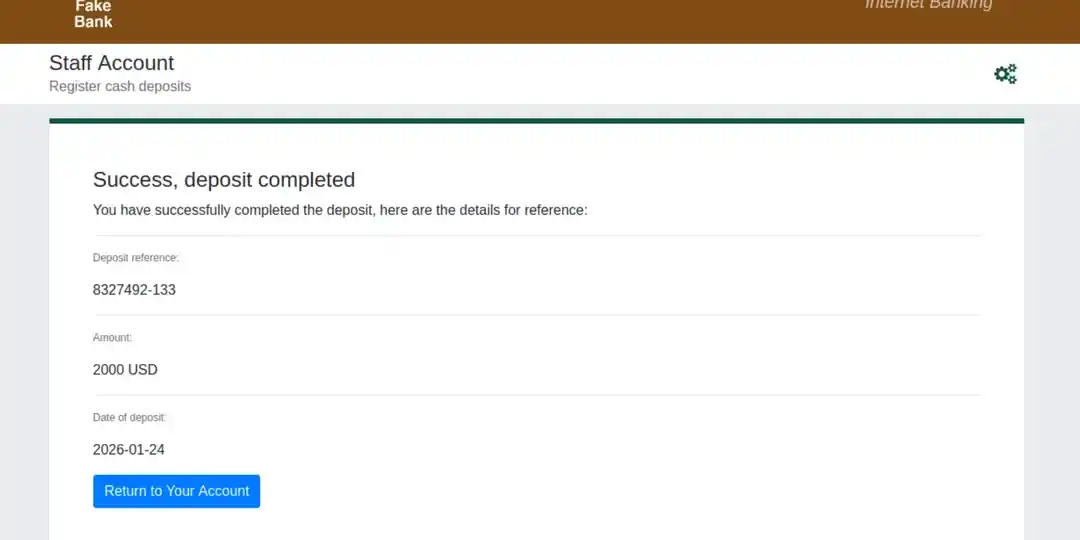
Step 6: Verify Deposit

Youโ€™ll receive a message like: โ€œSuccess, Deposit completeโ€

๐Ÿ‘ file
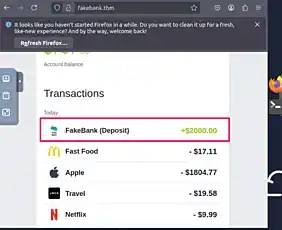
  • Click โ€œReturn to Your Accountโ€
  • On your account page, look above your balance for the flag.
๐Ÿ‘ file

This is a typical technique used in web penetration testing brute-forcing directories to find admin or sensitive pages. Always perform such tasks with permission in legal environments


Comment
Article Tags:
Article Tags: