The <div> tag is one of the most widely used HTML elements, helping divide a webpage into clear, structured sections. It acts as a flexible container for text, images, and links, easily styled and customized with CSS.
<div> is commonly used to organize and structure webpage content.
It is block-level but can act inline with display: inline-block.
It can be easily styled with CSS for color, spacing, size, and layout.
Supports responsive design using Flexbox, Grid, or percentage-based widths.
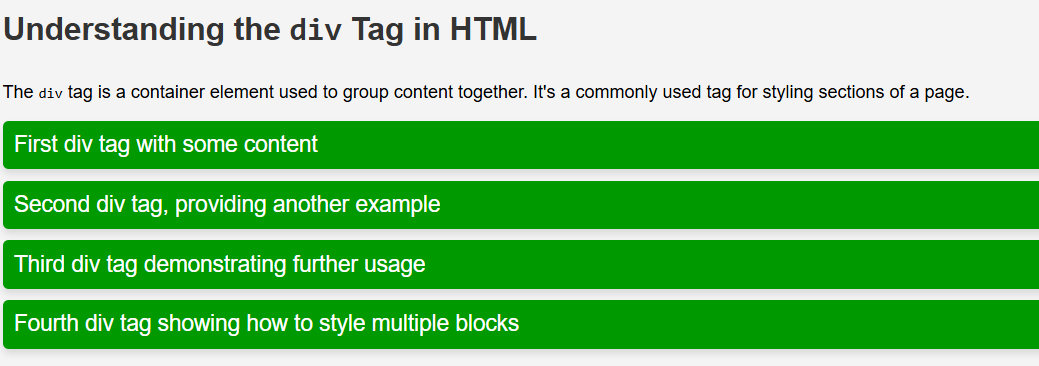
The page features a titled article explaining the <div> tag. It includes four green <div> blocks with white text, padding, rounded corners, and shadows.
The design is responsive, adjusting text size and spacing for smaller screens.
Syntax:
<div>
 <!-- Content goes here -->
</div>
Way to Style the <div> Tag
The <div> tag is easy to style and is often used by developers to group content together. It accepts almost all CSS properties, making it very versatile. Here’s how to style a <div> tag in a simple way:
1. Apply Font Properties with <div> Tag
The <div> tag can be styled using properties like font-size, font-family,font-weight, and font-style to control the appearance of text
The <div> element uses the class text-style to apply custom font styling.
CSS sets the text to Arial font, 24px size, and bold weight.
2. Apply Color with the <div> Tag
The color and background-color properties change the text color and background color of the content inside the <div>.
The <div> with class text-style applies font styling and text color to its content.
CSS sets the text to Arial, 24px, bold, and blue.
3. Style Texts with the <div> Tag
The text-transform and text-decoration properties can be used to change the style of text inside a <div>.
The <div> with class text-style applies text color, alignment, decoration, and transformation.
CSS makes the text green, centered, underlined, uppercase, and 30px in size.
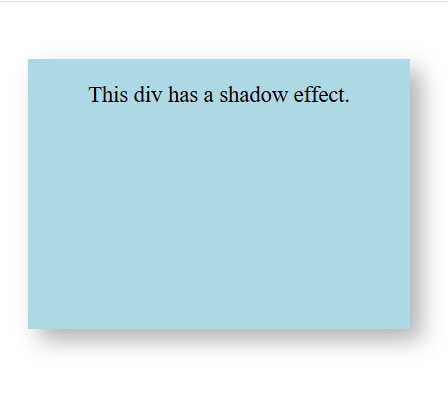
4. Create a Shadow Effect with the <div> Tag
The box-shadow property adds a shadow effect to a <div>.