|
VOOZH | about |
|
VOOZH | about |
PL/SQL is a Procedural language extension for the Structured Query Language (SQL) that allows for procedural programming in Oracle databases. This language can create tables and manipulate the data stored in the tables using queries or statements like insert, delete, update, alter, etc.
The day of the week in PL/SQL can be used for a variety of database operations. In this article, we'll look at how to retrieve this data in PL/SQL. We will start with the basics, like the TO_CHAR function and EXTRACT function.
Retrieving the day of the week from a given date is frequently encountered in database programming. In PL/SQL, there are multiple approaches to tackle this problem effectively.
Table of Content
The TO_CHAR function is a versatile tool in Oracle PL/SQL used for converting values to varchar datatype with various formatting options. It is particularly useful for formatting date values into readable strings.
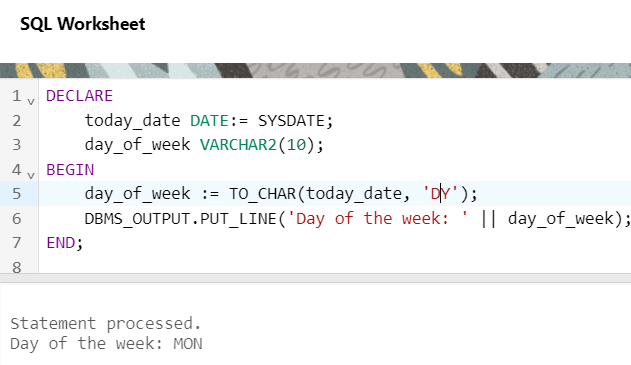
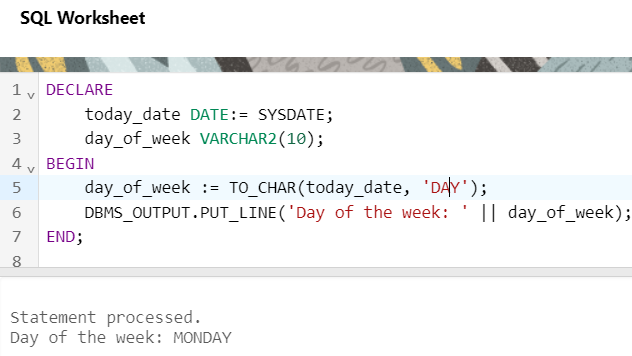
TO_CHAR(date_value, format_mask);DECLARE today_date DATE:= SYSDATE; day_of_week VARCHAR2(10); BEGIN -- DY returns the first 3 characters -- DAY format returns the full name of day of week day_of_week := TO_CHAR(today_date, 'DY'); DBMS_OUTPUT.PUT_LINE('Day of the week: ' || day_of_week); END;
Here, in the above code, two variables are declared where one variable is the date and another variable is for storing the day of week value after processing.
TO_CHAR functions take two arguments where one argument is the above context is the date and the format that needs to be changed is the second argument.
Output:
Explanation:
DECLARE
 today_date DATE:= SYSDATE;
 day_of_week VARCHAR2(10);
BEGIN
 -- DY returns the first 3 characters
 -- DAY format returns the full name of day of week
 day_of_week := TO_CHAR(today_date, 'DY');
 DBMS_OUTPUT.PUT_LINE('Day of the week: ' || day_of_week);
END;
Output:
Explanation: In the above outputs, we can observe that the DBMS_OUTPUT.PUT_LINE statement is used for returning the result and the 'DY' format returns the first 3 characters of the day of week string and the 'DAY' format returns the full name of the day of week.
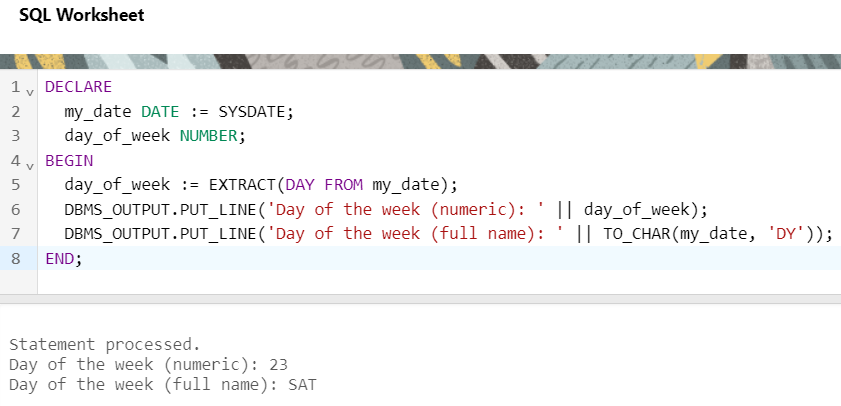
The EXTRACT function is another powerful method in Oracle PL/SQL that allows you to retrieve specific components from a date, such as the day, month, or year. When extracting the day of the week, it returns an integer representing the day (1 for Sunday, 2 for Monday, etc.).
EXTRACT(WEEKDAY FROM date_value)DECLARE my_date DATE:= SYSDATE; day_of_week NUMBER; BEGIN day_of_week := EXTRACT(DAY FROM my_date); DBMS_OUTPUT.PUT_LINE('Day of the week(numeric): ' || day_of_week); DBMS_OUTPUT.PUT_LINE('Day of the week(full name): ' || TO_CHAR(my_date, 'DY')); END;
Output:
Explanation:
PL/SQL, as a procedural language extension for SQL, offers powerful tools and functions for database manipulation tasks. By mastering techniques such as the TO_CHAR and EXTRACT functions, developers can efficiently retrieve the day of the week from dates within their Oracle PL/SQL programs. This not only enhances the functionality of database applications but also contributes to better data management and analysis.