|
VOOZH | about |
|
VOOZH | about |
In this article, we are going to learn how to create an animated expanding card using react and framer.
Prerequisites:
React hooks used in building this application are:
Framer: components and hooks we are going to make use of in this tutorial are :
Creating React Application And Installing Module :
Step 1: Now, you will start a new project using create-react-app so open your terminal and type.
$ npx create-react-app animated-cardStep 2: After creating your project folder i.e. animated-card, move to it using the following command.
$ cd animated-cardStep 3: Add the npm packages you will need during the project.
$ npm install framer react-icons
// For yarn
$ yarn add framer react-icons
Open the src folder and delete the following files :
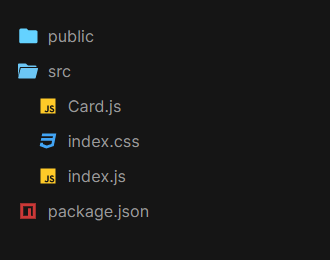
Create a file named Card.js.
Project structure: Your project structure tree should look like this :
Example:
Step to Run Application: Run the application using the following command from the root directory of the project.
npm startOutput: Now open your browser and go to http://localhost:3000/, you will see the following output: