|
VOOZH | about |
|
VOOZH | about |
In this article, we will explore how to build a news portal using Next.js, a popular React framework for server-side rendering and static site generation. The news portal will allow users to publish and categorize news articles, providing a seamless user experience with fast page loads and dynamic content.
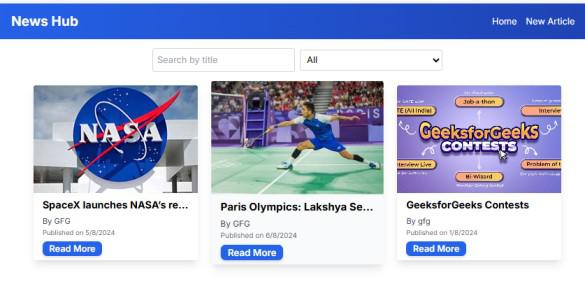
Output Preview: Let us have a look at how the final output will look like.
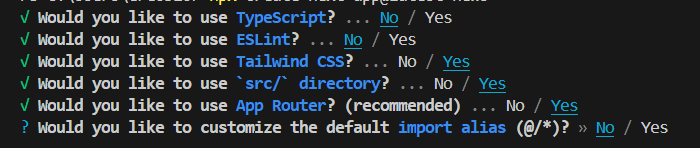
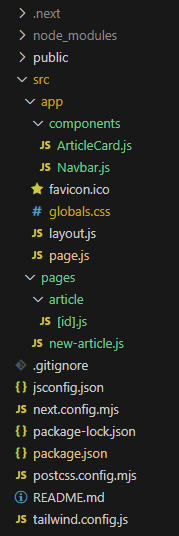
npx create-next-app@latest news-portal"dependencies": {
"react": "^18",
"react-dom": "^18",
"next": "14.2.5"
},
"devDependencies": {
"postcss": "^8",
"tailwindcss": "^3.4.1"
}
Below mentioned is the CSS code for setting up global styles in the project. This file will include base styles, components, and utilities from Tailwind CSS:
Below mentioned is the JavaScript code for the news portal website. This component will handle the display and filtering of news articles, using React hooks and components:
Below mentioned is the JavaScript code for the Navbar component of the news portal website. This component is responsible for rendering the navigation bar, which includes links to the Home page and the page for creating a new article. It also includes a responsive menu toggle for smaller screens:
Below mentioned is the JavaScript code for the ArticleCard component of the news portal website. This component is responsible for displaying a single article in a card format, including its image, title, author, publication date, and a "Read More" link that redirects to the full article page:
Below is the JavaScript code for the NewArticle component. This code creates a form for adding a new article to the news portal.
This component displays detailed information about a specific article based on its ID from the URL.
Step 3: Start your application using the following command.
npm run devOutput: