VOOZH about

URL: https://www.geeksforgeeks.org/reactjs/building-a-task-reminder-app-with-next-js/

⇱ Building a Task Reminder App with Next.js - GeeksforGeeks


  • Courses
  • Tutorials
  • Interview Prep

Building a Task Reminder App with Next.js

Last Updated : 23 Jul, 2025

In this article, we’ll walk through the step-by-step process of creating a basic task reminder app with Next.JS. This application will provide users with a user-friendly interface for adding the title of the task, its description, and its due date & time. The user will also be notified through a pop-up 1 minute before the task scheduled time.

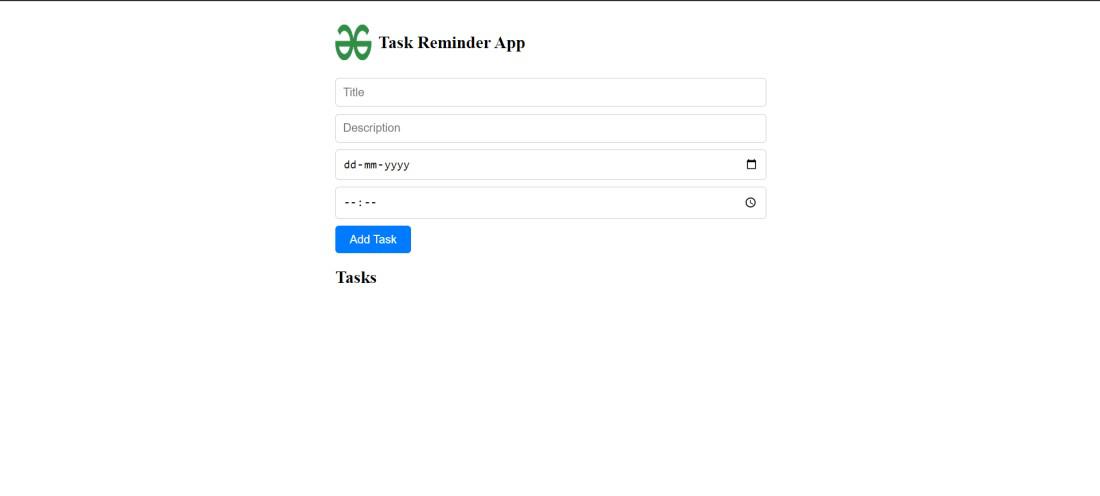
Output Preview: Let us have a look at how the final output will look like.

👁 Screenshot-2024-03-27-104055

Prerequisites:

Approach to Create Task Reminder App with Next.js:

  • Set up a new Nextjs project with create-next-app. Initialize a Git repository. Define the project structure.
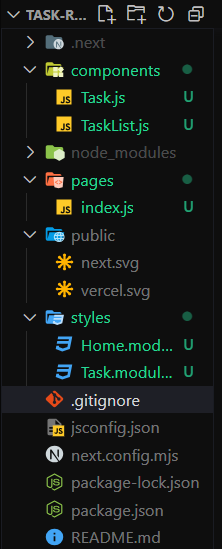
  • Within the “text-reminder-app” folder, create the following files and directories:
    • Create a pages/index.js file for the homepage where users can add tasks.
    • Create a components/Task.js file for displaying individual tasks.
    • Create a components/TaskList.js file for displaying the list of tasks.
    • Create a styles/Home.module.css file, it contains the CSS styles for the components.
  • Inside the “text-reminder-app” folder, run the command npm install react react-dom next to install the project dependencies.

Steps to Create Task Reminder App with Next.js:

Step 1: Create a directory for the project.

mkdir text-reminder-app
cd text-reminder-app

Step 2: Initialized the Nextjs app and installing the required packages

npx create-next-app .

Step 3: Install the necessary package for your project using the following command.

npm install react react-dom next

Project Structure:

👁 Screenshot-2024-03-27-103408

The dependencies in package.json file will look like:

"dependencies": {
"react": "^18",
"react-dom": "^18",
"next": "14.1.3"
}

Example: Create the required files and write the following code.

Start your application using the following command.

npm run dev

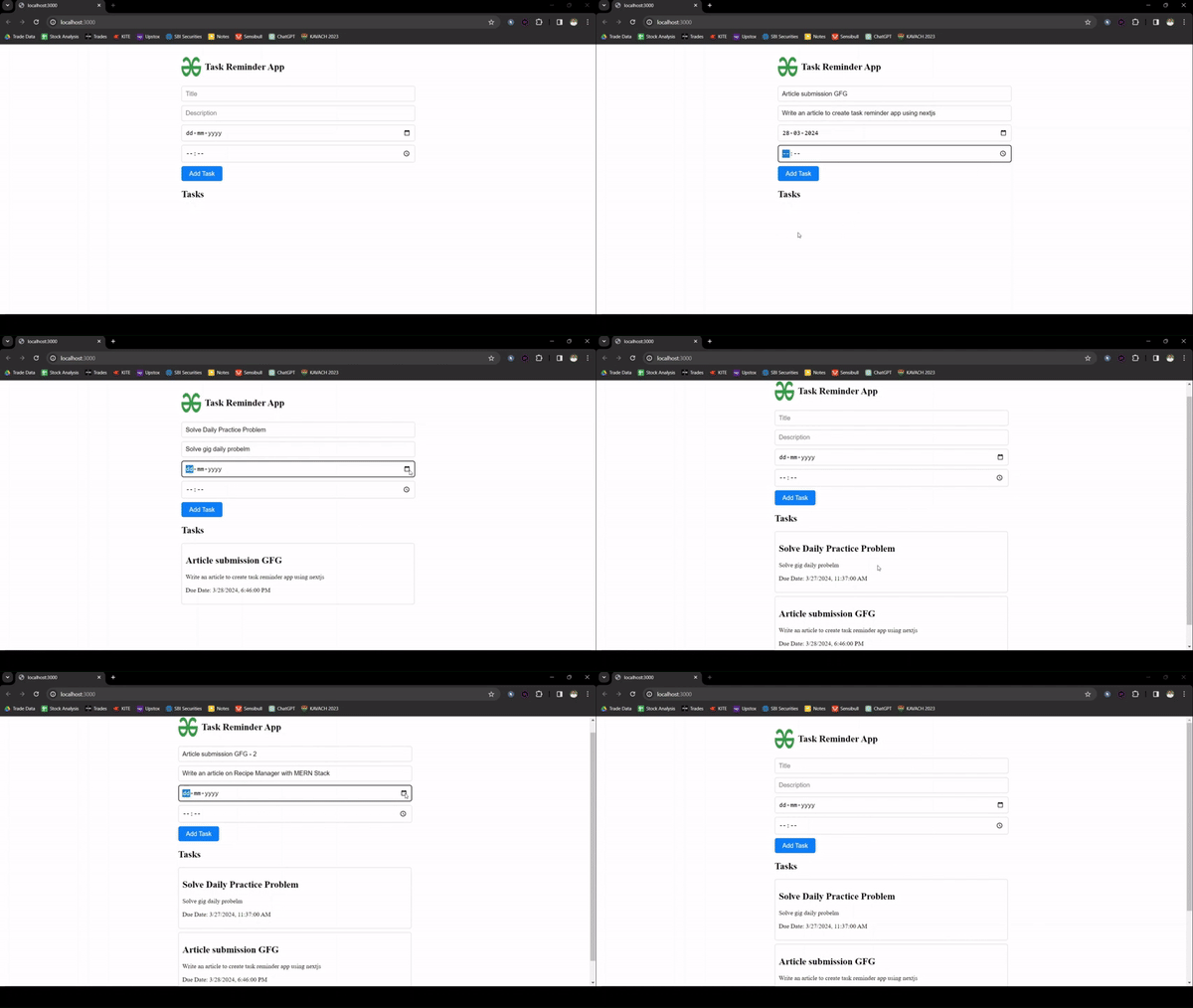
Output:

👁 Task-Remainder-NextJS
Final Output Preview
Comment