|
VOOZH | about |
|
VOOZH | about |
We will learn how to create a responsive footer using React and Tailwind CSS with a modern design. The footer will feature a green background with white text providing a clean and professional look. We will create three sections: Contacts social media and Services to display important information and links. We will use React Icons to enhance the Social Media section with popular platform icons like Facebook Twitter Instagram and LinkedIn.
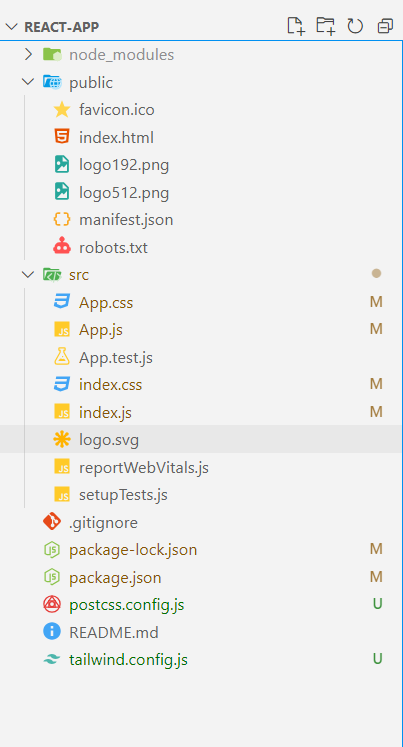
Step 1: Set up the project using the command.
npx create-react-app react-appStep 2: Install node modules using the command.
npm installcd react-appStep 3: Install Tailwind CSS using the command.
npm install -D tailwindcss
npx tailwindcss init
Step 4: Configure the tailwind paths in your tailwind.config.js file.
/** @type {import('tailwindcss').Config} */
module.exports = {
 content: [
 "./src/**/*.{js,jsx,ts,tsx}",
 ],
 theme: {
 extend: {},
 },
 plugins: [],
}
Step 5: Add tailwind directives to your index.css file.
@tailwind base;
@tailwind components;
@tailwind utilities;

body {
	margin: 0;
	font-family: -apple-system, BlinkMacSystemFont, "Segoe UI", "Roboto", "Oxygen",
		"Ubuntu", "Cantarell", "Fira Sans", "Droid Sans", "Helvetica Neue",
		sans-serif;
	-webkit-font-smoothing: antialiased;
	-moz-osx-font-smoothing: grayscale;
}

code {
	font-family: source-code-pro, Menlo, Monaco, Consolas, "Courier New",
		monospace;
}
"dependencies": {
 "react": "^18.3.1",
 "react-dom": "^18.3.1"
}
Step 6: Install React Icons
npm install react-iconsExample: In this example we will create the footers using react and tailwind CSS
To start the Application run the following command:
npm startOutput:
In this article we have created a responsive footer using React and Tailwind CSS styled with a green background and white text. We integrated React Icons to display clickable social media icons. The footer contains different sections for Contacts and social media and Services, and it can easily be adapted for any application.