|
VOOZH | about |
|
VOOZH | about |
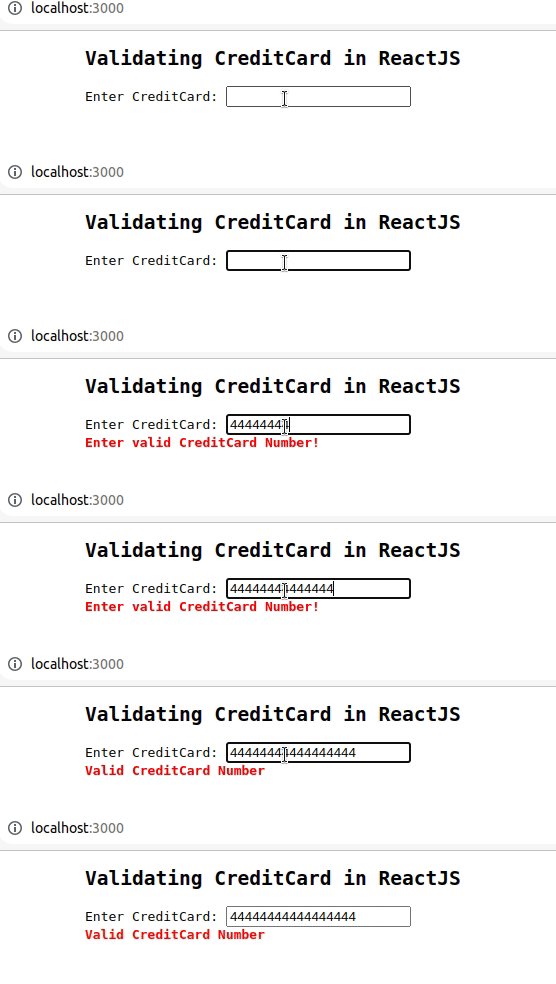
Credit card validation is an important step in every application in order to authenticate the user's credit card number so that the application can proceed to the payment process if needed. It can be achieved using the validator module in ReactJS. The following example shows how to validate the user entered credit card number and check whether it is valid or not using the npm module in the ReactJS application.
Let us take a look at how the final application will look like:
Prerequisites:
Creating React Application And Installing Module:
Step 1: Create a React application using the following command:
npm create vite@latest creditcardvalidatedemo --template reactStep 2: Move to the project folder using the following command:
cd creditcardvalidatedemoStep 3: After creating the ReactJS application, Install the validator module using the following command:
npm install validatorProject Structure: It will look like the following
The updated dependencies in package.json will look like:
package.json:
"dependencies": {
 "react": "^18.2.0",
 "react-dom": "^18.2.0",
 "validator": "^13.9.0",
 "vite": "^4.0.0"
}
Example: Write the following code in the respective file
Step to Run Application:
npm run devhttp://localhost:5173/Output: