VOOZH about

URL: https://www.geeksforgeeks.org/reactjs/data-fetching-libraries-and-react-hooks/

⇱ Data Fetching Libraries and React Hooks - GeeksforGeeks


  • Courses
  • Tutorials
  • Interview Prep

Data Fetching Libraries and React Hooks

Last Updated : 10 Jan, 2026

React uses Hooks and data fetching libraries to efficiently load and maintain application data.

  • Hooks like useEffect and useState handle simple data requests.
  • Libraries minimize manual code for loading and error states.
  • Caching enhances performance.
  • Automatic updates keep data current.
  • Suitable for scalable applications.

Steps to setup the React Project

Step 1: Create a React.js application by using this command.

npx create-react-app my-app

Step 2: Navigate to the project directory.

cd my-app

Step 3: Install Tailwind CSS.

npm install -D tailwindcss
npx tailwindcss init

Step 4: Install the necessary packages/libraries in your project using the following commands.

npm install axios

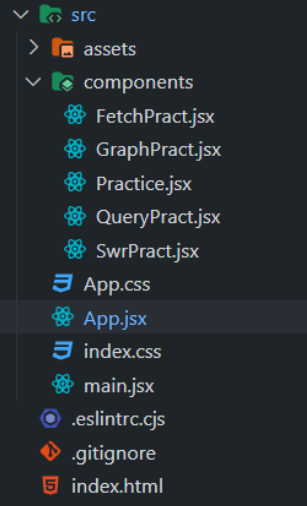
Project Structure

👁 Screenshot-2024-03-20-120035

The updated dependencies in package.json file will look like:

 "dependencies": {
"@apollo/client": "^3.9.6",
"axios": "^1.6.7",
"graphql": "^16.8.1",
"react": "^18.2.0",
"react-dom": "^18.2.0",
"react-markdown": "^9.0.1",
"react-query": "^3.39.3",
"remark-gfm": "^4.0.0",
"swr": "^2.2.5"
}
}

1. Using built-in Fetch API

The Fetch API allows React applications to retrieve data asynchronously and manage it using built-in React Hooks.

  • fetch() is used to make HTTP requests.
  • Responses are handled asynchronously using promises.
  • useState stores fetched data and loading status.
  • useEffect triggers data fetching on component mount or update.

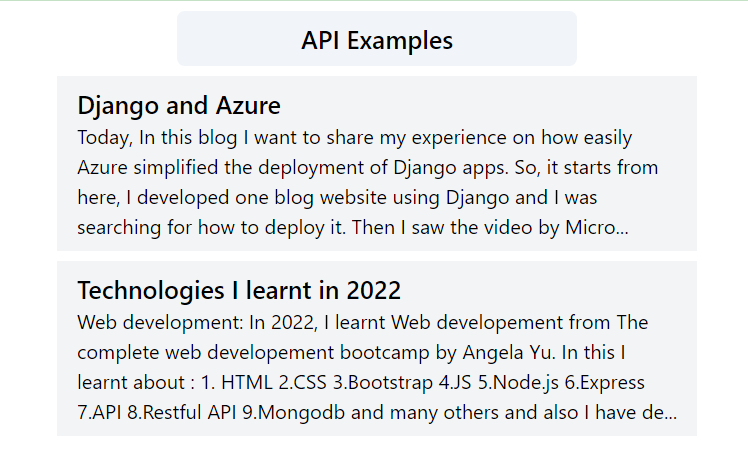
Output:

👁 Screenshot-2024-03-18-111913

2. Using Axios

Axios is a popular library used in React to simplify HTTP requests and response handling.

  • Provides a clean and concise syntax for API calls.
  • Simplifies request and response handling.
  • More convenient than the native Fetch API for data fetching.

Install Axio:

npm install axios

Use you own API to test in place of url.

Output:

👁 gfg_fetch_axios
axios

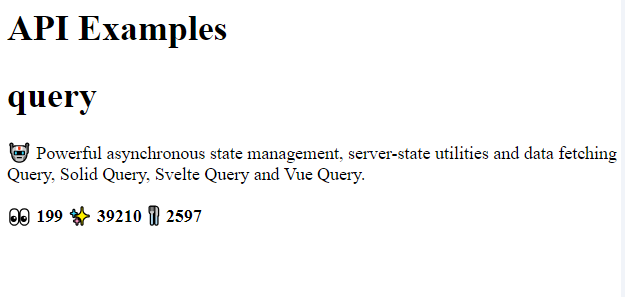
3. Using React Query

Data fetching libraries like React Query provide an efficient way to handle server data in React applications.

  • Use hooks such as useQuery for asynchronous data fetching.
  • Built-in caching and state management reduce manual work.
  • Improves performance and user experience.

Install React Query:

npm install react-query

Output:

👁 Screenshot-2024-03-20-114108

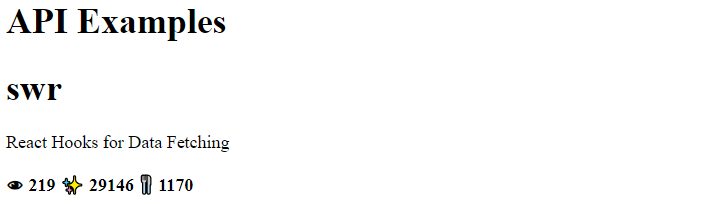
4. Using SWR

SWR is a React data fetching library designed for efficient and consistent data handling.

  • Uses the useSWR hook for asynchronous requests.
  • Provides caching and automatic revalidation.
  • Manages loading and error states efficiently.
  • Enhances performance and user experience.

Install SWR:

npm install swr

Output:


👁 Screenshot-2024-03-20-114531


5. Using GraphQL API

GraphQL APIs enable flexible and efficient data fetching for modern web applications.

  • Allows precise queries to fetch only required data.
  • Supports real-time updates using subscriptions.
  • Speeds up development and improves user experience.

Install GraphQL:

npm install @apollo/client graphql

Output:

👁 gfg_fetch_1
graphQL
Comment
Article Tags: