|
VOOZH | about |
|
VOOZH | about |
Error handling is an important part of software development that helps applications deal with unexpected problems without crashing. In React and JavaScript, two common ways to handle errors are Error Boundaries and try-catch blocks.
While both methods help manage errors, they are used in different situations.
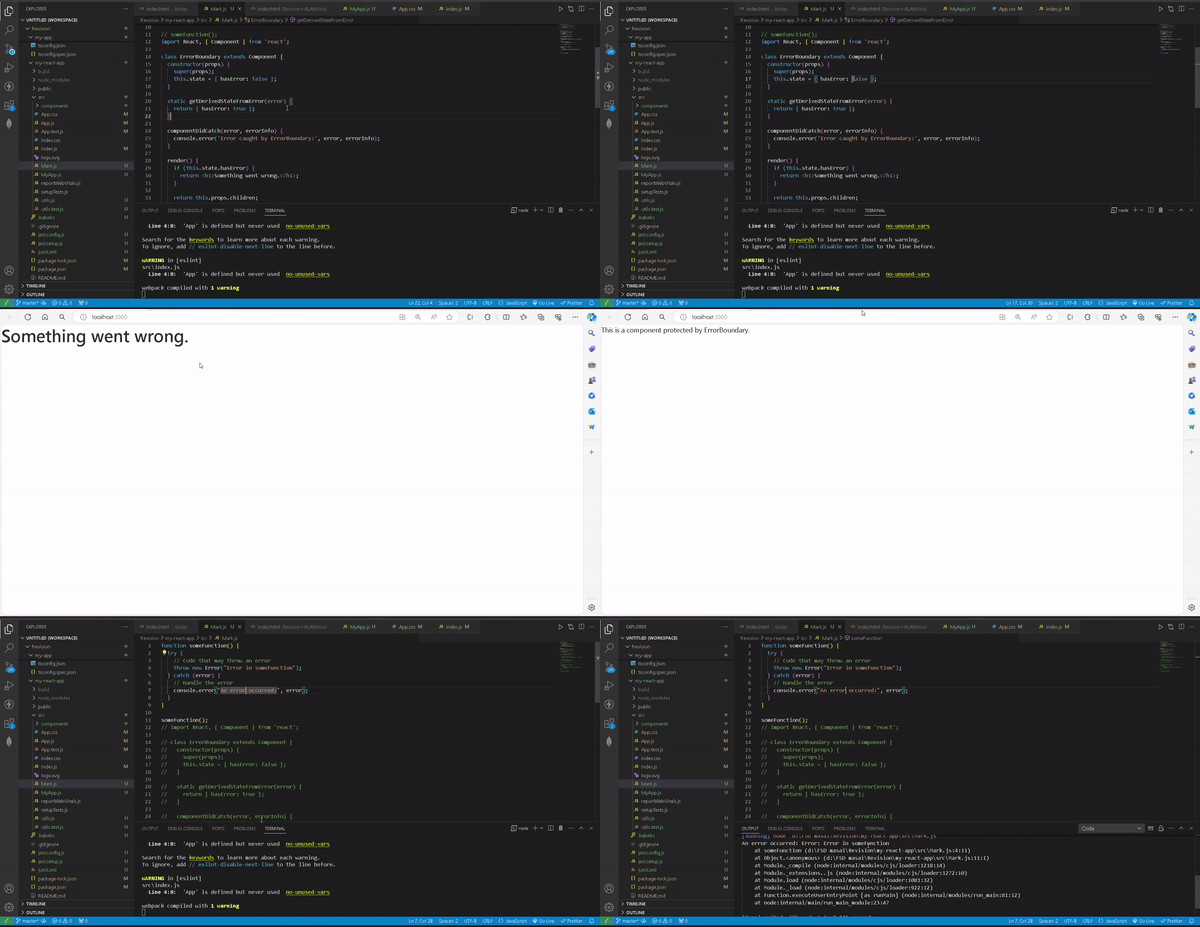
Error Boundaries are special React components that catch JavaScript errors occurring anywhere in their child component tree. They log these errors and display a fallback UI instead of causing the entire application to crash.
Output: If an error occurs within the ErrorBoundary, it will catch the error and display "Something went wrong." Otherwise, it will render the component normally.
try-catch is a JavaScript construct used to handle errors in imperative (non-React-specific) code. It allows developers to wrap a block of code and catch errors within that block, preventing the entire application from breaking.
For handling asynchronous errors, use try-catch inside an async function:
| Feature | Error Boundaries | Try-Catch |
|---|---|---|
| Application | Only in React components | Any JavaScript code |
| Scope | Catches errors in child components | Catches errors in a specific code block |
| Use Cases | Prevents React app crashes, renders fallback UI | Handles errors in event handlers, async functions, and scripts |
| Handles Rendering Errors? | Yes | No |
| Handles Event Handler Errors? | No | Yes |
| Handles Asynchronous Errors? | No | Yes (if used with async/await) |
| Crash Prevention | Prevents crashes in component tree | Prevents script crashes in the try block |
| Fallback UI Support | Can display fallback UI | No UI handling, only error logic |
| Error Information | Provides component stack trace | Provides standard JavaScript error message & stack trace |