|
VOOZH | about |
|
VOOZH | about |
One of the components provided by ReactRouter is `MemoryRouter`, which offers a unique way to handle routing without manipulating the browser's URL. It is used when you want to handle routing within your application's state or memory, making it suitable for scenarios like testing or isolated UI components. It works seamlessly with other React Router components such as Route, Link, Switch, etc.
BrowserRouter and HashRouter, allowing easy integration with existing routing components.Step 1: Create a new React application using Create React App.
npx create-react-app myapp
cd myapp
Step 2: Install React Router if not already installed.
npm install react-router-domThe dependencies will look something like this after installation:
 "dependencies": {
 "@testing-library/jest-dom": "^5.17.0",
 "@testing-library/react": "^13.4.0",
 "@testing-library/user-event": "^13.5.0",
 "react": "^18.2.0",
 "react-dom": "^18.2.0",
 "react-router-dom": "^6.22.3",
 "react-scripts": "5.0.1",
 "web-vitals": "^2.1.4"
 }
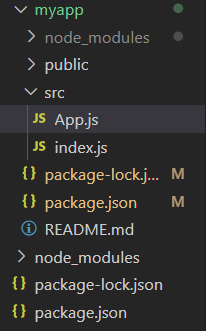
Project Structure:
Step 3: Below example demonstrates the usage of MemoryRouter in React.
Step 4: Run the application.
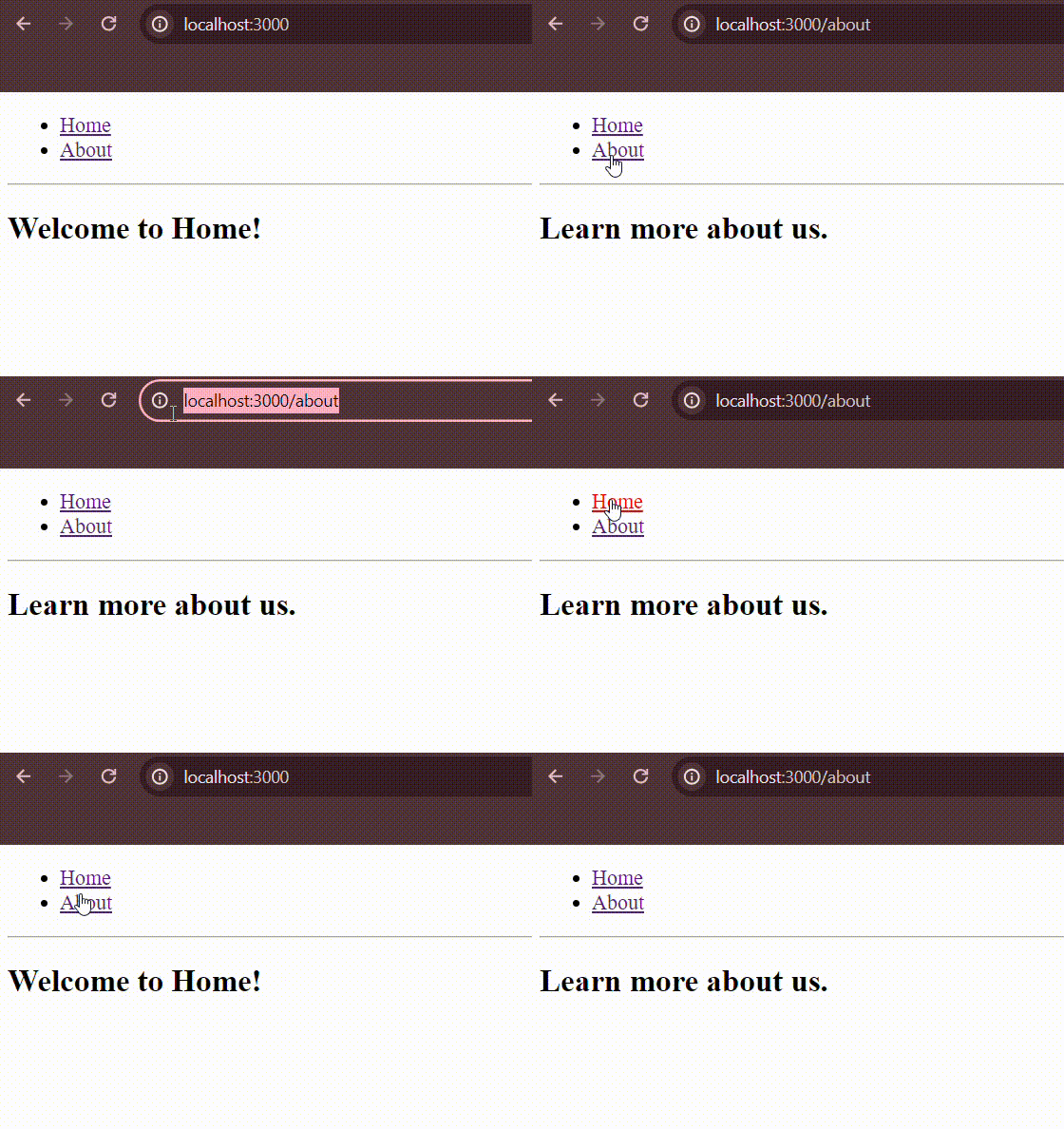
npm startOutput:
The `initialEntries` property in `MemoryRouter` allows you to specify an array of initial URL paths when the router is first rendered. Each path in this array represents a location within the virtual memory history of the router. By default, if `initialEntries` is not provided, it defaults to ["/"] (a single entry at the root URL` /`).
<MemoryRouter initialEntries={['/', '/about', '/contact']} initialIndex={0}>
 {/* Routes */}
</MemoryRouter>
The `initialIndex` property in `MemoryRouter` specifies the index of the active entry (URL path) within the `initialEntries` array when the router is first rendered. If `initialIndex` is not provided, it defaults to the last index of `initialEntries`.
<MemoryRouter initialEntries={['/', '/about', '/contact']} initialIndex={1}>
 {/* Routes */}
</MemoryRouter>
Example: Below example demonstrates the usage of different properties in MemoryRouter.
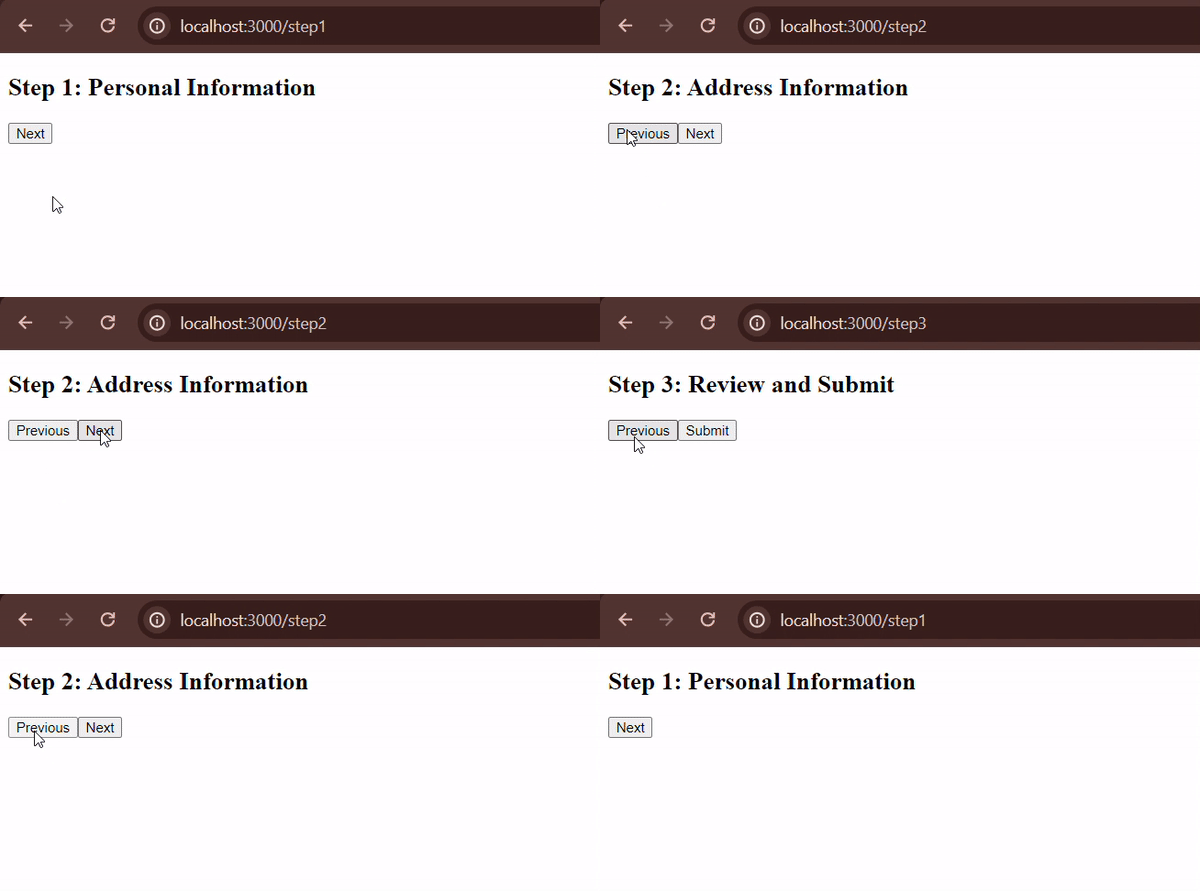
Output: