|
VOOZH | about |
|
VOOZH | about |
Redux is an open-source JavaScript library for state management in applications, commonly integrated with React or Angular. As the official React binding for Redux, React Redux enables components to interact with a centralized Redux Store, facilitating scalable state management through a unidirectional data flow model.
There are 3 major components of Redux:
import { createStore } from 'redux';
import rootReducer from './reducers';
const store = createStore(rootReducer);
export default store;
Step 1: Create a React App using the following command:
npx create-react-app redux-exampleStep 2: Now get into the project directory:
cd redux-exampleStep 3: Install the Redux libraries using the following command:
npm install redux react-reduxStep 4: Importing the required components:
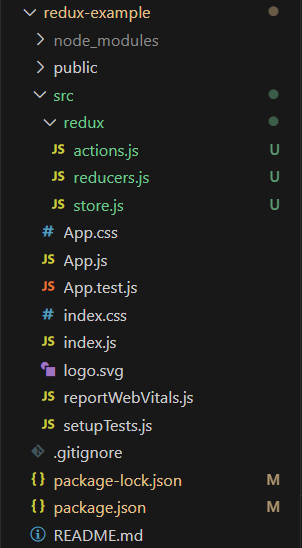
import { useSelector, useDispatch } from 'react-redux';Step 5: Create a new folder redux inside the src folder.
mkdir src/reduxStep 6: Create a new file actions.js in the redux folder.
touch src/redux/actions.jsStep 7: Create a new file reducers.js in the redux folder.
touch src/redux/reducers.jsStep 8: Create a new file store.js in the redux folder.
touch src/redux/store.jsProject Structure:
Example: Below is the code example of the using redux.
Step to Run Application: Run the application using the following command from the root directory of the project:
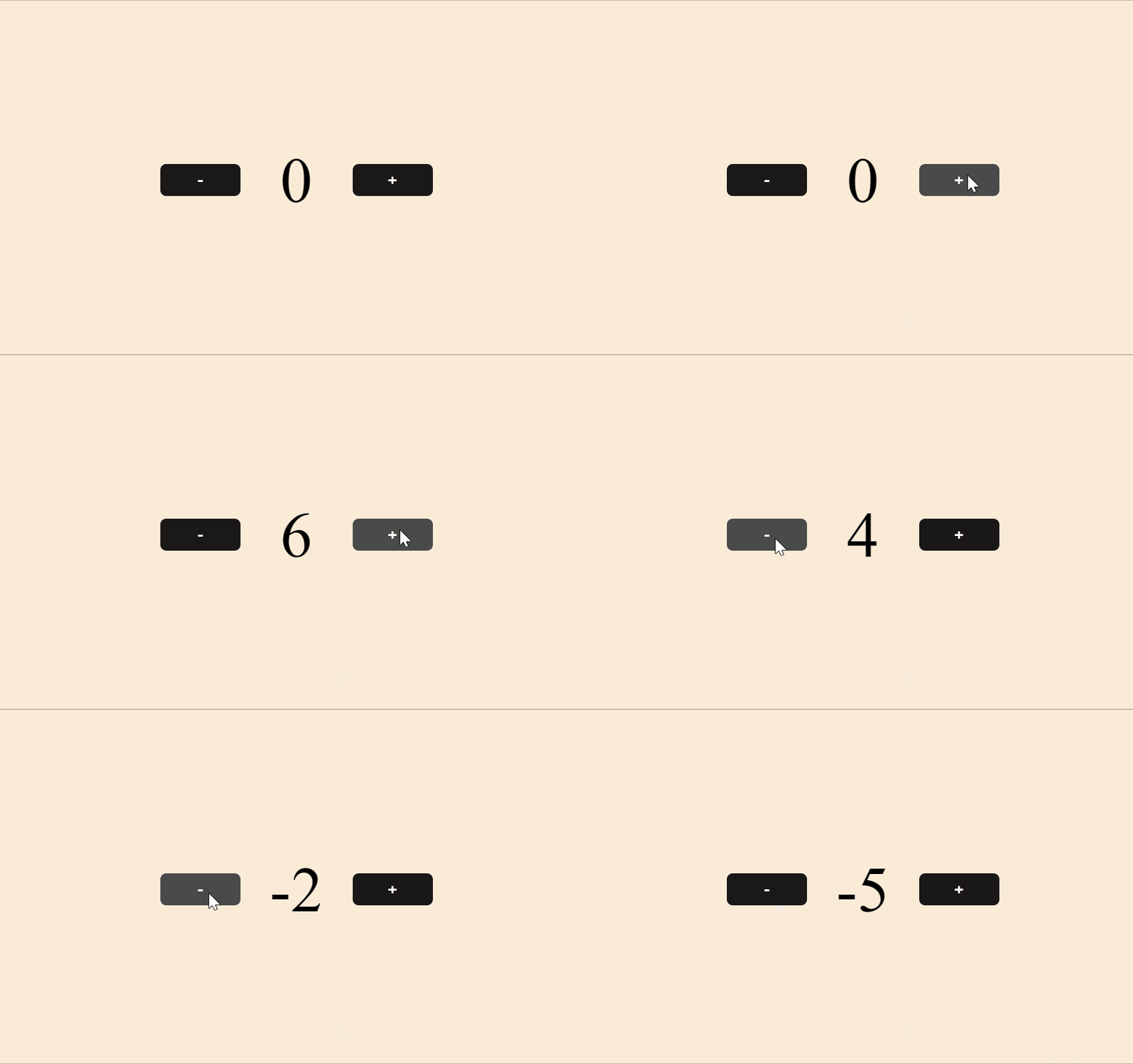
npm startOutput: Now open your browser and go to http://localhost:3000
Relay is a data management library for React that lets you fetch and update data with GraphQL. It works closely with GraphQL APIs and optimizes data fetching by using a declarative approach and a concept called GraphQL fragments. React Relay is basically a framework used to build GraphQL-driven React applications. It keeps the management of data-fetching easy, no matter how many components your React app has.
import { RelayEnvironmentProvider } from 'react-relay/hooks';Step 1: Installing a React App
npx create-react-app relay-exampleStep 2: Now, we need to fetch the data from the GraphQL servers. For this, we will use the fetch API to request some data from the GitHub GraphQL API, and we will use it as a server.
To start, we will need an authentication key token for the GitHub API. Follow these steps:
Step 3: Navigate to the main directory of your project
cd relay-exampleStep 4: Now, we will fetch GraphQL from React. We can use the fetchGraphQL function to fetch some data in our React App.
async function fetchGraphQL(text, variables) {
 const REACT_APP_GITHUB_AUTH_TOKEN =
 process.env.REACT_APP_GITHUB_AUTH_TOKEN;
 // Fetch data from GitHub's GraphQL API:
 const response =
 await fetch('https://api.github.com/graphql', {
 method: 'POST',
 headers: {
 Authorization: `bearer ${REACT_APP_GITHUB_AUTH_TOKEN}`,
 'Content-Type': 'application/json',
 },
 body: JSON.stringify({
 query: text,
 variables,
 }),
 });
 // Get the response as JSON
 return await response.json();
}
export default fetchGraphQL;
Step 5: Install the react-relay dependencies with the following commands:
npm install --save relay-runtime react-relay
npm install --save-dev relay-compiler babel-plugin-relay
OR
yarn add relay-runtime react-relay
yarn add --dev relay-compiler babel-plugin-relay
Step 6: Create a GraphQL Schema
Create a file named schema.graphql in the root of your project. Copy the schema from GitHub's GraphQL API documentation or use a sample schema from a public GraphQL API.
The updated dependencies in package.json file will look like:
"dependencies": {
 "@testing-library/jest-dom": "^5.16.5",
 "@testing-library/react": "^13.4.0",
 "@testing-library/user-event": "^13.5.0",
 "react": "^18.2.0",
 "react-dom": "^18.2.0",
 "react-relay": "^15.0.0",
 "react-scripts": "5.0.1",
 "relay-runtime": "^15.0.0",
 "web-vitals": "^2.1.4"
}
Example: Below is the code example using Relay
Step to Run Application: Compile Relay Queries
Run the Relay compiler to generate artifacts for your queries:
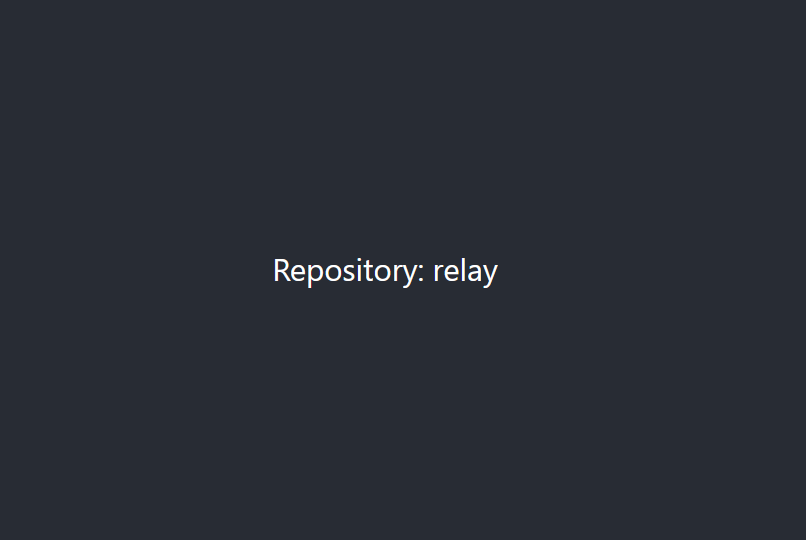
npm run relay or npm startOutput: Now open your browser and go to http://localhost:3000
Property | Relay | Redux |
|---|---|---|
| Purpose | A GraphQL client framework for data fetching and caching. | A React state management library for storing and managing application state. |
| Data Fetching | Declarative data fetching using GraphQL queries and fragments. | Manual data fetching using actions and reducers. |
| Store Structure | Hierarchical store structure based on the GraphQL Schema. | Flat store structure with reducers managing different parts of the state. |
| Performance | Optimized data fetching and caching with GraphQL. | The performance depends on application design and usage patterns. |
| Component Binding | Uses container components and HOCs for data binding. | Uses hooks like useDispatch() and useSelector() for handling state. |
| Complexity | Can be complex and requires an understanding of GraphQL. | Relatively simpler, can be used easily in smaller applications. |