|
VOOZH | about |
|
VOOZH | about |
ReactJS offers two primary ways of creating components: functional components and class components. While functional components are more concise and easier to reason about, there are situations where class components may be necessary with the flexibility to use lifecycle methods and manage the state in a different way.
To convert a function component to a class component we need to make the following major changes.
Step 1: Create a React application using the following command:
npx create-react-app foldernameStep 2: After creating your project folder i.e. foldername, move to it using the following command:
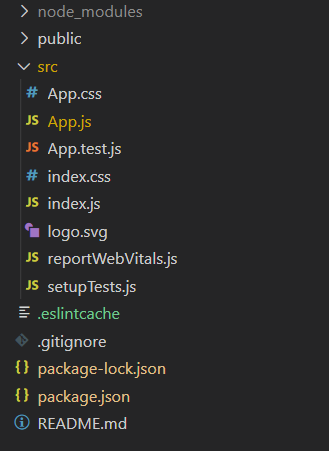
cd foldernameIt will look like the following.
Example: This is a simple React app using Functional Component.
Step to Run Application: Run the application using the following command from the root directory of the project:
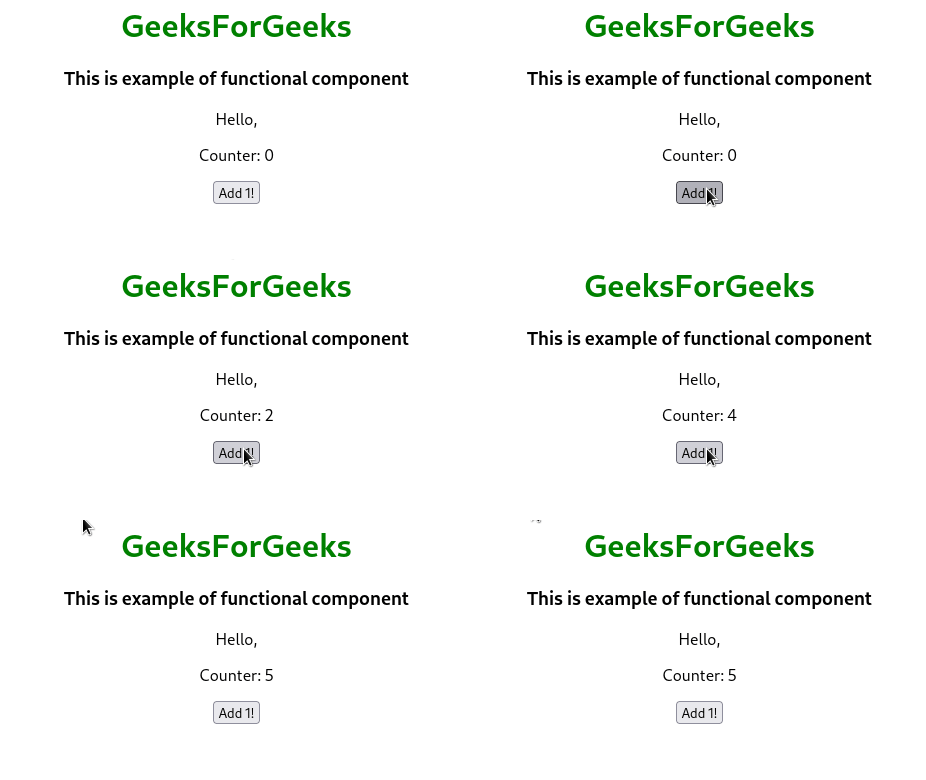
npm startOutput: Now open your browser and go to http://localhost:3000/, you will see the following output:
Example: This example involves the use of Class Component for same application
Step to Run Application: Run the application using the following command from the root directory of the project:
npm startOutput: Now open your browser and go to http://localhost:3000/, you will see the following output: