|
VOOZH | about |
|
VOOZH | about |
Creating a custom image loader in Next.js allows you to control how images are loaded and optimized. This is useful for integrating with different image services or handling specific image processing needs. Here’s how to create and use a custom image loader: This article will walk you through the steps of creating a custom image loader in Next.js, from project setup to demonstration and output.
To create a custom image loader in Next.js, define a loader function to format image URLs. Pass this function to the loader prop of the <Image> component. Optionally, use environment variables for dynamic URL configurations.
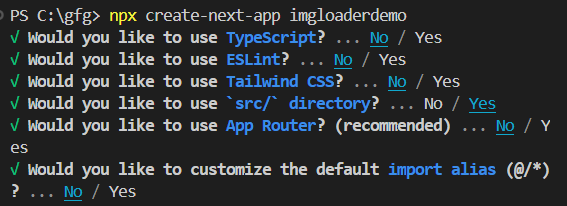
Initialize a next.js project in your preferred location by running the following command in the terminal.
npx create-next-app imgloaderdemousing following command navigate to project directory or simple open from vs code open folder option inside file available top left side.
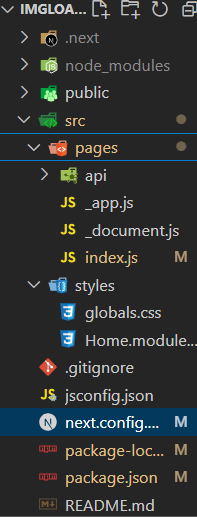
cd imgloaderdemoWe will create a custom loader component in the index.js file and we will use that custom loader to load our image.
The updated dependencies in package.json file:
"dependencies": {
 "next": "14.2.3",
 "react": "^18",
 "react-dom": "^18",
}Run your Next.js application to see the custom image loader in action:
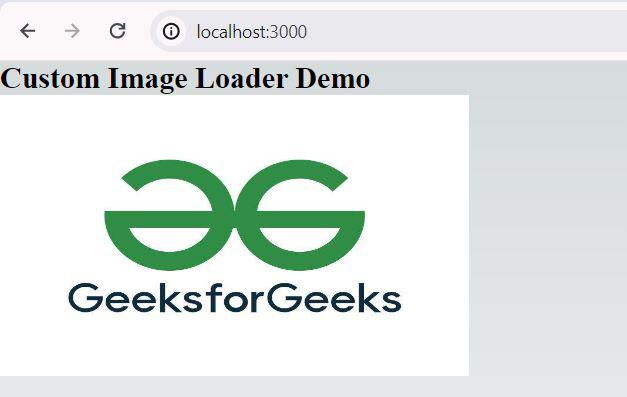
npm run devOpen your browser and go to http://localhost:3000. Your image should be loaded with the specified width and quality criteria set by your custom loader.
Inspect the image URL to ensure it matches the structure given in your own loader function.
The URL should include the width (w=500) and quality (q=75) parameters set in the customLoader function.
Note: The usage of Image in newest version of react throws an warning of fetchPrioriy, although it works fine. If you want to avoid error being logged The only solution found for this is to roll back in react version that is 18.2.0. hoping for a fix from react newer upcoming version.
Creating a custom image loader in Next.js enables you to interface with many image hosting services and tailor image loading behavior to your specific requirements. Using this approach, you can create a Next.js project, construct a custom image loader, and see it in action. This guarantees that your photos load efficiently and match your individual needs.