|
VOOZH | about |
|
VOOZH | about |
Multi-page website using ReactJS is the core for building complex web applications that require multiple views or pages. Previously where each page reloads entirely, ReactJS allows you to navigate between different pages without reloading the whole page thanks to libraries like React Router.
To create a multi-page website using React follow these steps:
Step 1: We will start a new project using so open your terminal and type:
npm create vite@latest react-websiteStep 2: Now go to your folder by typing the given command in the terminal:
cd react-websiteStep 3: Install the dependencies required in this project by typing the given command in the terminal.
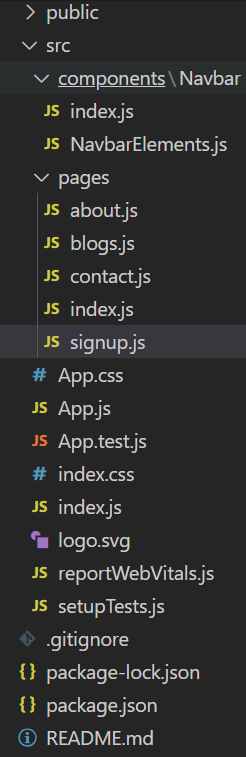
npm i react-router-dom --save styled-componentsStep 4: Now create the components folder in src then go to the components folder and create a new folder name Navbar. In the Navbar folder create two files index,js, and NavbarElements.js. Create one more folder in src name pages and in pages create files name about.js, blogs.js, index.js, signup.js, contact.js
Project Structure:
"dependencies": {
 "@testing-library/jest-dom": "^5.17.0",
 "@testing-library/react": "^13.4.0",
 "@testing-library/user-event": "^13.5.0",
 "react": "^18.2.0",
 "react-dom": "^18.2.0",
 "react-router-dom": "^6.19.0",
 "react-scripts": "5.0.1",
 "styled-components": "^6.1.1",
 "web-vitals": "^2.1.4"
},
Example: This example demonstrate creating a multipage website with navbar using react router dom and styled components.
To start the application run the following command.
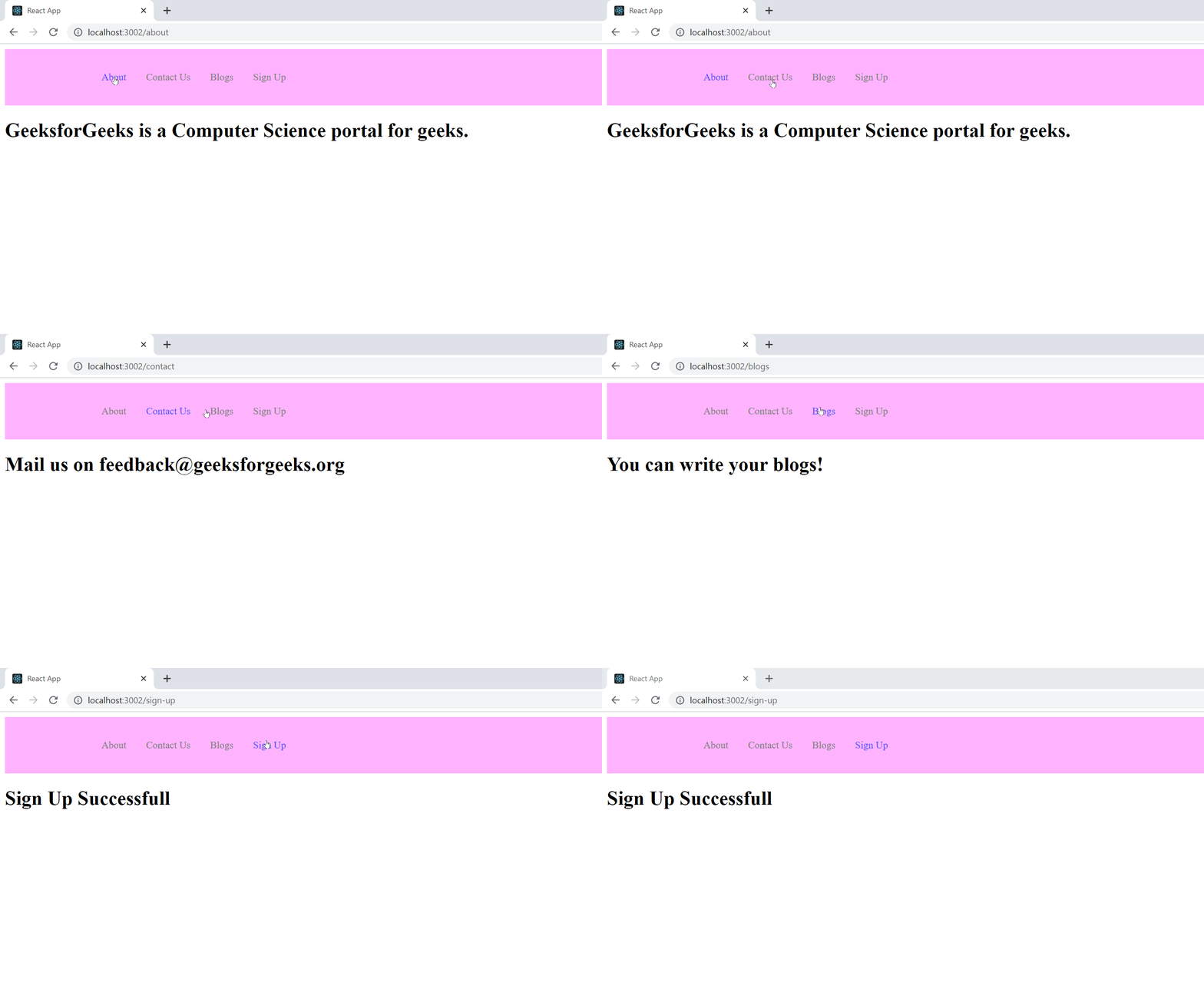
npm run devOutput: This output will be visible on the http://localhost:3000/ on the browser window.