|
VOOZH | about |
|
VOOZH | about |
To create a custom Router using React Router, you can define a new component that utilizes the Router's 'BrowserRouter' along with 'Route' components to handle different paths and render corresponding components. Use 'Link' components for navigation within your application, providing a seamless routing experience in your React application.
React Router is a popular library for implementing routing in React applications. It allows developers to manage navigation and rendering of components in response to browser URL changes. React Router enables the creation of single-page applications (SPAs) by providing declarative routing capabilities within the React ecosystem.
Step 1: Create a New React Project: Set up a new React project using
npx create-react-app my-react-app
Step 2: Navigate to Your Project Directory
cd my-react-app
Step 3: Install following modules
npm install react react-router-dom
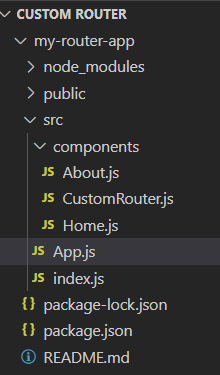
👁 Screenshot-2024-03-12-231845
The updated dependencies in package.json file will look like:
"dependencies": {
 "@testing-library/jest-dom": "^5.17.0",
 "@testing-library/react": "^13.4.0",
 "@testing-library/user-event": "^13.5.0",
 "react": "^18.2.0",
 "react-dom": "^18.2.0",
 "react-router-dom": "^6.22.3",
 "react-scripts": "5.0.1",
 "web-vitals": "^2.1.4"
}
Example: This example shows implementation to create a custom router.
Start your application using the following command.
npm start
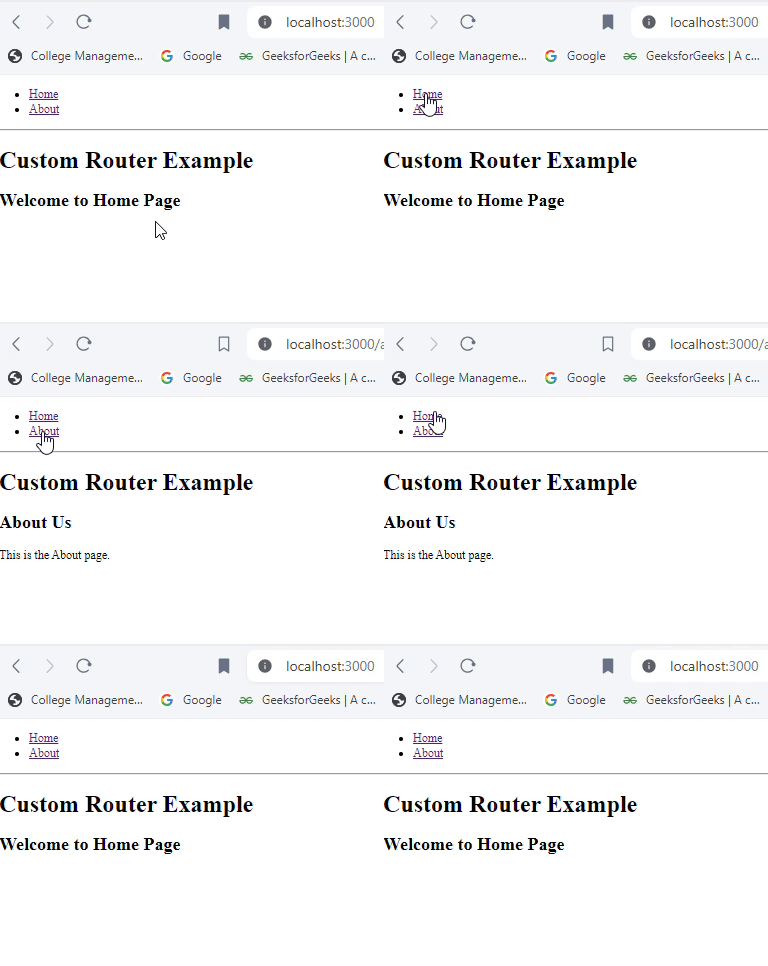
Output: