|
VOOZH | about |
|
VOOZH | about |
React-Table is a powerful library that allows you to create flexible and feature-rich tables in your React applications. It provides various functionalities to manipulate and interact with table data. One common requirement is to retrieve the value of a specific cell in React-Table. In this article, we will explore React Table.
To get the cell values on react table we will use useState to store the selected cell value. This value will be updated on click event on each table cell. Generate the table using useTable hook and use cell.value to access, update, and display the value.
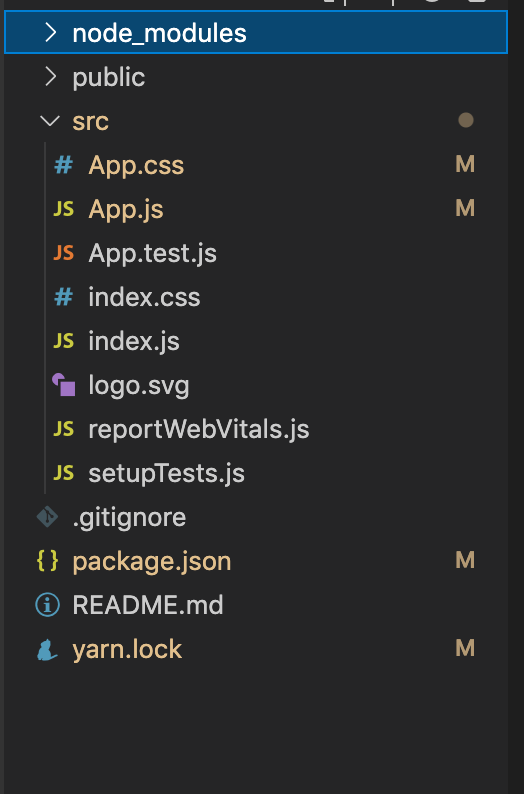
Step 1: Create a React application using the following command.
npx create-react-app foldernameStep 2: After creating your project folder i.e. foldername, move to it using the following command.
cd foldernameStep 3: After creating the ReactJS application, Install the react-table using the following command.
npm i react-tableThe updated dependencies in package.json file will look like:
"dependencies": {
 "@testing-library/jest-dom": "^5.17.0",
 "@testing-library/react": "^13.4.0",
 "@testing-library/user-event": "^13.5.0",
 "react": "^18.2.0",
 "react-dom": "^18.2.0",
 "react-table": "^7.8.0",
 "react-scripts": "5.0.1",
 "web-vitals": "^2.1.4"
 }
Example: Now write down the following code in the App.js file. Here, App is our default component where we have written our code.
Step to Run Application: Run the application using the following command from the root directory of the project.
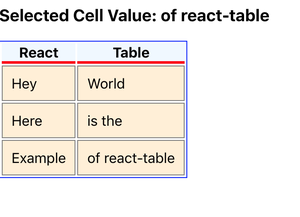
npm startOutput: Now open your browser and go to http://localhost:3000/, you will see the following output by clicking the of react-table cell.