|
VOOZH | about |
|
VOOZH | about |
MongoDB authentication integration in Next.js with NextAuth.js enhances the security of web applications. Integrating authentication in a Next.js application using MongoDB as the database can be efficiently achieved with the NextAuth.js library. NextAuth.js is a complete open-source authentication solution for Next.js applications that supports various sign-in methods, including OAuth, Email, and Credentials.
Next.js supports various authentication methods. Here are the main ones:
Step 1: Create a nextJS application by using this command
npx create-next-app myappStep 2: Navigate to project directory
cd myappStep 3: Install the necessary packages/libraries in your project using the following commands.
npm install next-auth mongooseThe updated dependencies in package.json file will look like:
"dependencies": {
 "next": "latest",
 "react": "latest",
 "react-dom": "latest",
 "next-auth": "^4.0.0",
 "@next-auth/mongodb-adapter": "^0.0.0",
 "mongodb": "^4.0.0"
 }
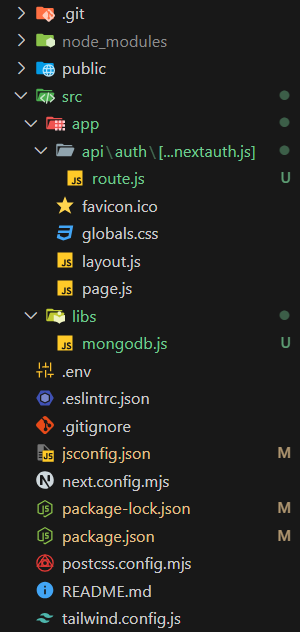
Step 1: Create a "libs/mongodb.js" file in your project folder
Step 2: Add these code to your "mongodb.js" file.
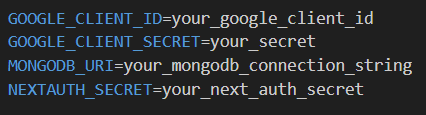
Note: Ensure your .env contains the MONGODB_URI and NODE_ENV
Example: Implementation of MongoDB Authentication In NextJS Using NextAuth.Js
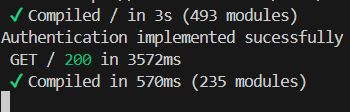
Output:
In this article, we've set up authentication in a Next.js application using MongoDB and NextAuth.js. This includes configuring MongoDB connection, setting up NextAuth.js with MongoDB adapter, creating a sign-in page, and protecting pages. This setup provides a robust foundation for handling authentication in your Next.js applications with MongoDB.