|
VOOZH | about |
|
VOOZH | about |
Slow React application rendering as its name suggests is a small or large delay in rendering elements. There may be multiple reasons for that. React uses the concept of Virtual DOM. All the elements in React are rendered using the render method in which we have to provide an id of an element (mostly div) to be rendered. Every element in React is immutable. Hence, to Update the element, we have to call the Render method again.
Slow React Application Rendering may occur due to heavy components, images, bad code practices unnecessary renders due to changes in states. This problem can be reduced by code splitting, avoiding unnecessary re-renders and memoization. We will be using useMemo hook to reduce calculations and updates to improve rendering.
Step 1: Create a React application using the following command:
npx create-react-app useMemo Step 2: After creating your project folder i.e. useMemo, move to it using the following command:
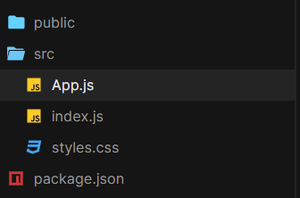
cd useMemoProject Structure:
👁 ImageExample 1: This example uses useState hook to store and update state and render on UI.
Step to Run Application: Run the application using the following command from the root directory of the project:
npm start
Output: Now open your browser and go to http://localhost:3000/, you will see the following output:
Here, in the output, a heavy function is being called on Rendering. Now even though it is being used for the first counter, but it still causes render due to counter2 slow.
Example 2: This example implements useMemo Hook to avoid unnecessary update and hence reduce rerenders on the UI.
Step to Run Application: Run the application using the following command from the root directory of the project:
npm start
Output: Now open your browser and go to http://localhost:3000/, you will see the following output:
Here, heavy functionality is used by useMemo hook containing counter1 as a dependency. Due to this Counter1 still shows delay, but it does not affect the performance of counter2.