|
VOOZH | about |
|
VOOZH | about |
To pass multiple props in a single event handler in ReactJS we can create a function to handle the event that accepts multiple props or calls multiple methods. It is a normal task while creating a react project to perform multiple operations for some events.
To pass/call the multiple props methods in a single event handler in ReactJS there are two ways to make it work.
Table of Content
We can make a separate method for the event and call all the props methods in that method.
const seperateMethod = () => {
 props.method1()
 props.method2()
}
We can create an anonymous function and call all the props methods inside the anonymous method.
<Component onClick={() => {
 props.method1();
 props.method2()
}}>
</Component>
Step 1: Create a React application using the following command:
npx create-react-app foldernameStep 2: After creating your project folder i.e. foldername, move to it using the following command:
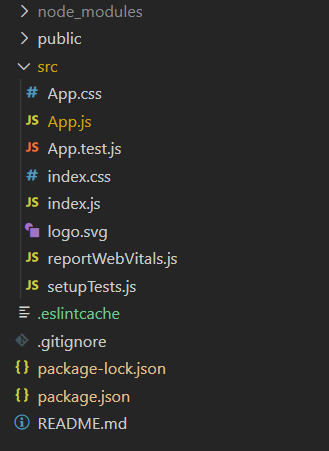
cd foldernameProject Structure:
Example: Passing multiple props in a single event handler with both methods
Step to Run Application: Run the application using the following command from the root directory of the project:
npm startOutput: Now open your browser and go to http://localhost:3000/, you will see the following output: