|
VOOZH | about |
|
VOOZH | about |
When we develop a website using React-Bootstrap, sometimes we need the navbar items aligned to the right side of the navbar. We can achieve it using different classes already defined in React-Bootstrap. we will learn how to make React-Bootstrap Navbar components to Right.
These are the following ways to Pull React-Bootstrap Navbar Components to the Right:
Table of Content
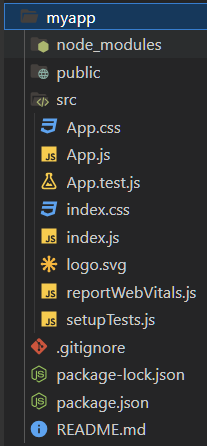
npx create-react-app myappcd my appnpm install react-bootstrap bootstrapimport 'bootstrap/dist/css/bootstrap.min.css';"dependencies": {
"@testing-library/jest-dom": "^5.17.0",
"@testing-library/react": "^13.4.0",
"@testing-library/user-event": "^13.5.0",
"bootstrap": "^5.3.3",
"react": "^18.3.1",
"react-bootstrap": "^2.10.4",
"react-dom": "^18.3.1",
"react-scripts": "5.0.1",
"web-vitals": "^2.1.4"
}
npm startIn this approach, we will use "ms-auto" utility class which is used to add left margin automatically which pushes content to the right. This is the simplest and effective methods to Pull React-Bootstrap Navbar Components to the Right.
Example: Here, We have created a navbar using React-Bootstrap having 3 navbar components at right and a GeeksforGeeks text written in left.
Output: Here we can observe, the navbar components are aligned to right using ms-auto class utility in React-Bootstrap.
In this approach, we will use "justify-content-end" utility class. This is a flexbox based method which pushes all the Navbar components to the right. It is easy to implement and understand.
Example: Here, we have created a navbar using React-Bootstrap having 3 navbar components at right using justify-content-end utility class and a GeeksforGeeks text written in left.
Output: Here we can observe, the navbar components are aligned to right using ms-auto class utility in React-Bootstrap.
We learnt to pull React-Bootstrap Navbar Components to the Right using 'ms-auto' and 'justify-content-end' utility class provided by Bootstrap. Both are very easy methods to implement and understand. Choose the one methods which suits best according to your project structure or frontend layout requirements.