|
VOOZH | about |
|
VOOZH | about |
Sending POST requests to external APIs in Next.js enables interaction with third-party services or your backend. This allows for data submission, form handling, and integration, enhancing your application's functionality.
Below are the approaches mentioned to send POST Request to External APIs in NextJS
Table of Content
Step 1: Create a NextJS application using the following command and answer a few questions.
npx create-next-app@latest app_nameStep 2: It will ask you some questions, so choose as the following.
√ Would you like to use TypeScript? ... No
√ Would you like to use ESLint? ... Yes
√ Would you like to use Tailwind CSS? ... No
√ Would you like to use `src/` directory? ... Yes
√ Would you like to use App Router? ... Yes
√ Would you like to customize the default import alias (@/*)? ... No
Step 3: After creating your project folder, move to it using the following command.
cd app_nameThe updated dependencies in package.json file will look like:
"dependencies": {
 "contentful": "^10.11.2",
 "next": "14.2.3",
 "react": "^18",
 "react-dom": "^18"
}
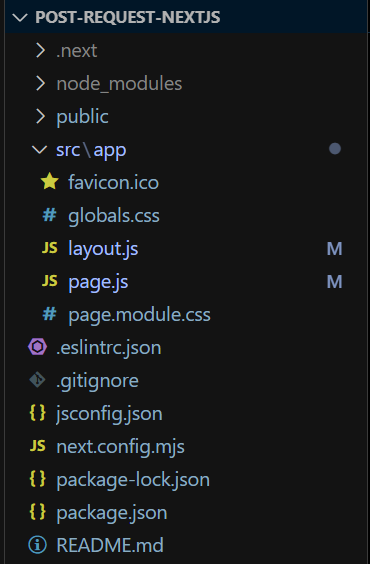
To send a POST request to an external API in Next.js we will use the traditional method. We have used a state to store the value of the input field, and when the submit button is clicked, it sends a POST request to the external API.
Example: The below example demonstrates the sending of post requests to external API using the fetch method.
Step to Run Application: Run the application using the following command from the root directory of the project
npm run devOutput: Your project will be shown in the URL http://localhost:3000/
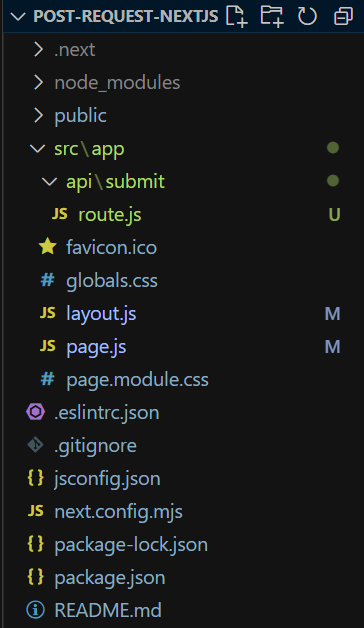
In this approach, we have developed a separate POST API using Next.js API Routes. We call the External API by utilizing our Next.js API. We use a state to store the value of the input field. When the submit button is clicked, a post request is sent to our own created API, which in turn sends a post request to the external API.
Example: The below example demonstrates the sending of POST requests to external API through our own API routes.
Step to Run Application: Run the application using the following command from the root directory of the project
npm run devOutput: Your project will be shown in the URL http://localhost:3000/