|
VOOZH | about |
|
VOOZH | about |
The useEffect hook in React is used to handle the side effects in the functional components. It allows us to perform operations like data fetching, subscriptions, and manual DOM updates. It runs on every re-render which can be controlled using the dependency array.
Syntax:
useEffect(() => {
	// Side effect logic
	return () => {
		// Optional cleanup function
	};
}, [dependencies]);
Parameter:
Return:
Optionally returns a cleanup function to clear the resources or processes before unmount and re-render.
useEffect executes the code on every render and asloThe working of useEffect involves 3 steps
It is the pahse when the component is added to the DOM, resulting in the first render of the ui. And on mounting, useEffect executes the code defined such as data fetching, animations etc.
This phase triggers when any od the component state and prop changes and the component is re-rendered. As useEffect runs on every render it execures the sideeffects. It can be controlled with the dependency array.
This phase involves removing the component from the dom. At this time the useEffect returns a function. This cleanup function is executed during unmount to remove the side effects like event listeners, timers and networking tasks.
So, When we want to perform something after each render of component then we can use the useEffect() hook. By using this Hook, we tell React that our component needs to do something after render by passing a function. React remember the function we passed in useEffect() hook and call it later after performing the DOM updates.
Step 1: Create a React application using the following command:
npx create-react-app foldernameStep 2: After creating your project folder i.e. foldername, move to it using the following command:
cd foldernameIt will look like the following.
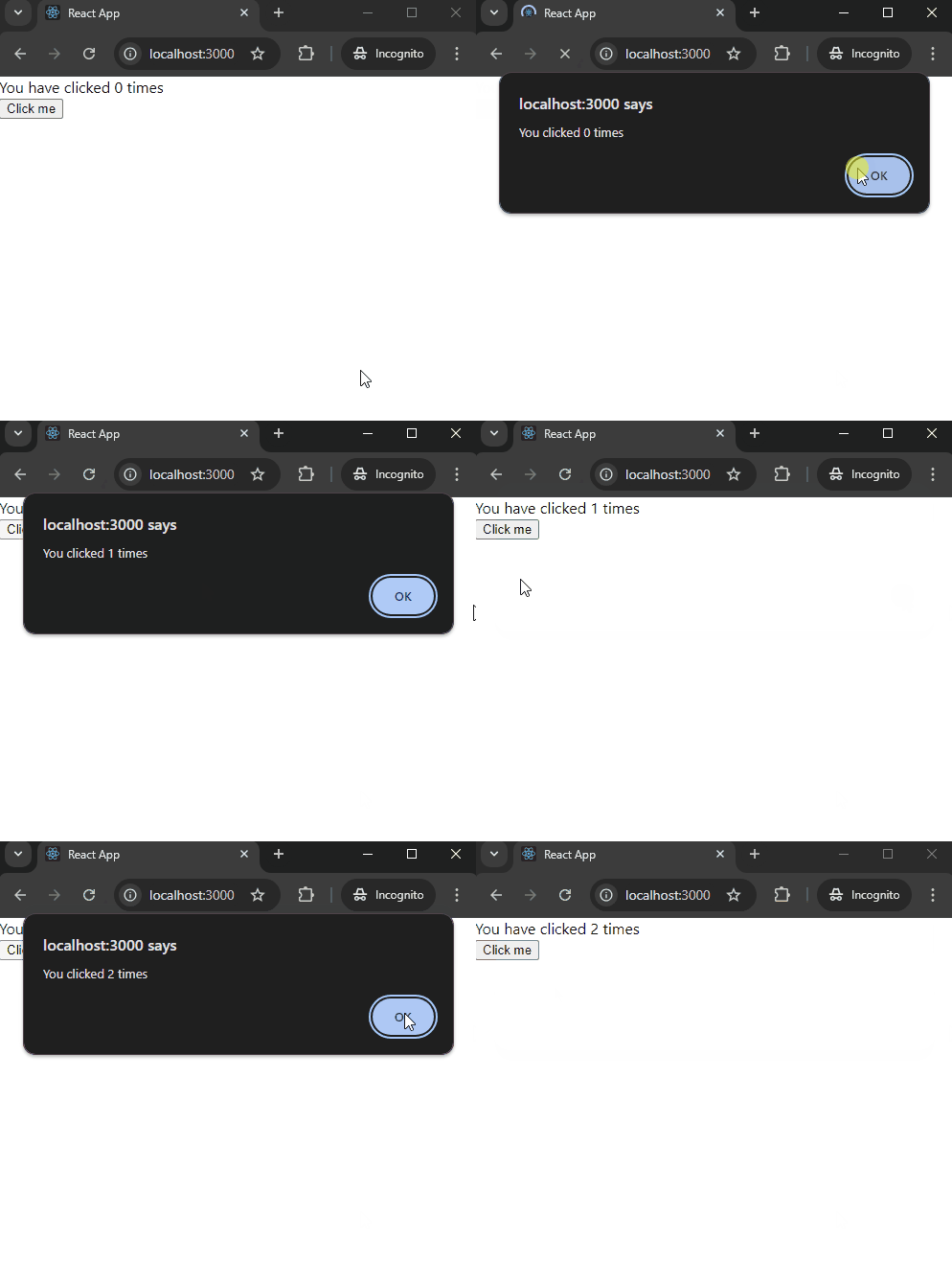
👁 ImageExample: This example demonstrates a component that displays an alert every time a button is clicked, showing the updated click count using the useEffect hook
Step to Run Application: Run the application using the following command from the root directory of the project.
npm startOutput: Now open your browser and go to http://localhost:3000/, you will see the following output.
Explanation: As we can from the above example whenever we update the state, React re-render the component, and just after that useEffect() hook call function that we have passed.