VOOZH about

URL: https://www.geeksforgeeks.org/reactjs/implementation-of-react-memo-and-usememo-in-react/

⇱ Implementation of React.memo() and useMemo() in React - GeeksforGeeks


  • Courses
  • Tutorials
  • Interview Prep

Implementation of React.memo() and useMemo() in React

Last Updated : 22 Jan, 2026

React.memo and useMemo help improve performance by avoiding unnecessary re-computations. They allow React to reuse previously calculated results when inputs have not changed.

  • React.memo prevents re-rendering of functional components when props are unchanged
  • useMemo memoizes the result of a function call inside a componen
  • Both help optimize performance in React applications

React.memo()

React.memo() is a higher-order component (HOC) provided by React that memoizes functional components. It means that it caches the result of the component’s rendering based on its props, and re-renders only when the props have changed.

Syntax of React.memo():

const MemoizedComponent = React.memo(FunctionalComponent);

useMemo()

useMemo() is a React Hook used to memoize the result of expensive computations within functional components. It memorizes the value returned by a provided function and re-calculates it only when the dependencies change.

Syntax of useMemo():

const memoizedValue = useMemo(() => computeExpensiveValue(dep1, dep2), [dep1, dep2]);

Features:

  • Efficient Rendering: Use React.memo() to avoid unnecessary re-renders, improving performance, especially for complex components.
  • Memoized Data: Use useMemo() to save the results of filtered data so the app doesn’t recalculate it every time, making it faster.
  • Dynamic Filtering: Allows users to search and filter through lists easily without slowing down the app.
  • Real-time Updates: The list updates instantly as the user types in the filter, providing a smooth experience.
  • Scalability: Designed to handle large datasets efficiently, keeping performance stable even as data grows.

Steps to Create a React App:

Step 1: Create a new React.js project and install the required dependencies:-

npx create-react-app my-react-app.

Step 2: Navigate to the root directory of your project using the following command.

cd my-react-app

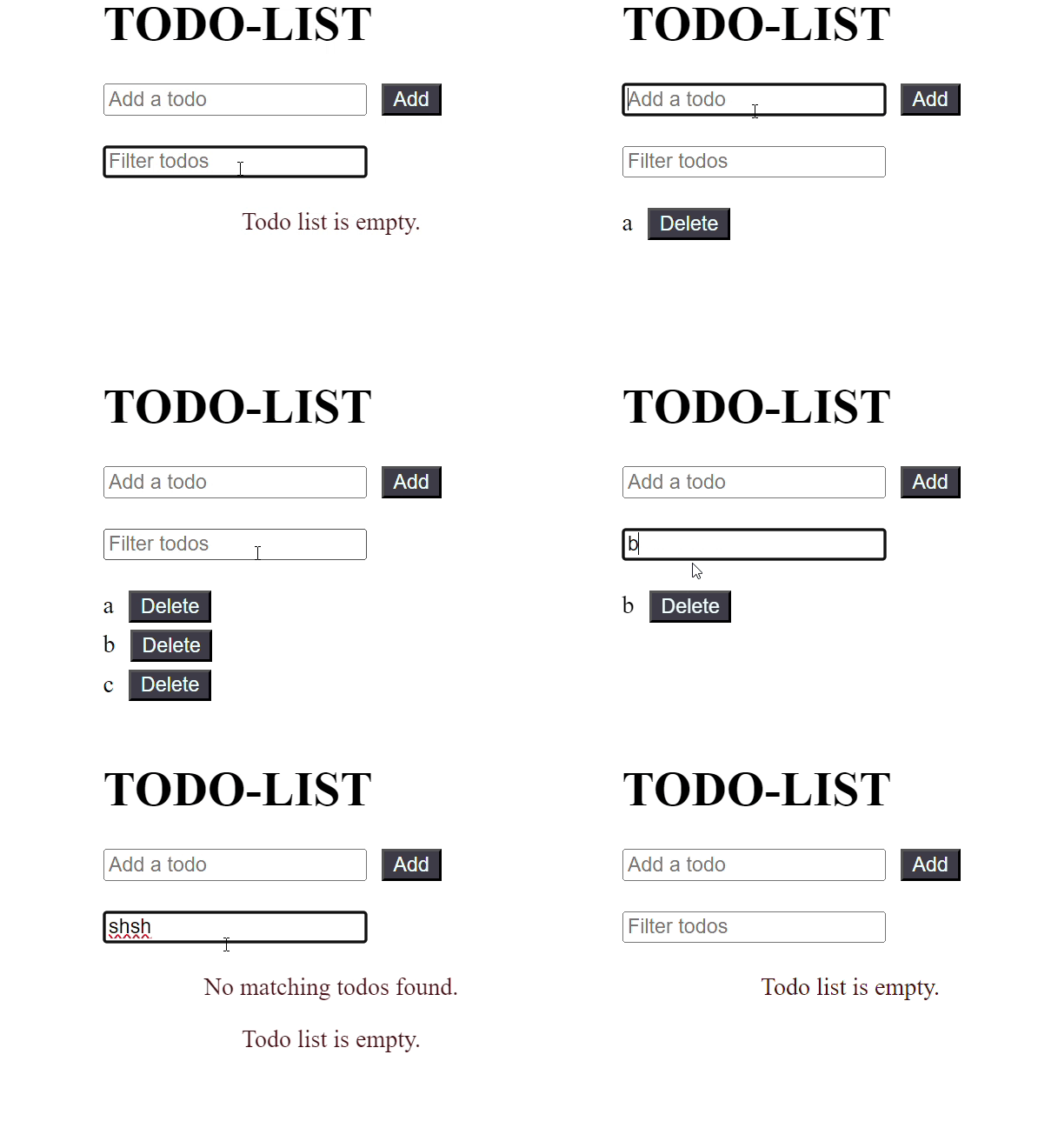
Example: Below is an example of both React.memo() and useMemo().

Output:

👁 ezgifcom-crop
Output
Comment