|
VOOZH | about |
|
VOOZH | about |
In this article, we will be building an IP address finder app that lets you find your client's approximate location on a map. An IP address is a unique address that identifies a device on the internet or a local network. IP stands for "Internet Protocol," which is the set of rules governing the format of data sent via the internet or local network. Through this article, we will learn how to get the user's IP address as well as display his/her approximate location on a map.
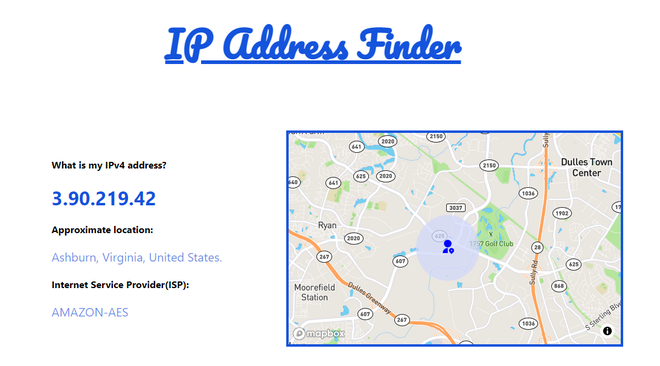
Lets take a look at how the final application will look like:
Prerequisites: The pre-requisites for this project are:
Creating a React application and Module installation:
Step 1: Create a react application by typing the following command in the terminal:
npm create vite@latest ip-finder --template reactStep 2: Now, go to the project folder i.e ip-finder by running the following command:
cd ip-finderStep 3: Install some npm packages required for this project using the following command:
npm install axios
npm install react-map-gl
npm install react-icons
Project Structure: It will look like this:
Example: Let us grab the Mapbox API key required for this project. Follow the simple steps below:
Copy the default public access token and save it somewhere to use it later.
Example:
Step to Run Application: Run the application using the following command from the root directory of the project.
npm run devOutput: Now open your browser and go to http://localhost:5173/, you will see the following output: