|
VOOZH | about |
|
VOOZH | about |
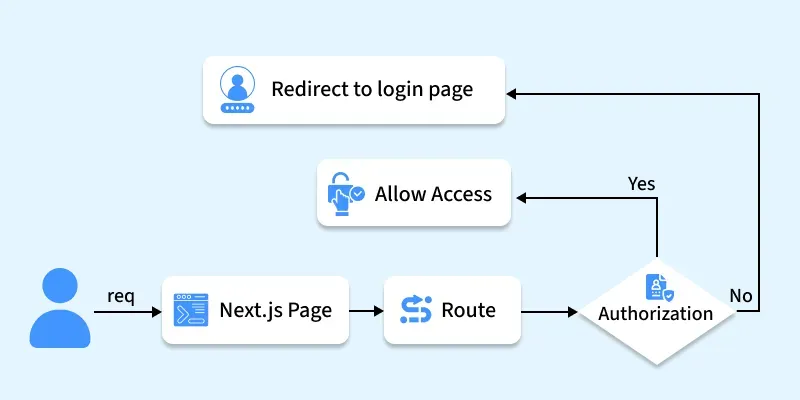
Middleware is a mechanism that is used to perform tasks before rendering a page. It allows you to intercept requests before they reach the page component. It enables you to perform operations like authentication, authorization, data fetching, and modifying the request or response objects.
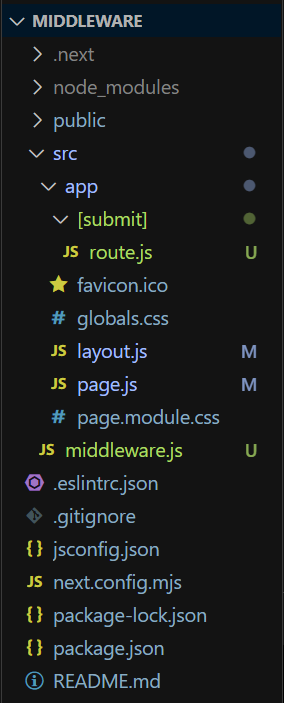
In Next.js, you can implement middleware by creating middleware.js (or .ts) file in a project root directory(you have to create a middleware.js file inside src folder.).
You can only create a one middleware.js (or .ts) file per project, but you can still divide it's logic in a different modules.
The middleware file will be invoked for every route in your project, If you want to apply to any specific route then you have to mention a route matcher inside middleware.js file.
route matcher (specific path):
// Main Middleware Function

export const config = {
 matcher: '/profile/:path*',
}
route matcher (multiple path):
// Main Middleware Function
export const config = {
 matcher: [ '/profile/:path*', '/about/:path*' ]
}
Syntax:
import { NextResponse } from 'next/server'

export function middleware(request) {
 return NextResponse.redirect(new URL('/home', request.url))
}

//Matching Path
export const config = {
 matcher: '/about/:path*',
}
The NextResponse API empowers you to:
For generating a response from Middleware, you can:
Cookies function as standard headers. During a request, they reside in the Cookie header, while in a response, they are located within the Set-Cookie header. Next.js simplifies cookie management with its cookies extension on NextRequest and NextResponse.
For incoming requests, cookies offer the following methods: get, getAll, set, and delete, enabling you to retrieve, manipulate, and remove cookies. You can verify the presence of a cookie with has or clear all cookies with remove.
For outgoing responses, cookies provide methods such as get, getAll, set, and delete, facilitating the handling and modification of cookies before sending the response.
Indeed, with the Next Response API, you can effectively manage both request and response headers. This capability has been available since Next.js version 13.0.0.
This middleware function adds CORS headers to the response to allow requests from any origin, methods, and headers. For pre flighted requests (OPTIONS method), it responds immediately with appropriate headers and a status code of 200.
Directly responding from Middleware is supported by returning either a Response or Next Response instance. This functionality has been available since Next.js version 13.1.0.
Step 1: Create a NextJS application using the following command and answer some few questions.
npx create-next-app@latest app_nameStep 2: After creating your project folder, move to it using the following command.
cd app_nameThe below example demonstrate the use of middleware in next.js.
Note: Remove included CSS file from layout.js.
In this example, we have created a form which will take username and password from the user, When a user submits the form middleware.js file will match the input with the already defined username and password. If it matches then, it procced next and request will be sent to the server(route.js) and it will display Welcome message else it will directly response a Invalid Username & Password message.
Start your application using the command:
npm run devOutput: