|
VOOZH | about |
|
VOOZH | about |
Migrating from Create React App (CRA) to Next.js involves transitioning from a client-side rendered React application to a framework that offers server-side rendering, static site generation, and built-in routing capabilities. This guide provides a step-by-step approach to help you effectively migrate your project and take advantage of Next.js's powerful features.
Run the following command in your terminal:
npx create-react-app myReactAppOnce the installation is complete, you will see a message :
Happy hacking!Now we can navigate into the project:
cd myReactAppUse the below command to run the project
npm run startThis will produce the following message:
Starting the development server…
Compiled successfully!
You can now view trial in the browser.
Local: http://localhost:3000
This means the local server is up and running and once you open your browser and navigate to http://localhost:3000, you should see your React application:
👁 Screenshot-(5)-minFirst uninstall react-scripts dependencies which was installed with the create-react-app tool.
npm uninstall react-scriptsNow we will install the "next" dependency. Run the following command in your terminal :
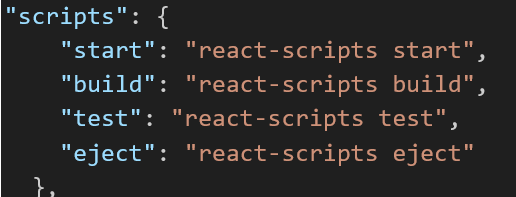
npm install nextAfter this we need to change the scripts inside the package.json file. Head to your package.json file and locate the "scripts" object. It should look something like this :
Change it and add NextJS scripts as follows :
We also need to install typescript which is the default language for NextJs apps.
npm install -g typescriptAfter this, run the following command in your terminal which will create a tsconfig.json file, required for running the TypeScript code:
tsc --initIn the end your package.json file should look like this:
"dependencies": {
 "@testing-library/jest-dom": "^5.17.0",
 "@testing-library/react": "^13.4.0",
 "@testing-library/user-event": "^13.5.0",
 "@types/react": "^18.2.48",
 "@types/react-dom": "^18.2.18",
 "next": "^14.1.0",
 "react": "^18.2.0",
 "react-dom": "^18.2.0",
 "web-vitals": "^2.1.4"
}
Creating Pages:
Components in NextJs create a components folder in the root level of the project and add a file called "myButton.tsx" inside it, which will have the following simple piece of code :
Now let us create an "About" page for our app which will call this button. Inside the app directory, create a folder called "about" and add a "page.tsx" file inside it with the following piece of code :
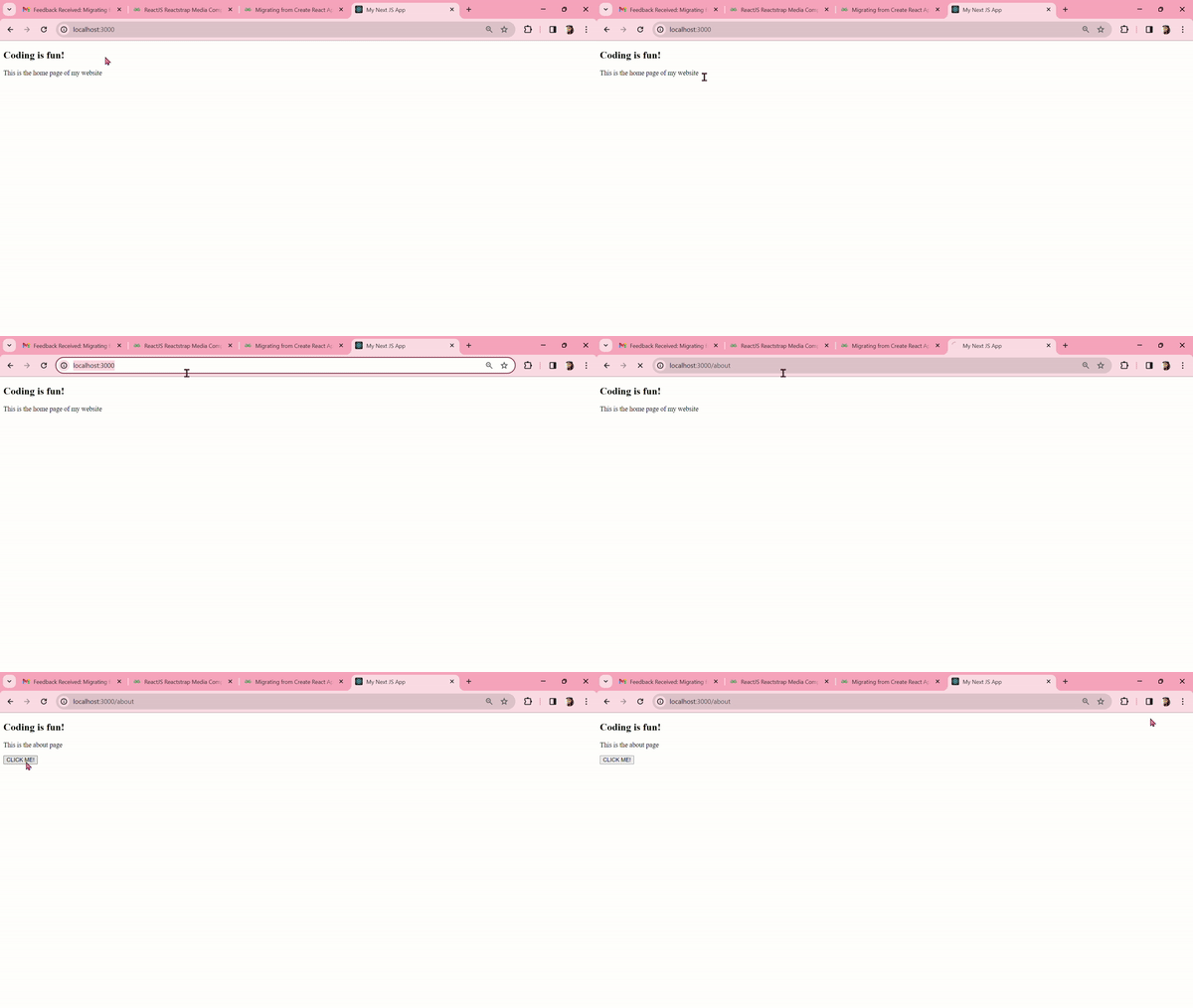
Output: Navigate to "http://localhost:3000/about" in your web browser and it should look like this :
👁 ezgif-4-78659a839cMigrating from Create React App to Next.js involves transitioning to a more powerful framework that offers server-side rendering, static site generation, and improved routing. By following this guide, you can systematically migrate your application, leveraging Next.js’s features to enhance performance and user experience.

-min-660.png)
.png)