|
VOOZH | about |
|
VOOZH | about |
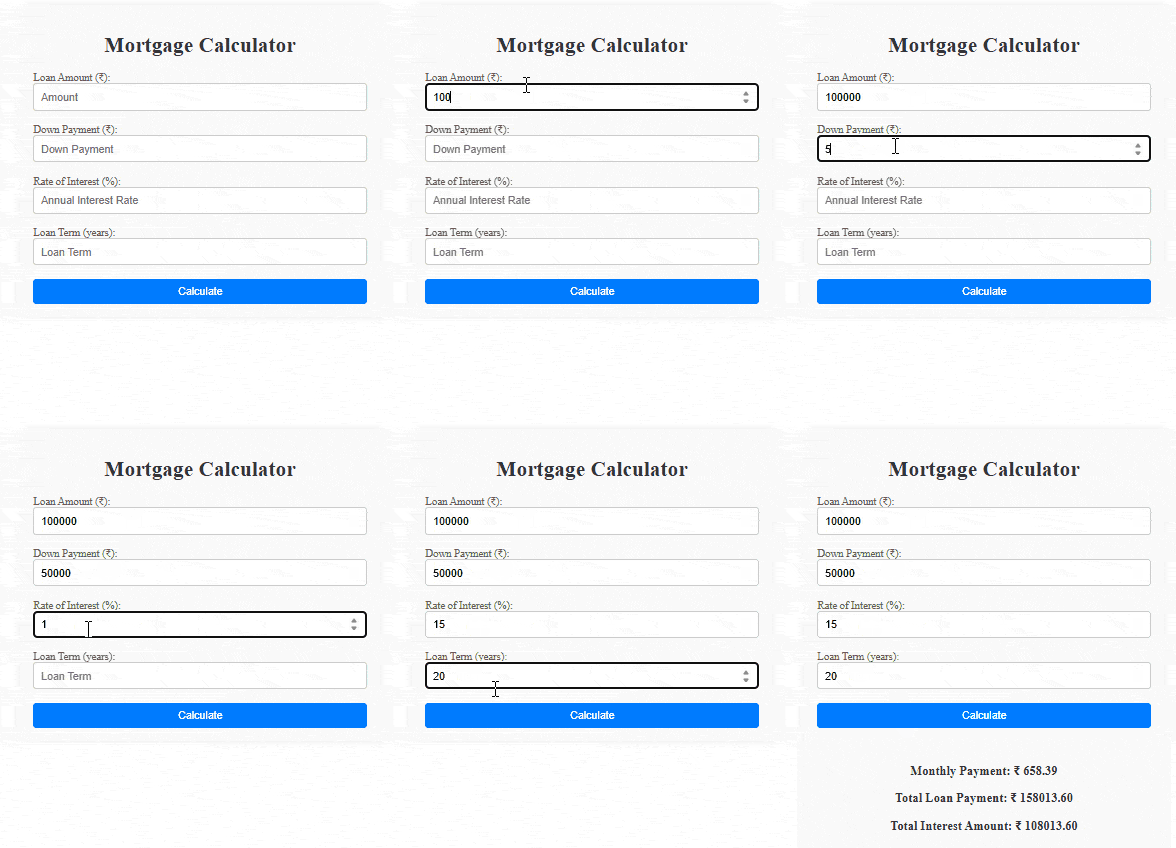
In this article, we will create a Mortgage Calculator using React, allowing users to estimate their monthly mortgage payments based on the loan amount, annual rate of interest, and loan term in years. The application provides instant feedback, displaying the calculated monthly payment, total payable amount, and total interest.
The application uses React's useState hook to manage state variables for the principal amount, annual interest rate, loan term, monthly payment, total payable amount, total interest, and error handling. Users are prompted to input the necessary information, with real-time validation to ensure accurate calculations.
Step 1: Set up React project using the command
npm create vite@latest <<name_of_project>> --template reactStep 2: Navigate to the project folder using
cd <<Name_of_project>>Step 3: Install necessary dependencies
npm installStep 4: Create MortgageCalculator.js component along with its CSS file.
Example: In this example we will see the implementation of above approach. add the below code in respective files.
Step 1: Type the following command in terminal
npm run devStep 2: Open web-browser and type the following URL
http://localhost:5173/Output:

.png)
.png)