VOOZH about

URL: https://www.geeksforgeeks.org/reactjs/navigate-between-pages-in-nextjs/

⇱ Navigate Between Pages in NextJS - GeeksforGeeks


  • Courses
  • Tutorials
  • Interview Prep

Navigate Between Pages in NextJS

Last Updated : 10 Oct, 2025

Navigating between pages in Next.js is smooth and optimized for performance, with the help of its built-in routing capabilities. The framework utilizes client-side navigation and dynamic routing to ensure fast, smooth transitions and an enhanced user experience.

Navigate Between Pages in Next.JS

In Next.js, navigation is primarily handled through the <Link> component from next/link, which enables client-side routing. This avoids full page reloads and speeds up page transitions. For programmatic navigation, the useRouter hook from next/router allows navigation based on user actions or logic.

Approach

To provide the navigation between pages we will:

  • Create the Navbar component for navigating on different pages.
  • Create the pages we want to navigate to.
  • Create pages like home.js for the home page, about.js for the about page, contact.js for the contact page and services.js for the services page.
  • Import the Link component in the navbar component from the next/link.
  • Use the Link component to wrap the elements that should trigger the navigation.
  • We will style the links using Bootstrap to make them visually appealing.

Steps to Create NextJS Application

Step 1: Create a NextJS application using the following command

npx create-next-app my-app

Step 2: Navigate to project directory

cd my-app

Project Structure:

👁 Screenshot-(87)
Folder Structure

The updated dependencies in package.json file will look like:

"dependencies": {
"bootstrap": "^5.3.3",
"next": "14.1.3",
"react": "^18"
}

Example: Implementation to navigate between pages in a Next.js application

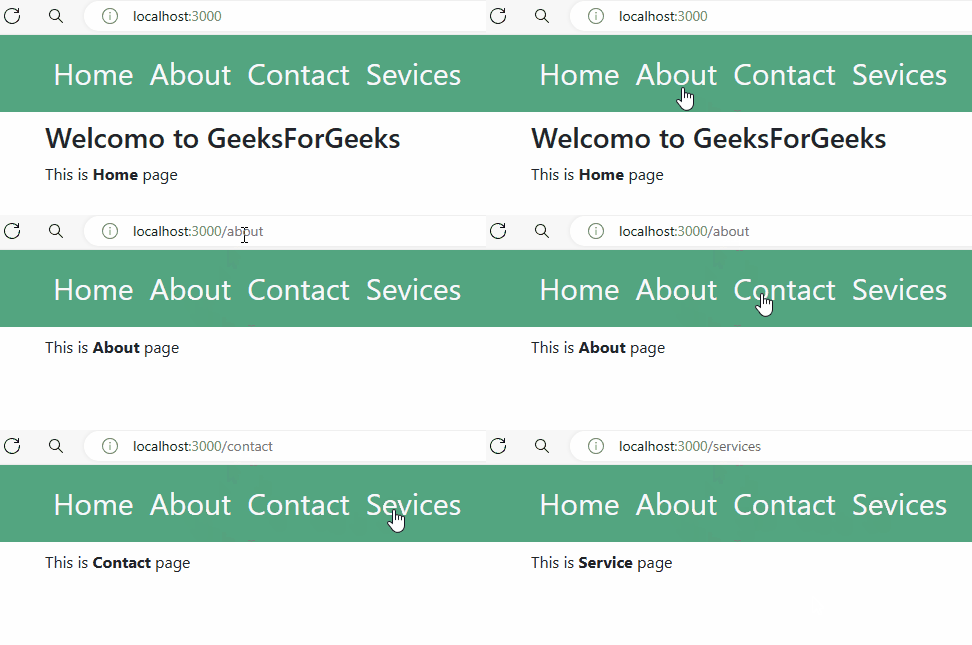
Output:

👁 lnk
Navigate Between Pages in NextJS
Comment
Article Tags: