|
VOOZH | about |
|
VOOZH | about |
In Next.js, the error.js file is used to handle errors that occur within a specific route. It allows you to define a custom error page for that route, providing a way to display error messages or fallback content. This file is useful for managing error states and improving user experience when something goes wrong on a particular page.
// error.js
import React from 'react';

function Error({ error, reset }) {
 return (
 <div>
 <h1>Something went wrong!</h1>
 <p>{error.message}</p>
 <button onClick={() => reset()}>Try Again</button>
 </div>
 );
}

export default Error;
The global-error.js file is used to handle errors at the root level of your application. It provides a global Error Boundary, making sure that any uncaught errors anywhere in the app are handled gracefully.
Example: This file is crucial for handling errors that affect the entire application. Since it replaces the root layout, you need to manually define the <html> and <body> structure within this file. You can use React Developer Tools to manually toggle error boundaries while designing the error UI.
The not-found.js file is used to handle cases where a specific route or resource cannot be found. This is particularly useful for displaying custom 404 pages.
Example: When the notFound() function is thrown within a route segment, Next.js renders the UI defined in not-found.js. It provides a clear and customizable way to display a "Not Found" message to users.
Step 1: Create a Next.js application using the following command.
npx create-next-app@latest gfgStep 2: It will ask you some questions, so choose as the following.
√ Would you like to use TypeScript? ... No
√ Would you like to use ESLint? ... Yes
√ Would you like to use Tailwind CSS? ... No
√ Would you like to use `src/` directory? ... Yes
√ Would you like to use App Router? (recommended) ... Yes
√ Would you like to customize the default import alias (@/*)? ... Yes
Step 3: After creating your project folder i.e. gfg, move to it using the following command.
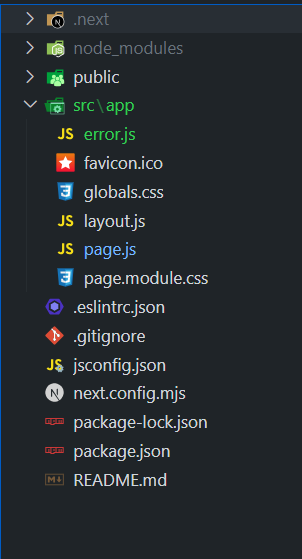
cd gfgStep 4: Create error.js file in the directory src/app.
The updated dependencies in package.json file:
"dependencies": {
 "react": "^18",
 "react-dom": "^18",
 "next": "14.2.5"
},
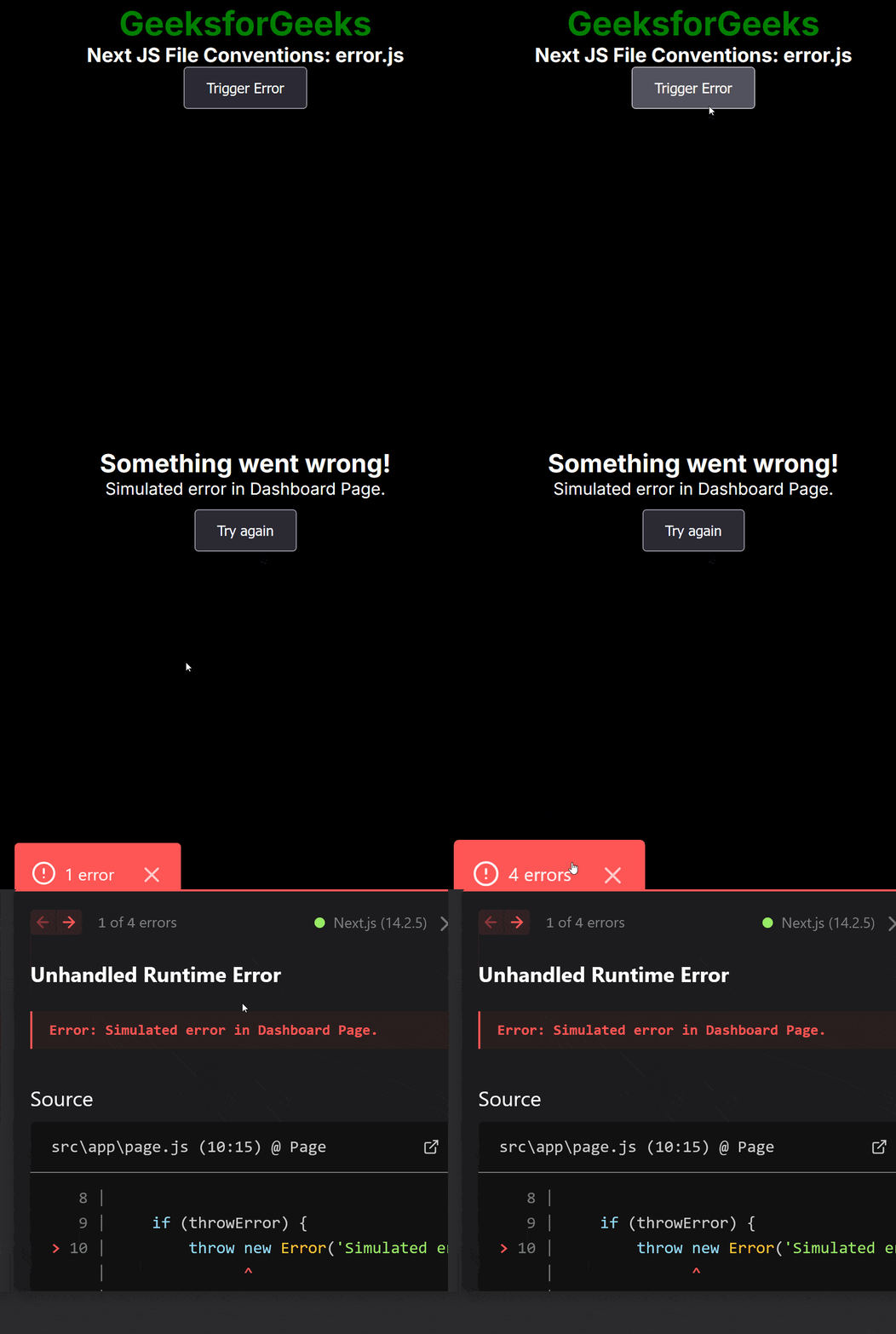
Example: This demonstrates the implementation of error boundaries in Next.js with error.js to catch and handle errors, providing a fallback UI and recovery option.
To run the Application open the terminal in the project folder and enter the following command:
npm run devOutput: