|
VOOZH | about |
|
VOOZH | about |
NextResponse is a utility function provided by Next.js, used within middleware to create responses for HTTP requests. Middleware in Next.js allows you to run code before a request is completed, enabling you to handle things like authentication, redirects, and more. NextResponse makes it easy to construct responses with various configurations, such as setting headers, cookies, or redirecting requests.
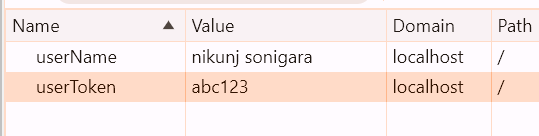
Cookies are a way to store small amounts of data on the client side, allowing for persistent state across requests. NextResponse provides several methods to interact with cookies easily.
This method sets a cookie in the response.
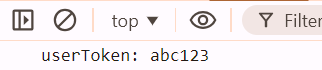
This method retrieves a specific cookie from the request.
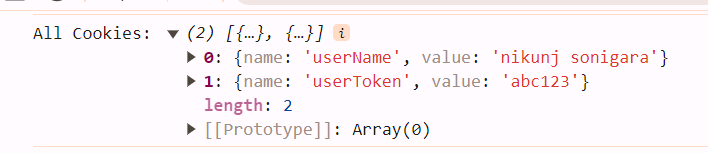
This method retrieves all cookies from the request.
This method deletes a specific cookie from the response.
The json() method allows you to return a JSON response easily.
{
 "message": "Hello, world!"
}
The redirect() method allows you to redirect the user to a different URL.
The rewrite() method rewrites the request URL to a different URL without changing the URL visible to the user.
The next() method passes the request to the next middleware or route.
npx create-next-app@latest next-response-examplecd next-response-exampleCreate a _middleware.js file in the pages directory.
pages/_middleware.jsNext.js comes with all necessary dependencies for using NextResponse. If you need additional packages for your middleware, you can install them using npm or yarn.
npm install some packageor
yarn add some packageEnsure your package.json file reflects the necessary dependencies for your project. Here is an example:
"dependencies": {
 "next": "14.2.5",
 "package": "^1.0.1",
 "react": "^18",
 "react-dom": "^18",
 "some": "^0.1.1"
 }
Example: This illustrates a Next.js middleware that redirects all requests to `/new-path`, sets a cookie, and adds a custom header.