|
VOOZH | about |
|
VOOZH | about |
React MUI is a massive library of UI components designers and developers can use to build React applications. Material UI provides low-level utility functions called “style functions” for building powerful design systems
The sx prop lets you add any valid CSS to an element while using values from your theme to keep styles consistent. All of the style functions provided in @mui/system are packaged together as a superset of CSS that can be used with the 'sx' prop. This prop allows you to define any valid CSS as well as a variety of MUI's System-specific theme-aware characteristics.
Syntax:
<Component sx={{ cssProperty: value }} />
Theme-aware properties:
Ways to pass the values in sx prop:
Callback values:
The values of the "sx" prop can also be defined as callbacks, which will be invoked on every render and will return the styles to be applied. This can be useful for applying styles that depend on the component's state or props. It's recommended to use callbacks for simple styles and limit the number of elements using them to improve performance.
Syntax:
<Box sx={{ CssProperty: (theme) => theme.themeName(value) }} />
Array values:
The array values in the "sx" prop allow for multiple style objects to be applied to a single element, with the styles cascading down in the order they are defined in the array.
Syntax:
<Component sx={[{ property: "value" }, { property: "value" }]} />
Creating React Application And Installing Module
Step 1: Create React app by writing the below code in any command line.
npx create-react-app app_name
Step 2: Then, we have to move into the folder we will be working on.
cd project_name
Step 3: We will be installing the @mui/material library for working on our project.
npm install @mui/material @emotion/react @emotion/styled
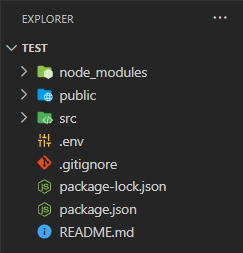
Project Structure: After creating React App and installing all the dependencies, the folder structure will look similar to the figure given below.
Step to run the application: Write the below code in the terminal to run the server:
npm start
Example 1: Below is the code for styling a Box component using the 'sx' prop.
App.js
Output:
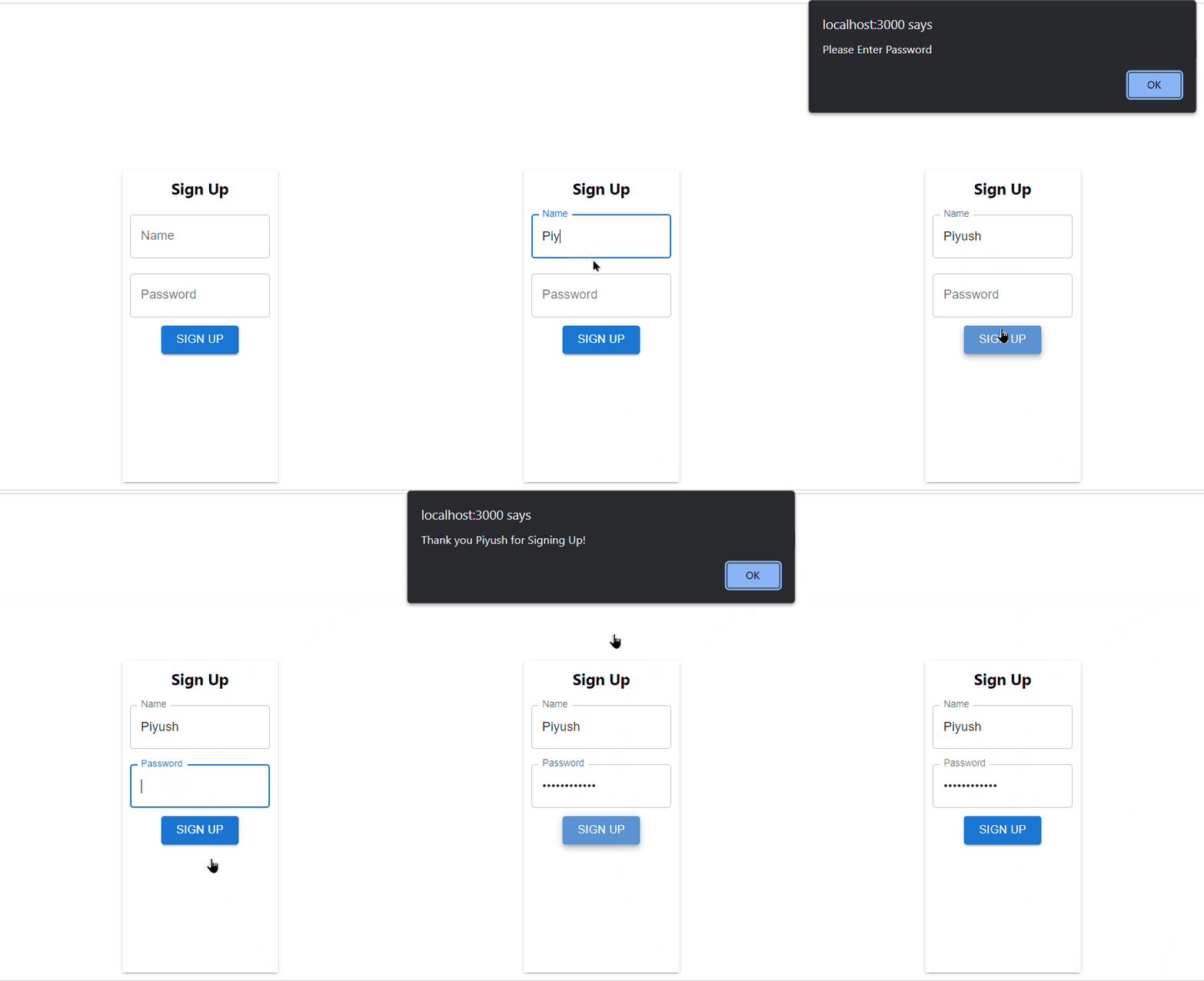
Example 2: Below is the code for making a simple Form using Material Ui 'sx' props.
App.js
Output:
Reference: https://mui.com/system/getting-started/the-sx-prop/