|
VOOZH | about |
|
VOOZH | about |
React suite is a library of React components, sensible UI design, and a friendly development experience. It is supported in all major browsers. It provides pre-built components of React which can be used easily in any web application.
In this article, we'll learn about React suite Container Login Page Layout. The container layout can define the main frame of the page using header, content, sidebar, and footer components. In a container, we can add Form components to create a Login page layout using form input fields, and buttons.
Syntax:
<Container>
 <Header>Header</Header>
 <Navbar>...</Navbar>
 <Content>
 <Form>
 ...
 </Form>
 </Content>
 <Footer>Footer</Footer>
</Container>
Creating React Application And Installing Module:
Step 1: Create a React application using the given command:
npm create-react-app projectname
Step 2: After creating your project, move to it using the given command:
cd projectname
Step 3: Now Install the rsuite node package using the given command:
npm install rsuite
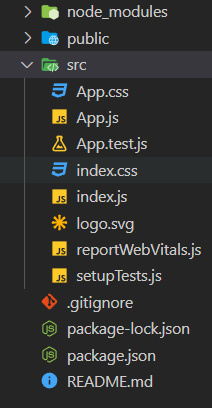
Project Structure: Now your project structure should look like the following:
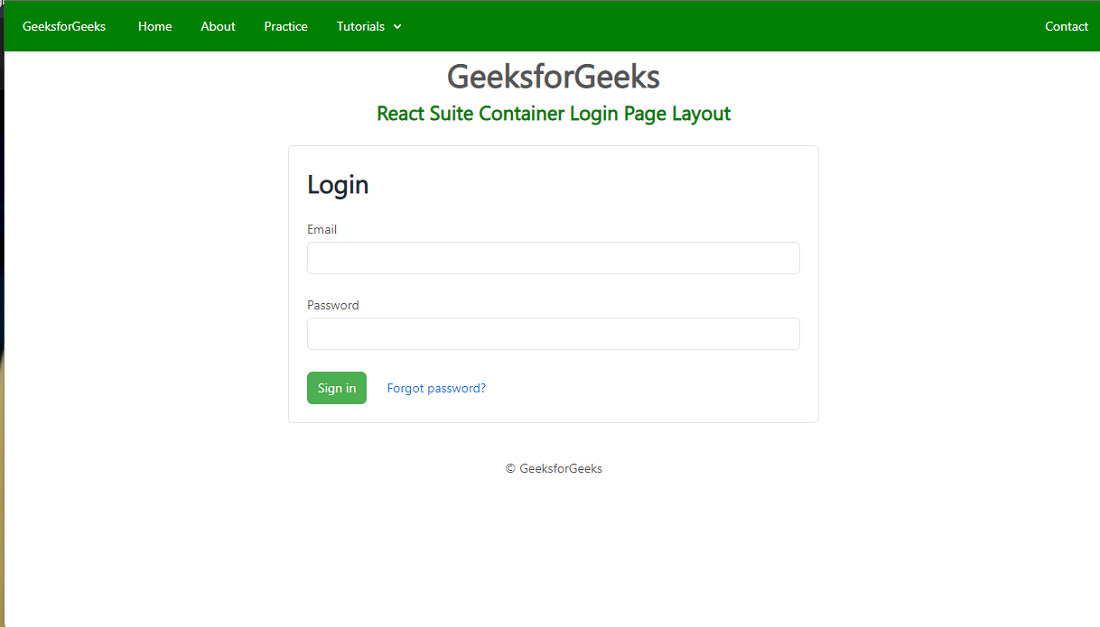
Example 1: Below example demonstrates the login page container with a fluid size layout.
Output:
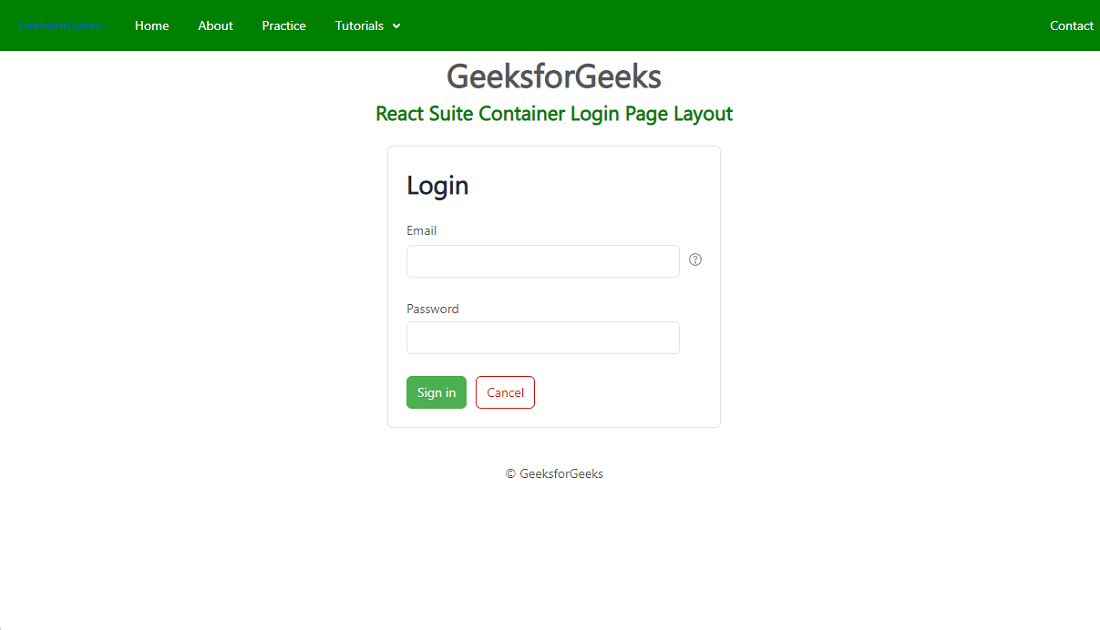
Example 2: Below example demonstrates the login page container layout with a help text button.
Output:
Reference: https://rsuitejs.com/components/container/#login-page-layout