|
VOOZH | about |
|
VOOZH | about |
React Suite is a front-end library designed for the middle platform and back-end products. The React Suite Dropdown provides navigation that uses a select picker in order to select a value.
React Suite <Dropdown> Props List:
Syntax:
<Dropdown></Dropdown>
Prerequisite: Introduction and installation ReactJS
Creating React Application and Module installation:
Step 1: Create the react project folder, for that open the terminal, and write the command npm create-react-app folder name, if you have already installed create-react-app globally.
npm create-react-app project
Step 2: After creating your project folder(i.e. project), move to it by using the following command.
cd project
Step 3: now install the dependency by using the following command:
npm install rsuite
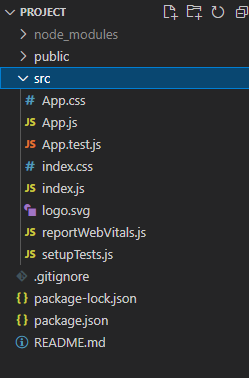
Project Structure: It will look like this:
Example 1: We are importing the Dropdown Component from "rsuite", and to apply the default styles of the components we are importing "rsuite/dist/rsuite.min.css".
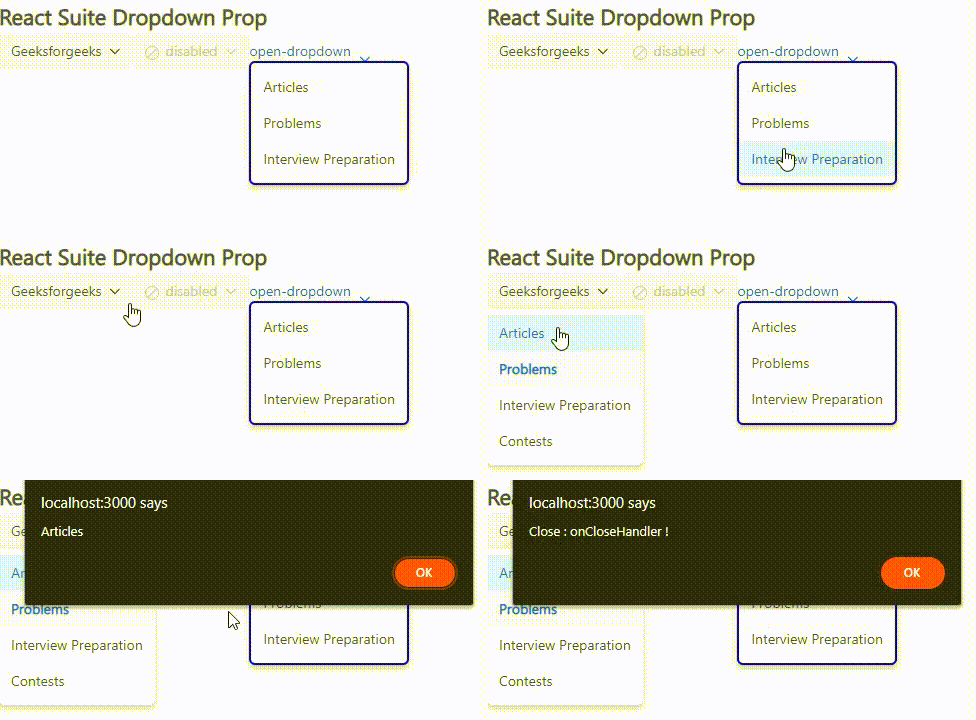
We are adding three Dropdown Components. In the first one, we are passing the values to the title, activeKey, placement, onSelect which calls the onSelectHandle which shows the eventKey selected in the alert, onClose which calls the onCloseHandle that shows "Close: closable !" in the alert. In the second dropdown component, we are passing the disabled prop and the icon prop. For the third dropdown component, we are passing the open, toggleAs, and menuStyle props.
Step to Run Application: Run the application using the following command from the project's root directory.
npm start
Output:
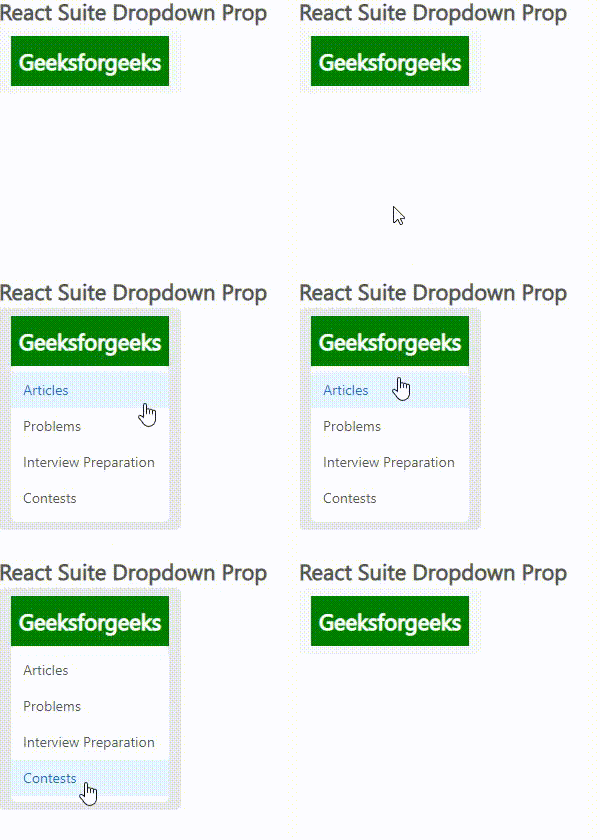
Example 2: We are adding the Dropdown Component with the title as "Geeksforgeeks", trigger as "hover", classPrefix as "btn", passing renderToggle with a div having some style and defaultOpen prop.
Step to Run Application: Run the application using the following command from the project's root directory.
npm start
Output:
Reference: https://rsuitejs.com/components/dropdown/#code-lt-dropdown-gt-code