|
VOOZH | about |
|
VOOZH | about |
React suite is a library of React components, sensible UI design, and a friendly development experience. It is supported in all major browsers. It provides pre-built components of React which can be used easily in any web application.
In this article, we'll learn about React suite Pagination ts:LayoutType Props. The pagination has a layout prop that defines the type of layout to be used in the pagination component.
ts:LayoutType Props:
Creating React Application And Installing Module:
Step 1: Create a React application using the given command:
npm create-react-app projectname
Step 2: After creating your project, move to it using the given command:
cd projectname
Step 3: Now Install the rsuite node package using the given command:
npm install rsuite
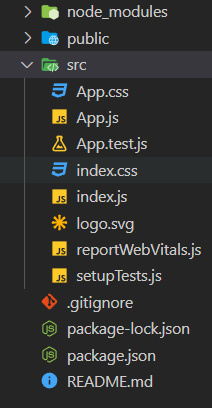
Project Structure: Now your project structure should look like the following:
Syntax:
<Pagination layout={'total' | '-' | 'pager' | '|' | 'limit' | 'skip'} />
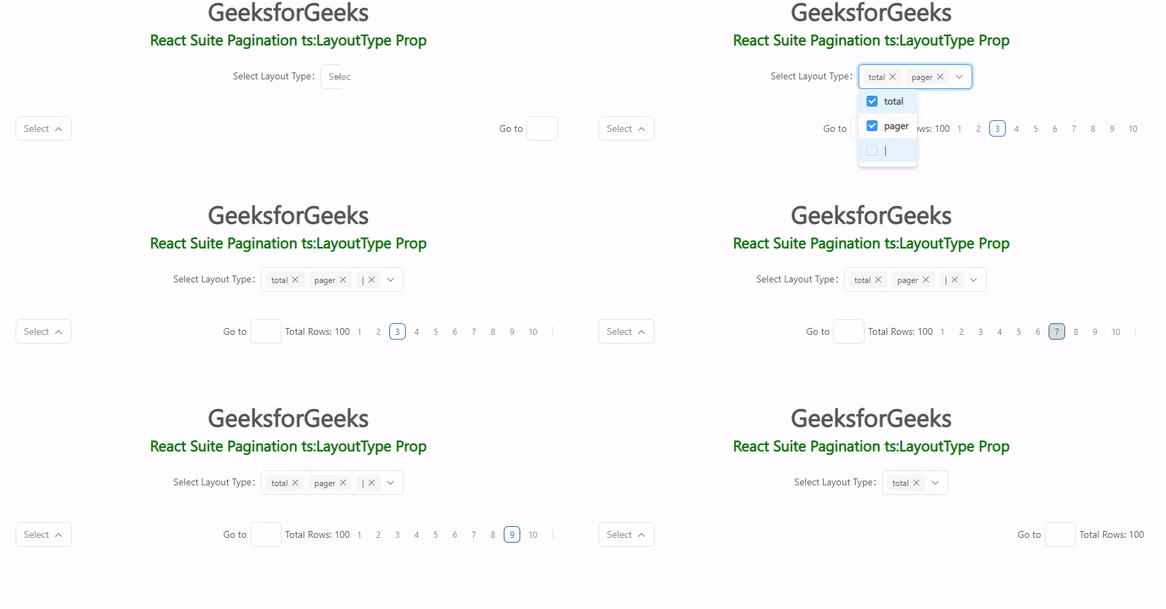
Example 1: Below example demonstrates the 'total', 'pager', and, '|' layout types.
Output:
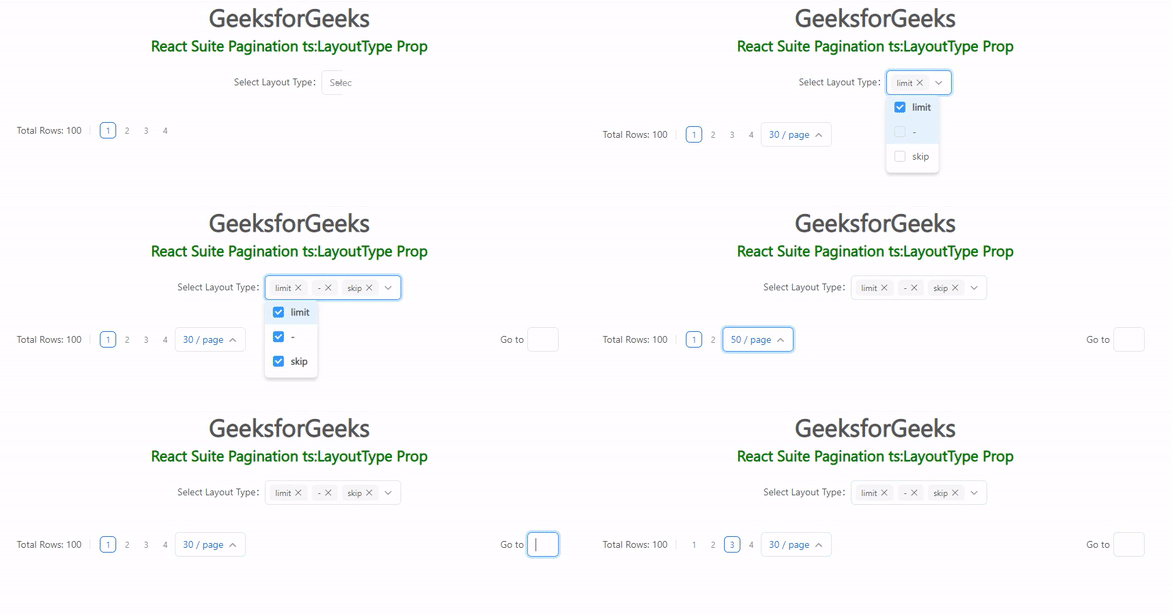
Example 2: Below example demonstrates the 'limit', 'skip', and, '-' layout type.
Output:
Reference: https://rsuitejs.com/components/pagination/#code-ts-layout-type-code