|
VOOZH | about |
|
VOOZH | about |
The getSnapshotBeforeUpdate() method is invoked just before the DOM is being rendered. It is used to store the previous values of the state after the DOM is updated.
getSnapshotBeforeUpdate(prevProps, prevState)It accepts two parameters, they are prevProps and prevState which are just the props or state before the component in question is re-rendered.
The return value can be any object, number, or string. Also, it can be null when no information need to be captured.
Any value returned by getSnapshotBeforeUpdate() method will be used as a parameter for componentDidUpdate() method. This function is always used along with the componentDidUpdate() method but vice-versa isn't true.
Step 1: Create a React application using the following command:
npx create-react-app foldernameStep 2: After creating your project folder i.e. foldername, move to it using the following command:
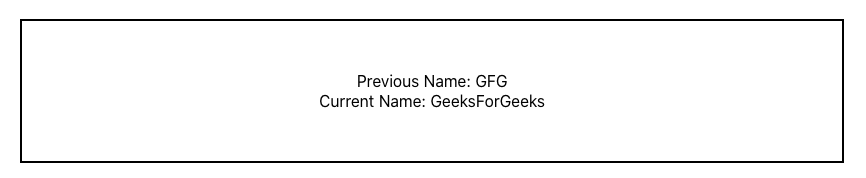
cd foldernameExample: Program to demonstrate the use of getSnapshotBeforeUpdate() method. Here, we are going to use the previous and current values of the state to display some text.
Step to Run Application: Run the application using the following command from the root directory of the project:
npm startOutput:
👁 ImageReference: https://legacy.reactjs.org/docs/react-component.html#getsnapshotbeforeupdate