|
VOOZH | about |
|
VOOZH | about |
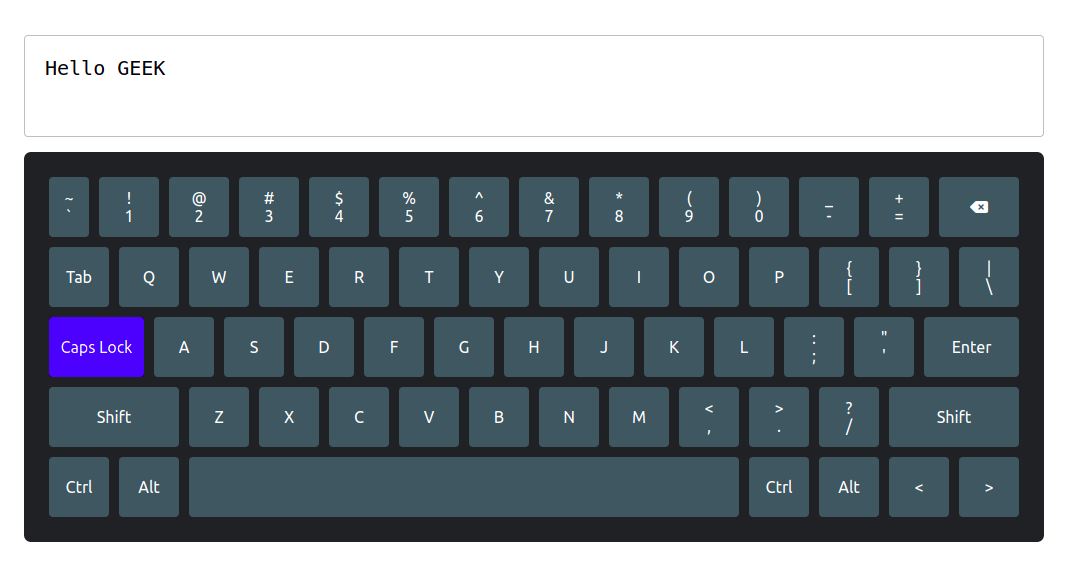
In this article, we will create Virtual Keyboard using ReactJS. This project basically implements functional components and manages the state accordingly. Users can interact with the virtual keyboard by clicking on keys, and the interface will respond accordingly, allowing for a seamless typing experience. The keypress and character input logic are implemented using JSX.
Let’s have a look at what our final project will look like:
Technologies Used/Prerequisites:
Approach/Functionalities:
A virtual keyboard is a software-based input interface that mimics a physical keyboard on a digital device. Its key functionalities include:
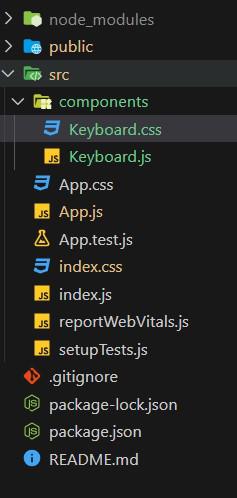
Project Structure:
👁 Screenshot-2023-09-08-193332
Steps to create the application:
Step 1: Set up React project using the command
npm create vite@latest <<name-of-project>> --template reactStep 2: Navigate to the project folder using
cd <<Name_of_project>>Step 4. Install dependencies
Since we are using Vite, you will need to install dependencies:
npm installStep 3: Create a folder “components” and add two new files in it namely Keyboard.js and Keyboard.css.
Step 4: Import the icon pack using the following command in the index.html file of the public folder.
<link rel="stylesheet" href="https://cdnjs.cloudflare.com/ajax/libs/font-awesome/6.2.0/css/all.min.css" integrity="sha512-xh6O/CkQoPOWDdYTDqeRdPCVd1SpvCA9XXcUnZS2FmJNp1coAFzvtCN9BmamE+4aHK8yyUHUSCcJHgXloTyT2A==" crossorigin="anonymous" referrerpolicy="no-referrer" />
Example: Write the following code in respective files
Steps to run the application:
1. Type the following command in terminal.
npm run dev2. Open web-browser and type the following URL
http://localhost:5173/Output: