|
VOOZH | about |
|
VOOZH | about |
React Router is a popular library in the React ecosystem that enables routing in single-page applications (SPAs). It allows developers to define navigation and rendering rules based on the URL of the application. One of the essential components of React Router is the StaticHandler, which plays a crucial role in handling static routes within your application. In this article, we will delve into what the StaticHandler is, how it works, and its significance in React Router applications.
The StaticHandler in React Router is a component used to render static content or components based on specific routes. It allows developers to define routes that render the same content regardless of the URL or user interaction. This is particularly useful for rendering components like headers, footers, or other UI elements that remain constant across multiple pages of an application.
When a React Router application is set up, developers define various routes using components such as Router, Routes, and Route. These routes determine what components or content should be rendered based on the URL path. However, in certain cases, there might be components that need to be displayed on every page, irrespective of the route. This is where the StaticHandler comes into play.
The StaticHandler component is typically used within the routing structure of a React Router application. It is placed outside the main routing logic to ensure that it is rendered consistently on every page. When the application renders, the StaticHandler component is included in the rendering flow, ensuring that its content is always displayed.
StaticHandler is to render global UI elements such as headers, footers, navigation bars, or sidebars. These components often contain branding, navigation links, or other information that remains consistent across all pages of the application.StaticHandler, developers can ensure that they are rendered consistently without the need to duplicate code in multiple components or routes.StaticHandler is to display content based on the authentication status of the user. For example, if certain parts of the UI should only be visible to authenticated users, developers can conditionally render them within the StaticHandler based on the user's authentication state.Step 1: Create a reactJS application by using this command
npx create-react-app myappStep 2: Navigate to project directory
cd myappStep 3: Install the necessary packages/libraries in your project using the following commands.
npm install react-router-domThe updated dependencies in package.json file will look like:
 "dependencies": {
 "@testing-library/jest-dom": "^5.17.0",
 "@testing-library/react": "^13.4.0",
 "@testing-library/user-event": "^13.5.0",
 "react": "^18.2.0",
 "react-dom": "^18.2.0",
 "react-router-dom": "^6.22.3",
 "react-scripts": "5.0.1",
 "web-vitals": "^2.1.4"
 },
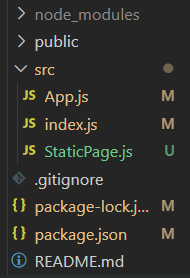
Example: Implementation to show the explanation for static handler.
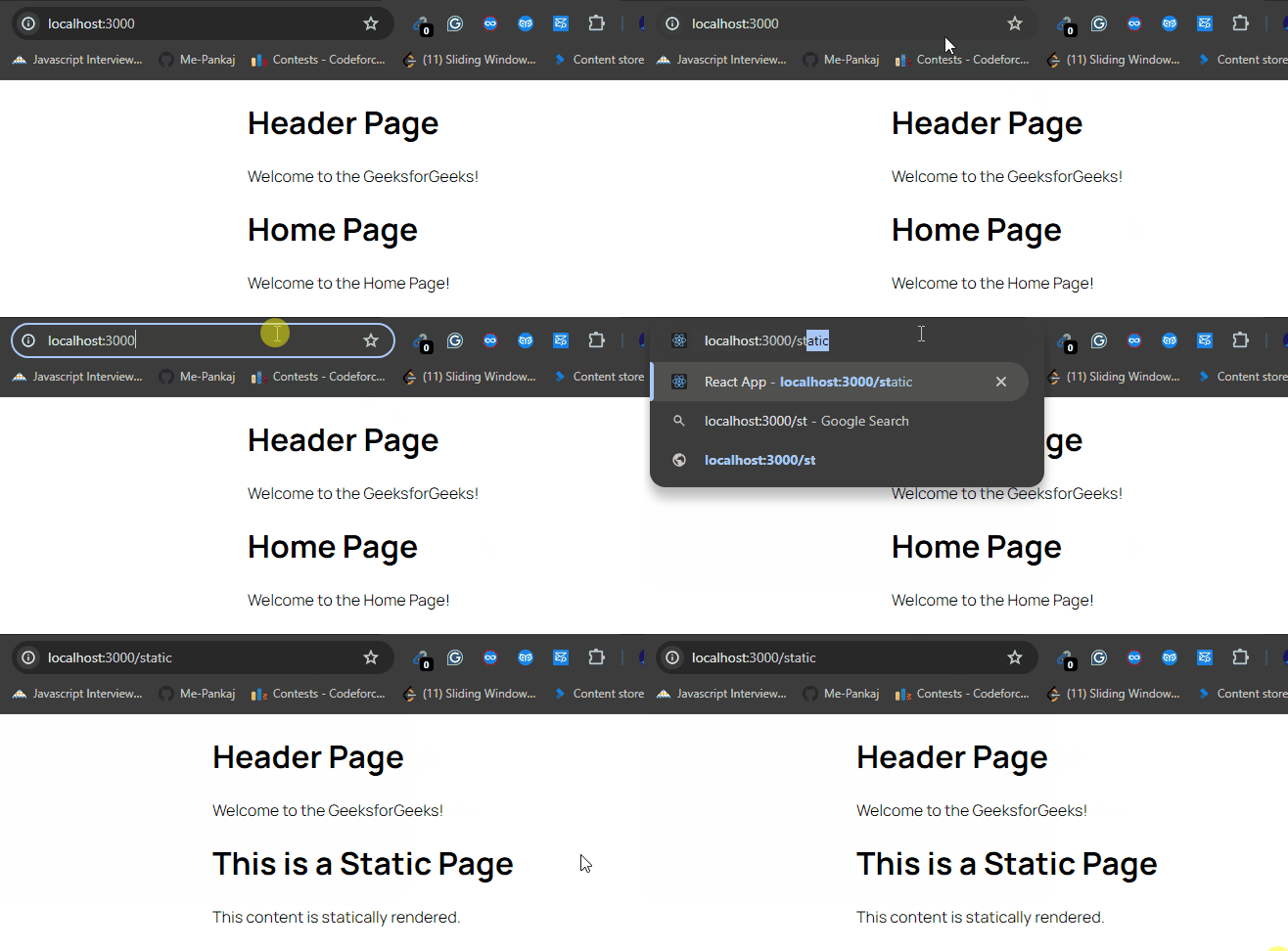
Explanation: In this example, the <Header /> component is like a fixed header that appears on every page. It's our "static handler" for the header content. Using React Router's <Routes> component, we define routes for different pages. For the root URL ("/"), we render the <Home /> component, and for "/static", we render <StaticPage />, which is another static page. So, <Header /> stays the same across all pages, while <StaticPage /> shows statically rendered content.
Step to Run Application: Run the application using the following command from the root directory of the project
npm startOutput: Your project will be shown in the URL http://localhost:3000/
The StaticHandler component in React Router provides a convenient way to render static content or components that should be displayed consistently across all pages of a single-page application. By encapsulating global UI elements or authentication-related content within the StaticHandler, developers can ensure a unified user experience throughout the application. Understanding how to utilize the StaticHandler effectively can greatly enhance the maintainability and scalability of React Router applications.