|
VOOZH | about |
|
VOOZH | about |
'2D' stands for 2-dimensional and a 2D line is a line that is moved in 2-dimensions. A line in 2D means that we could move in forward and backward direction but also in any direction like left, right, up, down.
In MATLAB we have a function named plot() which allows us to plot a line in 2 directions.
Syntax:
plot(X,Y)
where X and Y represent the x and the y axis of the plane. The X and Y both are can be vectors or matrices but there are some conditions to plot the graph and these conditions are mentioned below:
Condition 1: If X and Y both are vectors then they must be of equal length.
Condition 2: If X and Y both are Matrices then they must be of equal size.
Condition 3: If one of X or Y is a vector and the other is a matrix, then the matrix must have dimensions such that one of its dimensions equals the vector length.
Condition 4: If one is a scalar and the other is either a scalar or a vector, then discrete points must be plotted.
Now let's move to some examples.
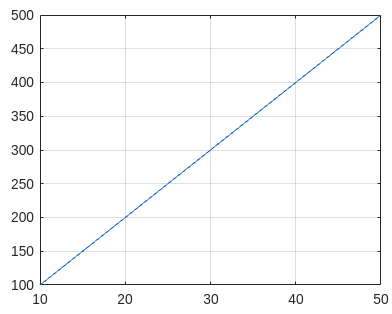
Example 1: Draw a simple line:
Output :
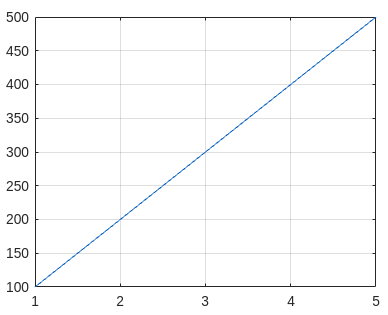
Example 2: Draw a line with only 1 axis coordinates as input:
Note: If you give only 1 axis then the plot() function takes it as coordinates of the y-axis and by default gives values to the x-axis starting from 1, 2, 3, up to y coordinates.
Output :
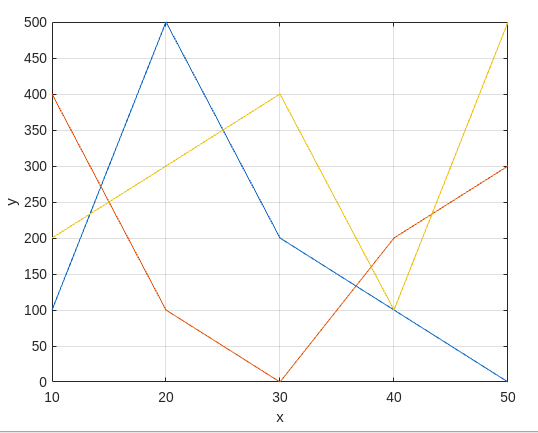
Example 3: Draw more than 1 line on the same graph with axis names:
Output :
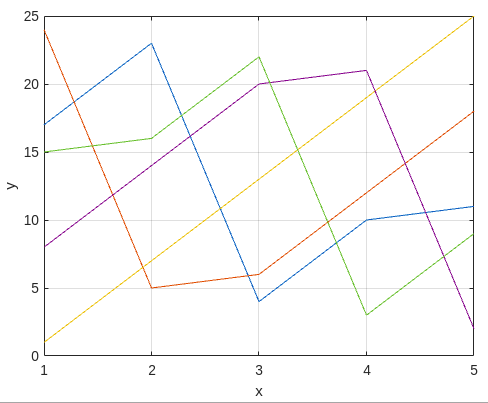
Example 4: Now the value of the y-axis is given as matrix instead of vector:
Output:
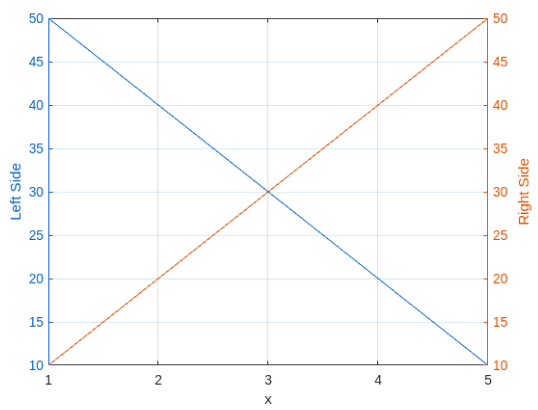
Example 5: Now we plot the graph by using 2 y-axis one is on the left side another is on the right side.
Output: